
Your Jane Booking Numbers Are Wrong in Google Analytics
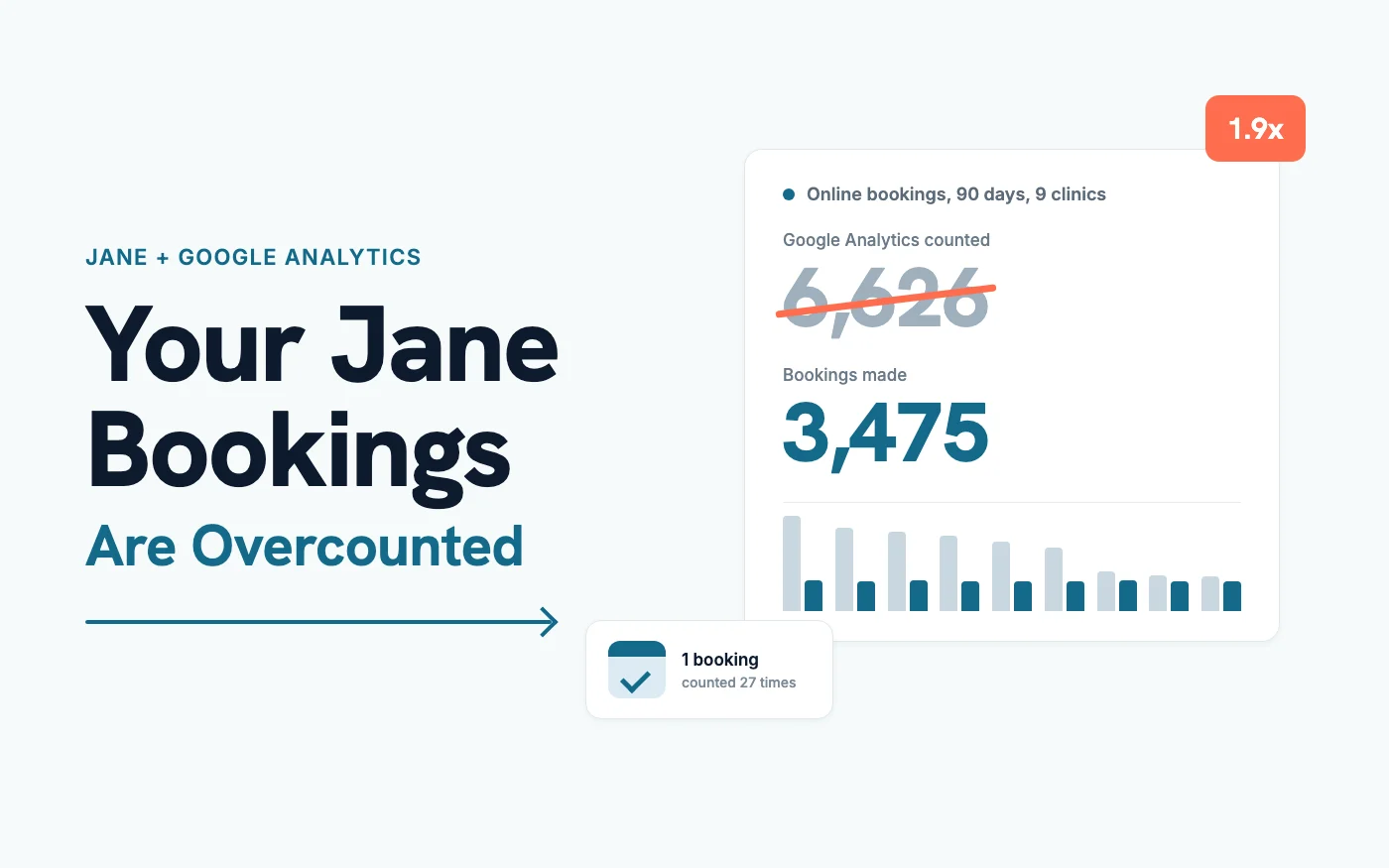
We pulled 90 days of Google Analytics data from 9 clinics that book through Jane. Google Analytics recorded 6,626 online bookings. Counting the booking confirmation pages themselves, there were 3,475.
If you track Jane bookings in Google Analytics, your booking count is likely too high and your ads are likely getting too little credit: in the clinics we checked, bookings were overcounted by 17% to 210%, and four clinics running Google Ads had zero Jane bookings credited to their ads. Both come from how the tracking is set up, and both are usually fixable inside Google Analytics.
Here's what we found and how to check your own.
Jane Bookings Counted in Google Analytics vs Confirmation Pages
Every online booking in Jane ends on a confirmation page with its own ID in the address, something like yourclinic.janeapp.com/appointments/8f3c.... One ID is one booking. So if you count how many different confirmation pages a booking event fired on, you get the number of online bookings, no matter how many times that event fired.
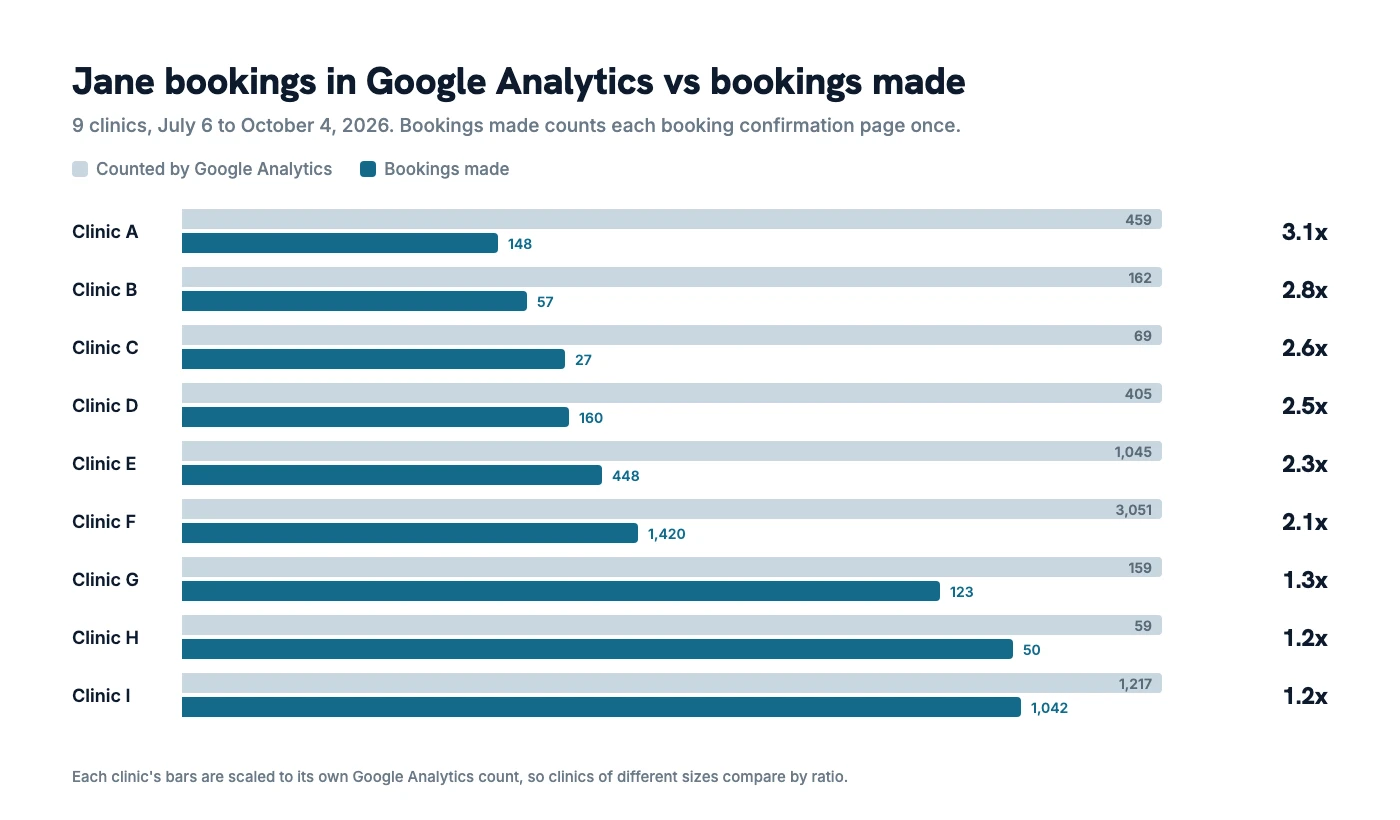
Here's what that looked like from July 6 to October 4, 2026. We've left the clinic names out.
| Clinic | Bookings in Google Analytics | Bookings made | Overcount |
|---|---|---|---|
| Clinic A | 459 | 148 | 3.1x |
| Clinic B | 162 | 57 | 2.8x |
| Clinic C | 69 | 27 | 2.6x |
| Clinic D | 405 | 160 | 2.5x |
| Clinic E | 1,045 | 448 | 2.3x |
| Clinic F | 3,051 | 1,420 | 2.1x |
| Clinic G | 159 | 123 | 1.3x |
| Clinic H | 59 | 50 | 1.2x |
| Clinic I | 1,217 | 1,042 | 1.2x |
| All 9 | 6,626 | 3,475 | 1.9x |
Every clinic was overcounting. The gap between the top six and the bottom three mostly comes down to one setting.
Why the Booking Event Fires Two or Three Times
With Jane's standard Google Analytics integration, clinics create the booking event themselves, using a feature in Google Analytics called a custom event (a rule that says "when X happens, record an event called Y").
Jane's Google Analytics guide has you create an event called appointment_booked for pages whose address contains "/appointments". The six clinics at the top of the table, and Clinic G, had a booking event with only that condition, and nothing saying which event should trigger it.
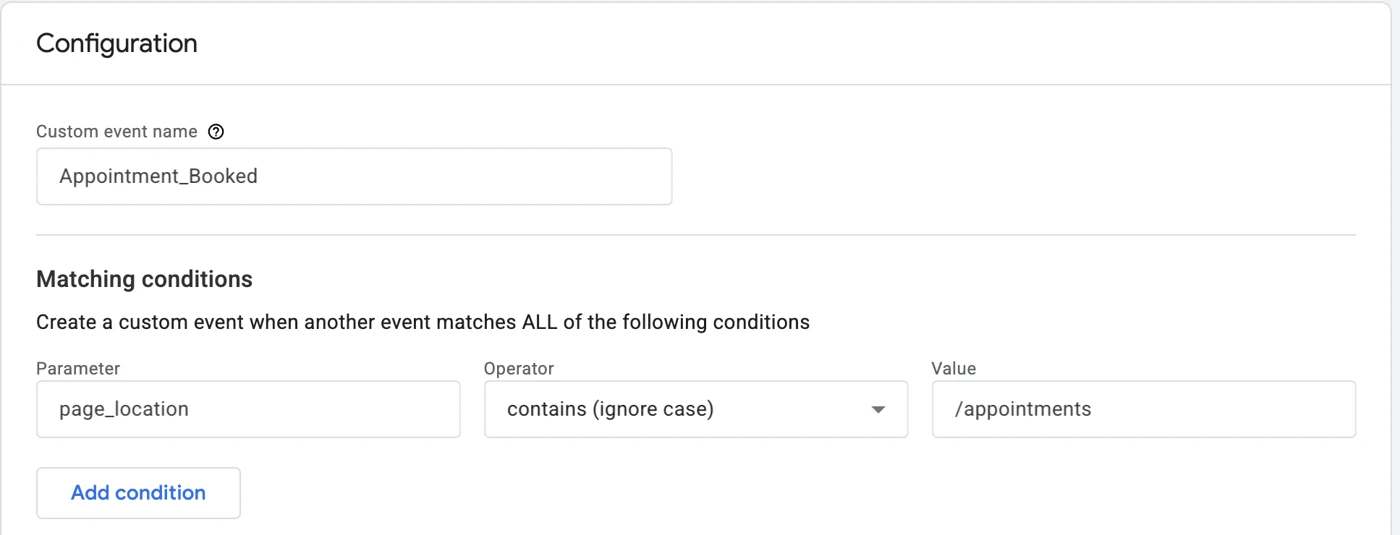
That rule doesn't say which event to copy, so it copies all of them. Google Analytics records several things on every page by default: the page view, a scroll when someone gets near the bottom of the page, and a form start and form submit when someone fills in a field. On the confirmation page, each of those becomes a booking.
Clinic E shows it cleanly. Over the 90 days, its confirmation pages logged 580 page views, 256 scrolls, 167 form starts and 43 form submits. That adds up to 1,046. Google Analytics counted 1,045 bookings.
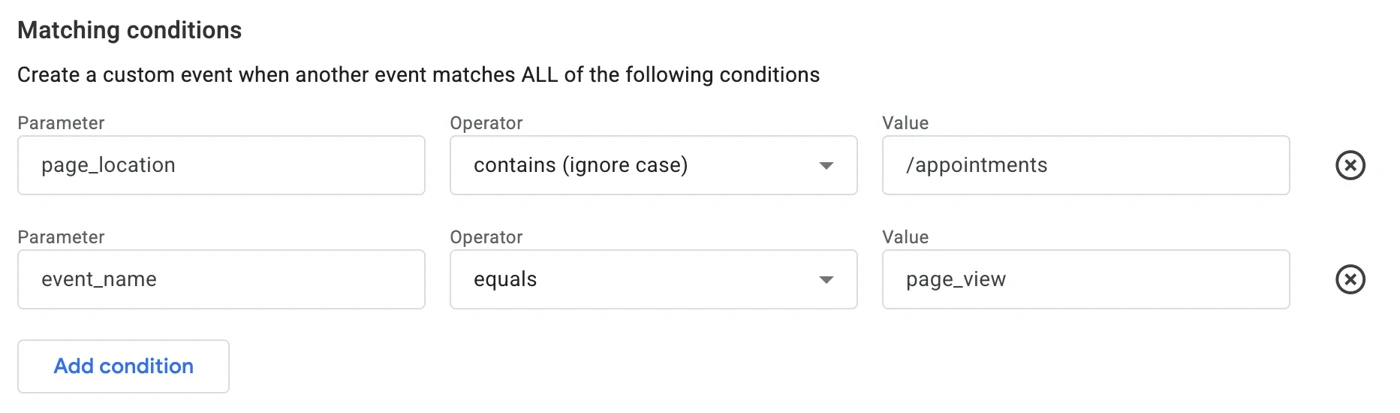
Google's own instructions for a thank-you page event include a second condition: pick page_view as the event name, then add the URL. Clinics H and I had that second condition, and they overcounted by 17% to 18% instead of 115% to 210%. Clinic G's rule has the same gap as the top six, but its confirmation page doesn't record scrolls or form activity, so the page view was the only thing left to copy.
Those three still overcount because a confirmation page that loads again counts again, whether that's a refresh or a browser tab reopened later. The most we saw on a single booking was 27 booking events.
Where Your Google Ads Bookings Went
The second problem is the opposite one. Bookings get counted, but the ad that brought the patient in disappears.
Jane's booking site lives on a different domain from your website, usually yourclinic.janeapp.com. When a patient clicks an ad, lands on your website and then clicks Book, Google Analytics sees them arrive on Jane from your website. Unless the two are connected, the booking is credited to your own site.
Five of the clinics we checked had Google Ads sending visitors to their website:
| Clinic | Google Ads visits to the website | Jane bookings credited to Google Ads |
|---|---|---|
| Clinic A | 1,442 | 0 |
| Clinic B | 325 | 0 |
| Clinic C | 297 | 0 |
| Clinic G | 179 | 0 |
| Clinic E | 1,056 | 73 |
At Clinic A, Google Ads brought in 61% of the website's visits, and 113 of its 149 Jane bookings were credited to the clinic's own website instead.
Clinic E has cross-domain tracking set up (a setting that carries a visitor's tracking from your website over to Jane, so Google Analytics knows it's the same person). It's the only clinic here where Google Ads shows up as a source of Jane bookings at all.
This is about what Google Analytics reports. Google Ads keeps its own conversion count, so your Ads account may still be crediting these bookings. The problem shows up when you open Google Analytics to compare channels and conclude your ads aren't producing bookings. If you're deciding what to spend, that's the report that can mislead you. We've written about setting a Google Ads budget if you're working through that now.
How to Check and Fix Your Own Jane Tracking
You can check this yourself in Google Analytics, in the property your Jane booking site sends data to.
See how your booking event is built: go to Admin, then Data streams, open the stream for your Jane booking site, and click Create custom events. Open your booking event. If its only condition is the page address containing "/appointments", it's counting scrolls and form activity as bookings. Add a condition with event_name equals page_view. From then on it counts once per confirmation page load.
Count your bookings by page: in Explore, start a free-form report with Page path as the dimension and Event count as the metric, then filter to your booking event. Each row is one confirmation page, so the number of rows is your number of online bookings. It also gets around reloads, which the setting change above can't.
Connect your website and Jane: set up cross-domain tracking so a patient who comes from an ad keeps that source when they move to Jane. Google's cross-domain measurement guide covers the setup. Jane's guide asks for a separate Google Analytics property for your booking site, which adds steps, so test it afterwards: click through from a link with a campaign tag, book a test appointment and check where Google Analytics credits it.
Fixing the rule changes your numbers from that day forward. Your old reports stay as they were, so when you compare months, expect a drop in "bookings" that isn't a drop in patients.
Frequently Asked Questions
Does Jane's Google Ads integration fix this?
It's a separate thing. You create a conversion action in Google Ads, give it to Jane, and Jane sends your online bookings to Google Ads directly. It doesn't change anything in Google Analytics, so the overcount above stays until you fix the rule. What it does change is where Google Ads gets its bookings from: straight from Jane, instead of from an event imported out of Google Analytics. One clinic in our group started recording bookings through it in September, which isn't enough data yet to say how its numbers compare.
Is counting confirmation pages exact?
They're close, and if anything slightly low. Patients who block tracking in their browser never show up in Google Analytics at all, so a few bookings are missing from every count here, including ours. Cancelled appointments still have a confirmation page, so they're included.
Does the overcount affect Google Ads if I imported the booking event as a conversion?
It can. If your Google Ads conversion is imported from this Google Analytics event and set to count every conversion, the extra events go into Google Ads too, which also affects how it bids. Setting the conversion to count one per ad click limits the damage, but fixing the event in Google Analytics is the better fix.
Where This Leaves You
If you've been reporting Jane bookings from Google Analytics, the number of patients who booked is likely below what you've been seeing, and your ads have likely done more than the report shows. Inside Cliniverse, the Website Numbers tool counts Jane bookings by confirmation page rather than by event, so members see bookings, not events, without building a report. If you're still getting comfortable with Jane itself, our overview of Jane App covers what it does and what it costs. Numbers you can trust are where done-with-you clinic marketing starts: you run your marketing, with us behind you.
Related Articles
 AI & Tools
What Is Jane App? An Honest 2026 Overview for Clinic Owners
Jane App is a Canadian-built practice management platform for clinics. Here's an honest 2026 overview from a team that works with clinics on Jane every day.
Tyler · October 1, 2026
 AI & Tools
Juvonno vs Jane App: Which Clinic Software Fits You?
An honest Juvonno vs Jane App comparison for Canadian clinics. Pricing, billing, multi-location, interface, and who each one fits best.
Tyler · October 1, 2026
 AI & Tools
Jane App vs ClinicSense: Which Fits Your Clinic?
Jane App vs ClinicSense for Canadian clinics: pricing, appointment caps, charting, reviews, insurance billing, and who each one fits.
Tyler · October 1, 2026
Run Your Own Clinic Marketing
Cliniverse gives you the ads, posts, courses, and AI to grow your clinic, with experts on call. You own everything you build.