
12 YouTube Secrets on How To Be Successful
Whether you’re just starting or an experienced YouTuber, we’re going to cover everything to help your YouTube channel gain the traction you have been looking for! YouTube is an absolute beast of a platform, so you can learn more about the algorithm and how to play into the hands of YouTube, but we’ll be jumping into every aspect of making your channel a success.
We have 12 different aspects to check off your box when posting and creating YouTube videos, but first up is focusing on the three T’s – titles, thumbnails, and your topic. Let’s explore the topic.
Creating a Compelling Topic
One of the most important things to make sure you are doing is choosing a topic that people want to watch. If you create topics that no one will ever watch, you’re shooting yourself in the foot. If you make videos on your pet rock, for example, you will most likely never get views… well, maybe not nowadays with this generation just watching the most random stuff, but the topic you choose is extremely important.
You want to make sure that you are choosing topics and ideas that people will want to click and watch. This is one of the first steps in making your YouTube a success.
Make Your YouTube Titles Click-Worthy
YouTube is quite a bit different than your typical social media platform that automatically plays videos when you scroll and you don’t need to physically click and choose a video. Although, with their new addition of Shorts, this aspect is similar to typical social media platforms, but the main purpose YouTube was created, was videos that you pick and choose to watch.
Not only do you need to make sure your topics are something people will want to watch, you need to make sure you are coming up with catchy titles. When coming up with titles, you can use a baseline here to help come up with ideas. Include a number if possible (see this blogs title), the title has a positive or negative sentiment to it, and contains at least one power word.
Create An Eye Grabbing Thumbnail
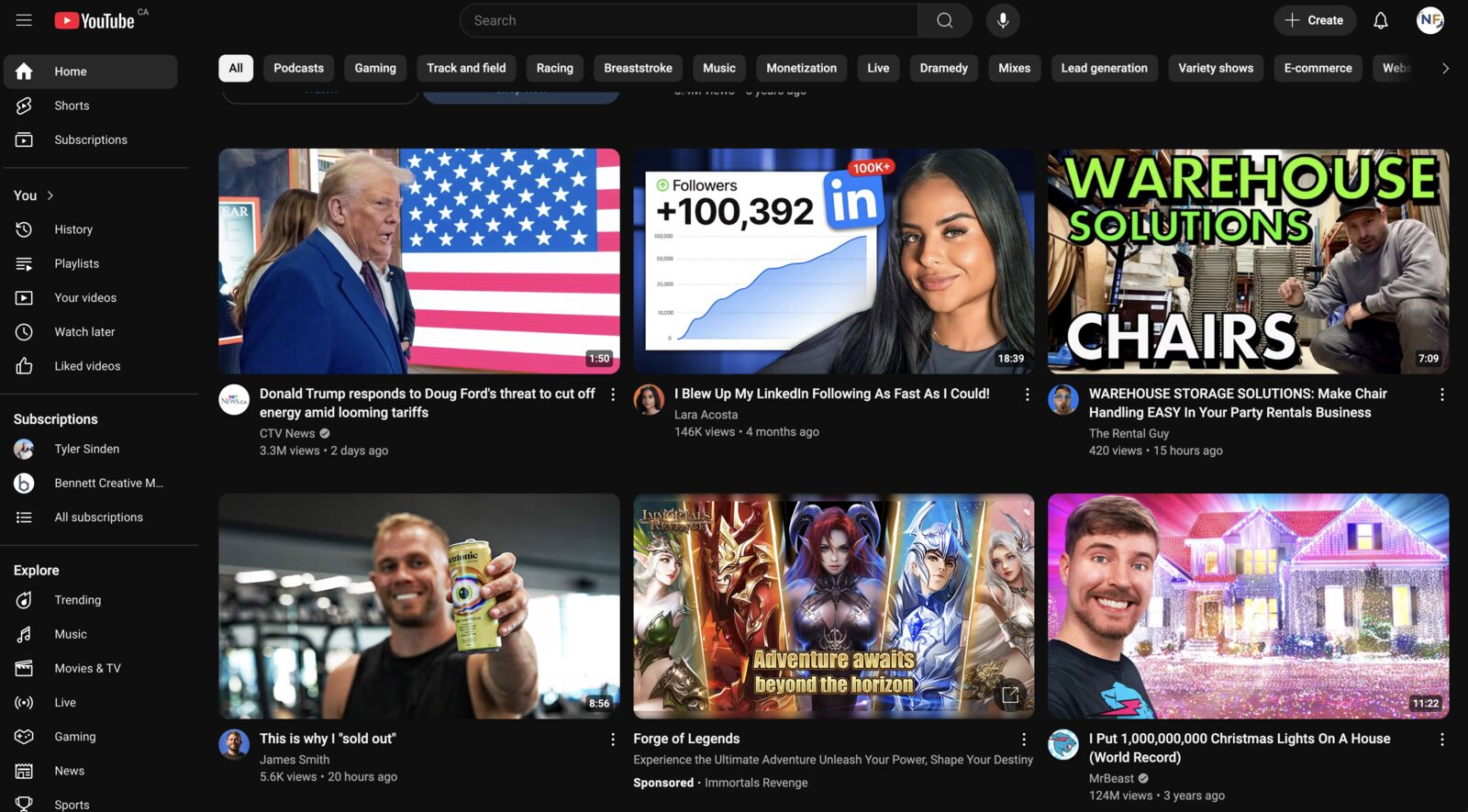
Thumbnails are another area similar to the titles that you need to make it attention grabbing and convince someone to click to watch. There are a few considerations you want to cover when creating your thumbnails. Let’s cover the do’s and don’t of your thumbnail.
Don’t Make Your Thumbnails Too Busy
There’s a fine line you need to walk on getting your point across and making the thumbnail attention grabbing, while also not making it too busy with the amount of stuff in it. Thumbnails are small, so when you are editing them, it might look bigger than what it is going to look like on someone’s phone or computer, so they might not be able to read text. I heard that you want no more than three different elements going on. Less is more in my opinion.
Do Include Text
One of the elements you can include in your thumbnail can be text. Usually you want to make it similar to your title in terms of what you include, you can make it the same, but it’s an opportunity to try some other keywords or words in there to get someone to click through.
Add Your Face to the Thumbnail or Someone Famous
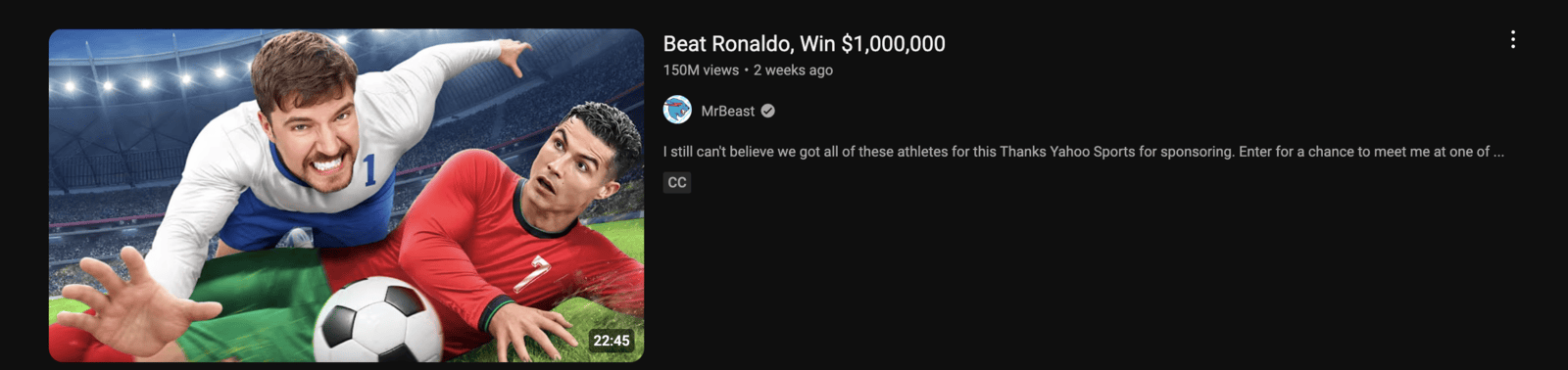
Including yourself in the thumbnail is a good idea, especially if you are trying or have a personal brand. People will click through because they know or like you and have seen you in the past. If it makes sense, you can also include a famous person, as they have brand value to their name.
Bonus Tips on the Three T’s
Reassure the viewer is in the right spot and what they clicked is what they thought it was. Repeat the title of the video within the first 5 seconds of the video. If you watch any of Mr. Beast’s YouTube videos, you will notice that the first thing he says in every video is the title.
I do just want to throw this in here for thumbnails as well, I have seen a lot of videos perform well when the thumbnail is just a screen grab from the video. Something that doesn’t look like it was planned or chosen. I’m not sure why, but I have noticed that this route gets clicks as well, but I wouldn’t recommend it all the time.
Writing or Planning A Script
There’s a reason that the biggest YouTuber’s have so many more subscribers and get so many more views than everyone else – they plan their videos significantly more than everyone else. They come up with scripts, they plan every b-roll piece, the camera angle, everything.
If you are just setting up a camera, have a loose idea of a topic for your video, it’s probably going to perform poorly. Spend the extra time in the planning phase and who knows, this may make the later processes of making your YouTube videos more streamlined and efficient.
I remember when I would record, it would take me hours because of constant cutting and repeating myself, then the editing would take forever as well. Not only in the recording efforts, I didn’t plan out the b-roll, so that took an extra long time as well and wouldn’t fit as well as I wanted it to.
The more time and effort you put in the beginning stages of your videos, the better the payout. The whole thing will be more well-produced and should come out as better quality.

How You Edit Your Videos
This section is similar to the previous, but spend more time editing your videos. If you spend more time in the planning stages, it will make this part better and easier. We got to an era where people’s attention spans were extremely minimal and you needed to keep and capture them. Through short-form content, people are constantly moving to the next thing, especially with instant gratification all around us, viewers most of the time, don’t want to watch a plain static video. That being said, I have seen uncut, raw videos perform well.
You’ll notice in a lot of videos, there is constant movement, zoom ins, zoom outs, b-roll, sound effects, and more. Me personally, I’m more of a fan of story telling and adding b-roll opposed to everything else, but if you look at the top accounts (Mr. Beast and others) it’s constant. His audience demographic may be the younger generation at the same time and that could play a factor in it.
Does The Length of Your YouTube Video Matter?
You may hear several different opinions from people on this subject. It has to be shorter. It has to be longer. It doesn’t matter the length. However, I believe that it does matter how long your YouTube videos are. In my opinion, YouTube favours the longer form of content. At the end of the day, YouTube wants people on their platform as long as possible and longer videos are able to achieve this.
However, I am going to contradict myself here, but if you make an amazing video and people are watching from start to finish, it doesn’t matter how long the video is. I do believe if it is longer, you will receive preferential behavior from YouTube’s algorithm. Let me explain why.
If you have a video that is 5 minutes and a video that is 50 minutes long for simplicity sake. If someone watched 50% of the first video and 50% of the second video, there is a significant difference in time spent on YouTube’s platform. That’s 2 minutes and 30 seconds compared to a whopping 25 minutes. The other kicker is that if people were to watch 100% of the first video, the max time someone will spend on YouTube is 5 minutes, where as if someone watches the whole second video, that’s 50 minutes. There’s a much bigger upside and more room for watch time. I get more into detail in the next one, but time spent watching is a big metric to track on your videos.
Metrics to Track on YouTube
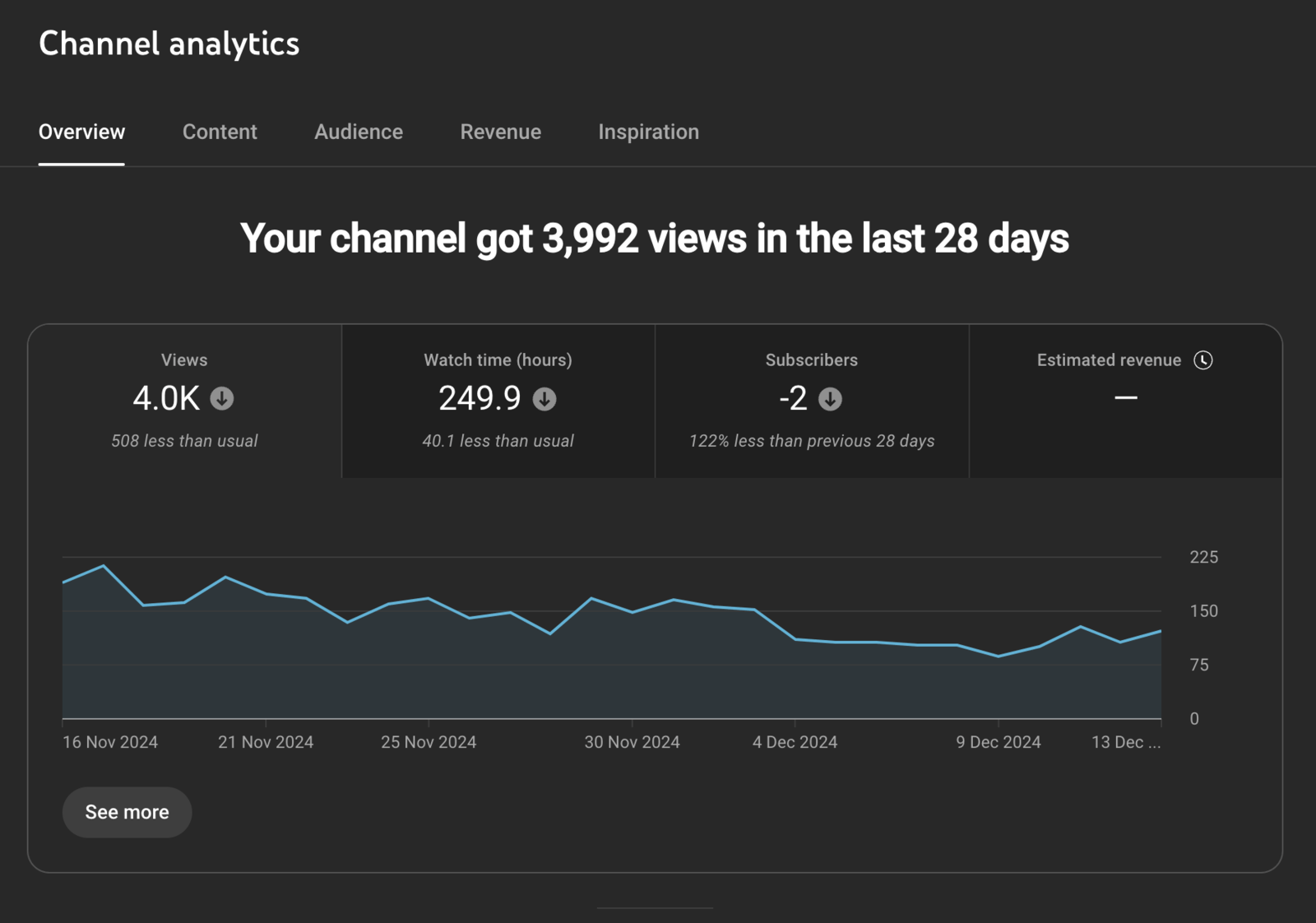
YouTube has a robust analytic tool built in and there are some different metrics you will want to track there. Most of these are more so just vanity metrics, but still good to look at to get an overall insight to your videos performance.
Average Percentage Viewed
These first two are probably the most important, very similar as well, but a big difference. Average percentage viewed is a strong metric to watch out for as this shows you if people are watching your whole videos. If they aren’t where are they dropping off at? Then it allows you to dive more into it, why are they dropping off here?
You want to get this number as close to 100%, but will be nearly impossible, but the higher, the better. This also means that the more people are staying and watching throughout the whole video, the more likely YouTube will push your content to a wider audience as it sees people are staying and watching your videos.
Average View Duration
Very similar to the above, and you may think that if the above is 100%, then this would just be the length of the video. That’s where it differs. Many people watch videos at 2x speed or even 1.5x or just something other than normal speed. So if everyone watches your videos at 2x speed and watches 100% of the video, then it’s only half the length of the video.
Click-Through Rate
This is a good metric to track as it means that your title or thumbnail could use some work. It all varies based on your YouTube channel, your brand, and so many other factors, but you should be aiming between 5-20% click-through rate (CTR). If you have a more strong brand presence, you may be on the higher end, but if you are on the lower end, maybe you need to switch up the title or thumbnail or both.
I have also seen some of my videos, once they get pushed to a wider and new audience that typically don’t see my videos, my CTR can drop significantly. My belief is that I have yet to establish that brand presence or awareness and they don’t know who I am.
Views
Views is a good metric to look at to see if your video is inline with what you typically see. If you are getting less, maybe it’s the topic, maybe it has something to do with the title and thumbnail. If you receive more, this could be a sign that this is a good topic and branching out around that topic could be a smart decision.
In addition to that, many people may look at your channel, the number of subscribers you have, and if it doesn’t match, they may think something is fishy. Say you have 100k subscribers, but only receive a few hundred views a video, something doesn’t add up there.
Subscribers
Subscribers is good to look at to see how your overall channel growth is going. Is it going up? Is it going down? Are some videos bringing you in more subscribers than others? Maybe those types of videos should be prioritized? Are these even the subscribers that you want? There are so many factors that come into play, but examining your subscriber count is good to see how your channels health is doing.
Optimizing Your Videos for SEO
You may receive a number of freelancers or “SEO Specialists” reaching out to you saying that your SEO is off and they could improve it and help you reach your goals. I don’t believe that doing all this will get you to the top, but I do believe there is an impact there.

YouTube Title
Although having the best optimized title will help with SEO purposes, YouTube takes into consideration several other factors that will be ranking videos higher. For example, how big is the channel? How many views do videos have for that search that someone is searching for? Are people watching the video when they search for this term? These are some of the other variables that YouTube takes into consideration when someone searches.
But breaking down your title, you want to make sure to include a keyword or topic in it. It is good to include it at the start, so it may have a bit more ranking potential. You also don’t run into the risk of it getting cut off at the end if your title is long, and almost ensures that the user will see it. For example, if your video is on the topic of Swimming Tips, a title could be something along the lines of “Swimming Tips for Beginners to Become an Expert”.
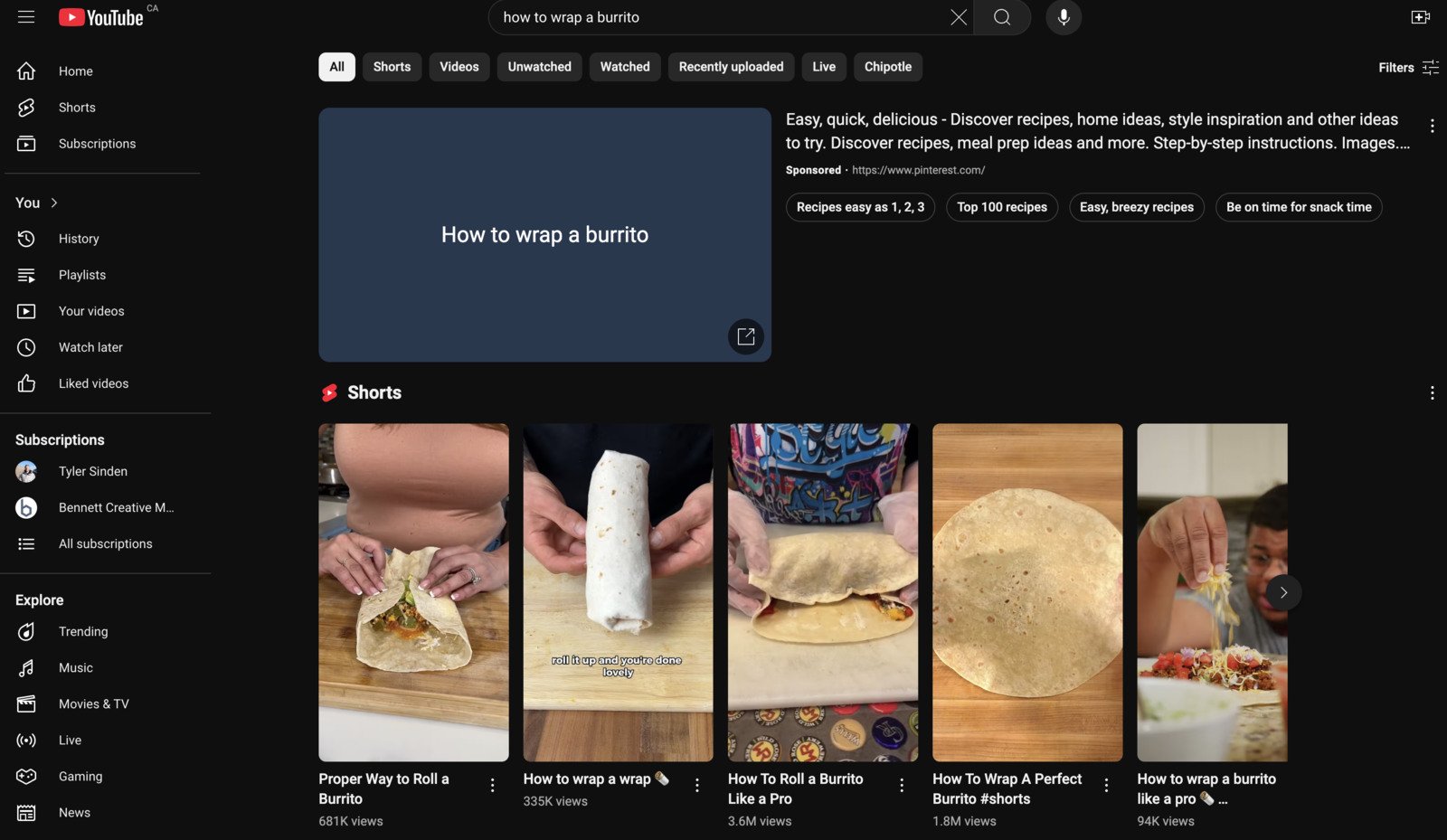
In addition to this, YouTube Shorts have become a big aspect for searches, especially quick and easy videos that explain stuff. Something along the lines of “How to Wrap a Burrito”, this would be a great quick and easy explainer video that could pop up in the Shorts feed.
YouTube Tags
There has been lots of discussion whether or not YouTube tags have a significant impact on your videos. In the past, these used to have a good amount of impact, but over the years, everyone would try to get as much and the most possible tags in, even if they didn’t make sense, and then YouTube stopped giving them as much power. They are still there, so I would recommend trying to get as many in as possible, as long as they make sense and correlate to your topic.
Video Description
Your video description is another great spot to include keywords to help with ranking. You will want to include these closer to the front (within the first sentence or two) and then after that, it somewhat loses the necessity. It is still good to include later in the description, but you can think about it in the way when people are searching, there is only a small description that will show up in the video description, next to the video when you search.
Thumbnail & Video Meta Description
This is getting a bit more in the weeds, but I believe you might as well take all of the possible precautions to best help out. When you save and create a thumbnail, along with the video, I would recommend titling it properly (usually whatever your YouTube video title is). Don’t just leave it blank as something like thumbnail.jpg or image.jpg. Name them properly, for example: How-To-Make-A-Burrito.jpg. It only takes a couple of extra seconds and can’t hurt to do so.
YouTube Bonus Tip for Optimizing Your Videos
There are a few different apps that you can use to help make sure your video is fully optimized. If you want fully optimized videos, you’ll need to download TubeBuddy and/or VidIQ.
What is TubeBuddy?
TubeBuddy is a browser extension and mobile app designed to integrate directly into YouTube to help creators manage their channels with ease. It offers a suite of tools to improve video SEO, including keyword research, tag management, and analytics insights. TubeBuddy also provides features for streamlining workflows, such as bulk processing for thumbnails and descriptions, making it a valuable tool for growing and optimizing YouTube channels.
What is VidIQ?
VidIQ is a powerful tool that provides YouTube analytics and optimization recommendations to help creators enhance their video performance. It helps users understand what works in their niche by offering insights into competitive analysis, keyword research, and trends tracking. VidIQ’s features support creators in increasing their video’s reach and engagement by suggesting optimal times for publishing, connecting with influencers, and tracking viewer engagement metrics. It’s geared towards helping creators make data-driven decisions to boost their YouTube channel’s growth and visibility.
Should You Have A Channel Niche?
Long answer short, yes you should have a channel niche. For those that don’t know what a niche is, let’s go over that first.
What is a YouTube Niche?
A YouTube niche is having a specific type of video or content you have your channel focused around. If you have a channel on finance, you stick to making videos on finance. You don’t branch out to work out videos or cooking. You stick to one topic.
How narrowed should you go though? There are thoughts of narrowing your niche down into an even smaller segment. Say you’re in the finance industry, narrowing down to credit cards, or something similar. This can be good at the start, when you are trying to build your channel, but branching out once you start to gain followers may be the smart decision.
When you have a niche, people will know exactly what to expect when they come to your channel and when they watch a video. They know exactly what to expect. This is also a reason why you don’t want to branch out into other random videos. My thoughts are that switching up your videos can also confuse the algorithm and then it will not know who to put it in front of. When you branch out to other stuff, your subscribers might not like that, they won’t click-through, then this may signal to YouTube that this video isn’t good and it won’t recommend it.
Have Viewpoints on Topics
Have a firm belief on topics. Don’t tightrope the middle and be impartial on your beliefs. If you believe in something, show it and say it. This will help create a community of others that have the same or similar viewpoints. Not only will this help with the people that have the same beliefs, people who have opposing thoughts may also tune in.
The Three E’s of YouTube Videos
When you are coming up with your videos, you should try and keep in mind the three E’s and include at least one in it, if not all three. These are the basic reasons why people tune into videos. These are pretty self-explanatory, but let’s jump into them.
Educational
All of these categories can be on any topic, it’s just making the content under this bracket. If you are making comedy, I believe you can still have an educational purpose to it. So, think to yourself, are people tuning into your content for educational purposes? If so, you want to make sure that you are delivering education to them.
Entertainment
I would argue that the majority of content that get’s posted to YouTube and pretty much all social media platforms is for entertainment purposes. People like to spend time watching videos, and entertainment is one of the easiest ways to consume a bunch of content. Is the content that you’re making entertaining? Is it funny? Thrilling? Suspenseful? All of these and more are ways to make your content entertaining for the viewer.
Emotional
Does your video have an emotional aspect to it? Do you overcome something in it? Is it a feel good video of helping animals – The Dodo always has great videos like this.
There are several different ways to add an emotional aspect to your video and this is something you want to keep in the back of your mind when creating videos. If you can get all three, that’s awesome! If not, aim for at least one of these. People are spending their time on your videos, be sure you are delivering to them. Time is the most expensive currency and you don’t want to waste someones time.
The Three Types of YouTube Videos
When it comes to the type of videos you are making, there are three different types that you want to keep in mind. These will help guide you in what the topic will be, title, and the contents of the video. Let’s dive into them.
Search Ability
The search ability of the video relates to all of the SEO optimizing that we talked about earlier. Does it use good keywords that people type or ask? You need to think of YouTube as a search engine, especially because it is. It is one of the most used search engines, only second right behind Google. Searchable videos are typically videos that are evergreen and don’t have a timeline. They will last for years in searches.
Timely
Timely videos relate to topics that are current. This could be whatever is happening in the news, say coverage of an election, a war, a big event taking place, or other similar examples. There will be a wave of traffic that can potentially come through your videos, as this is a topic that people are currently watching and paying attention to you.
The one downfall to this type of video is that it is not evergreen. After a week or maybe a month, depending on the topic, people will be no longer interested and could be outdated. That’s not a terrible thing though as you are trying to ride a wave and gain some traction.
Algorithmic
Playing into the algorithm is a great way to make videos. These are more of evergreen videos that last on forever, people will watch whenever, and this allows YouTube to recommend them where they see fit. Some examples could be nearly any of Mr. Beast videos, building forts in the wild, surviving Arctic winters with no supplies or materials, or other videos of the nature. This will live on forever and not have a timeline.
Youtube Shorts
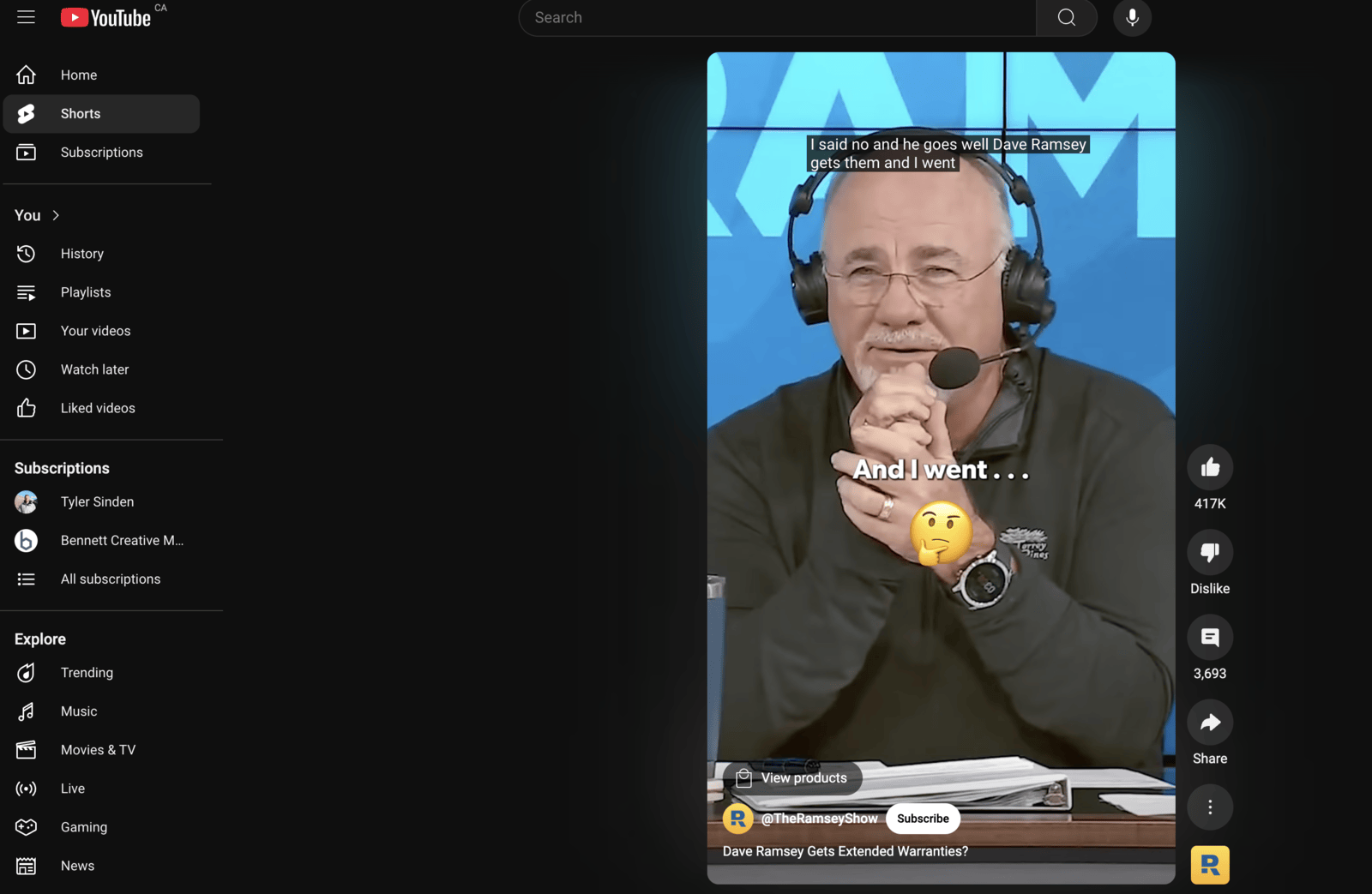
With the emergence of all the social media platforms and their short-form content consuming hours of peoples time a day, YouTube wanted to compete in this market as well. YouTube Shorts is a great way to expand your reach and audience, gaining more subscribers, however, these don’t always typically turn into views on your main videos.
If you post a lot of Shorts, this may turn into new subscribers, but this may only be a vanity metric as it won’t translate into views where you may want. Although, having more subscribers will look better and people may be more willing to subscribe as you have a bigger audience. It’s social proof at the end of the day. But if they do a little more research on your channel and say you have 50,000 subscribers, but only receiving say 100 views on your videos, something looks a little fishy.
However, these new subscribers from your Shorts, could be introduced to your channel and start binging all of your content. It’s not a bad thing to have more subscribers!
These are some ways to help elevate your channel and grow beyond what you thought you could or where you have been stuck. I hope this information helps, as it is all my information that I have learned throughout my years on YouTube and trying to learn more about it. If you would like help on your YouTube account, you can contact us to see if it would be a good fit and we’d be able to help you grow!
Related Articles
 Get Found Online
Best 26 Royalty-Free Photo and Video Websites for Stunning Content
26 royalty-free photo and video websites for marketing, social media, and websites. Free options like Unsplash and Pexels plus premium picks.
Tyler · January 14, 2025
 Get Found Online
How To See Which of Your Social Posts Show Up on Google
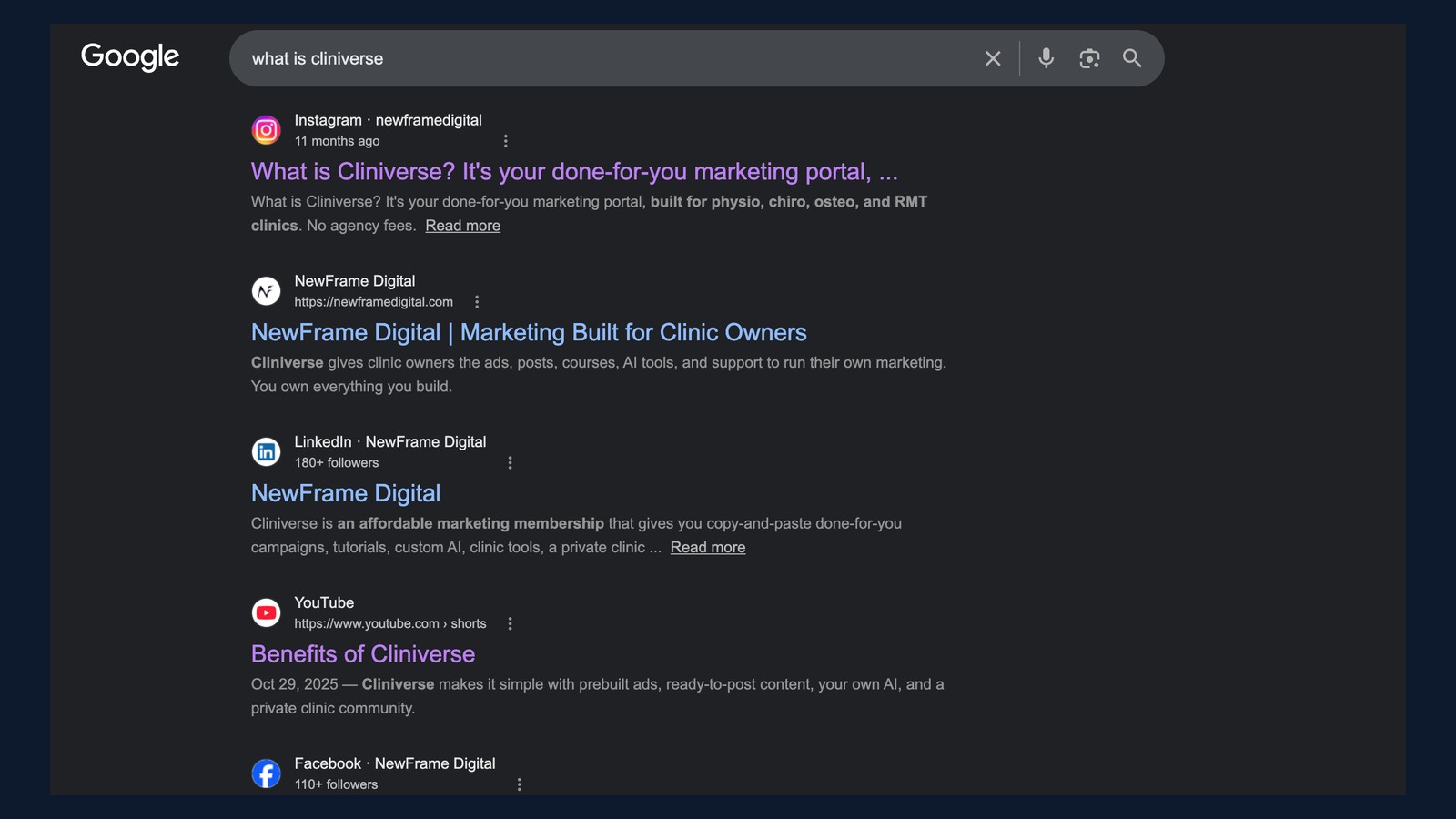
Google Search Console now connects Instagram, TikTok, X, and YouTube. Here's how to connect yours and read the data to decide what to post next.
Tyler · August 5, 2026
 Social & Content
How to Schedule Instagram Reels (Phone + Computer)
Schedule Instagram reels in advance from the phone app or Meta Business Suite on your computer. Step-by-step guide for both methods.
Tyler · April 1, 2026
Run Your Own Clinic Marketing
Cliniverse gives you the ads, posts, courses, and AI to grow your clinic, with experts on call. You own everything you build.