

Best AI Writing Tools Tested and Ranked in 2026
There are a lot of AI writing tools out there right now. And if you’ve been using one for a while, you’ve probably asked yourself at some point: are there better options out there?
We asked that question too. For a long time, we ran everything through ChatGPT (Chat). Blog posts, ad copy, emails, social captions. It worked. We got comfortable with it. It was our go-to choice for everything we did.
Then we tried Claude. Within a few weeks it had learned our brand, our voice, and our workflow. We haven’t looked back since. Everyday, we are constantly amazed at how great it is and that Chat could never compete.
But here’s what we’ve learned: the tool matters less than how you use it. Set it up properly and most of these tools can do solid work. Don’t set it up, and even the best AI will give you generic output.
This is our honest breakdown of the top AI writing tools in 2026. What each one does well, what it costs, and what we’d tell any clinic owner who’s trying to figure out where to start.
Does The AI Tool Even Matter For Writing Content?
Before we get into the tools, this matters more than which platform you pick.
Two people can use the exact same AI tool and get completely different results. One gets polished, on-brand content. The other gets something that sounds like it was written by a generic AI.
The difference is almost always context and setup.
If you open a fresh session and type “write me a social post,” you’ll get something forgettable. But if the AI knows your brand voice, your audience, your services, and your tone before you ask, the output is completely different.
Here’s what a proper setup looks like:
- Create a project folder inside your AI tool and upload your brand guide, writing examples, and audience info
- Set instructions at the account level so the AI knows how you want it to respond by default
- Give it context every time you ask for something specific. “Write me a social post about dry needling for a physio clinic in Burlington targeting active adults aged 30 to 50” beats “write me a post” every time
Keep that in mind as you read through the tools below. The best tool is the one you’ll set up properly and use consistently.
Quick Comparison: Top AI Writing Tools in 2026
Here’s a side-by-side look at every tool we cover in this post.
1. Claude (Anthropic)
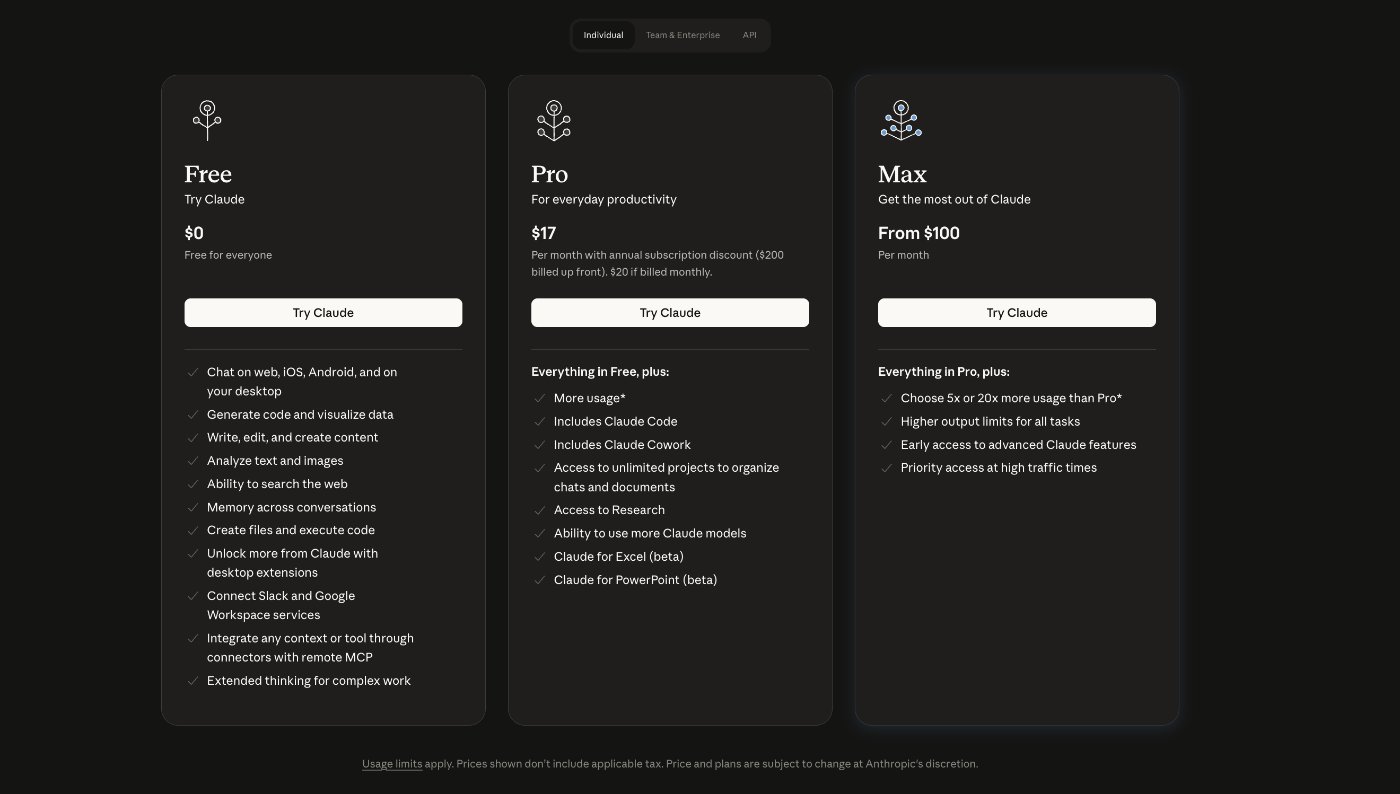
Free plan available. Paid plan: starts at $17/month.
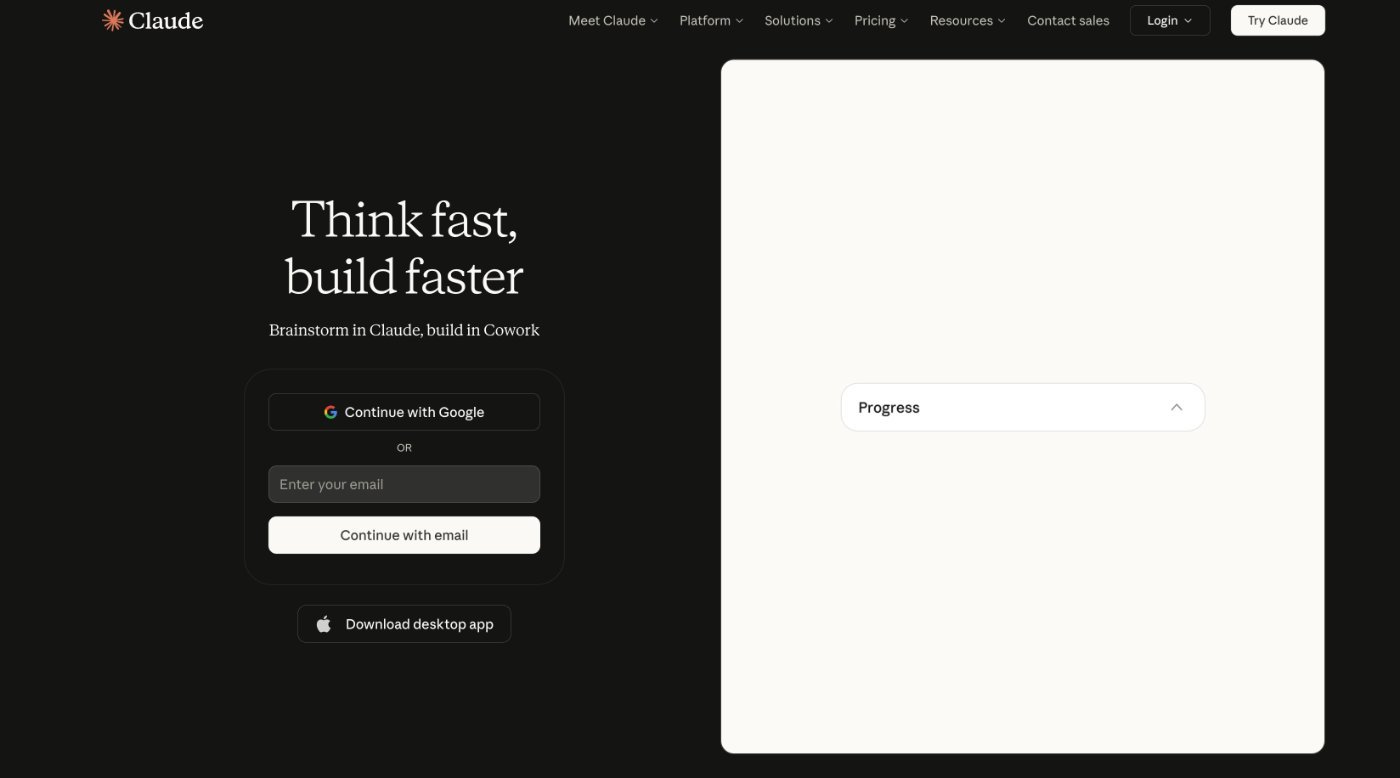
This is what we use. We’re not saying that to be biased. We’re saying it because we switched from Chat after years of using it and the difference in output quality was enough to make us stay (it wasn’t even close to be honest).
Claude produces the most natural-sounding writing of any AI tool we’ve used. It doesn’t sound like a robot trying to sound human. It just sounds like a person who knows how to write. For blogs, emails, ad copy, and social captions, the output is consistently cleaner and more on-brand when you’ve set it up properly.
A few things that set it apart:
- Project folders let you store brand guidelines, writing samples, and audience context so every session starts with the right foundation
- Memory builds quickly. After a week of consistent use it starts to understand your voice without being told
- It can reference your website to understand you faster than any other tool we’ve tried
- The context window is large, which means it handles long-form content like blog posts without losing track of the topic
The one limitation we’ve run into is usage caps on the free and pro plans. If you’re writing a lot of content, the paid plan at $17 a month is worth it.
If you’re worried about switching from Chat, don’t be. You can export your context and uploads from Chat and bring them into Claude. It learns fast. Most people feel at home within a few days.
2. ChatGPT (Chat) – OpenAI
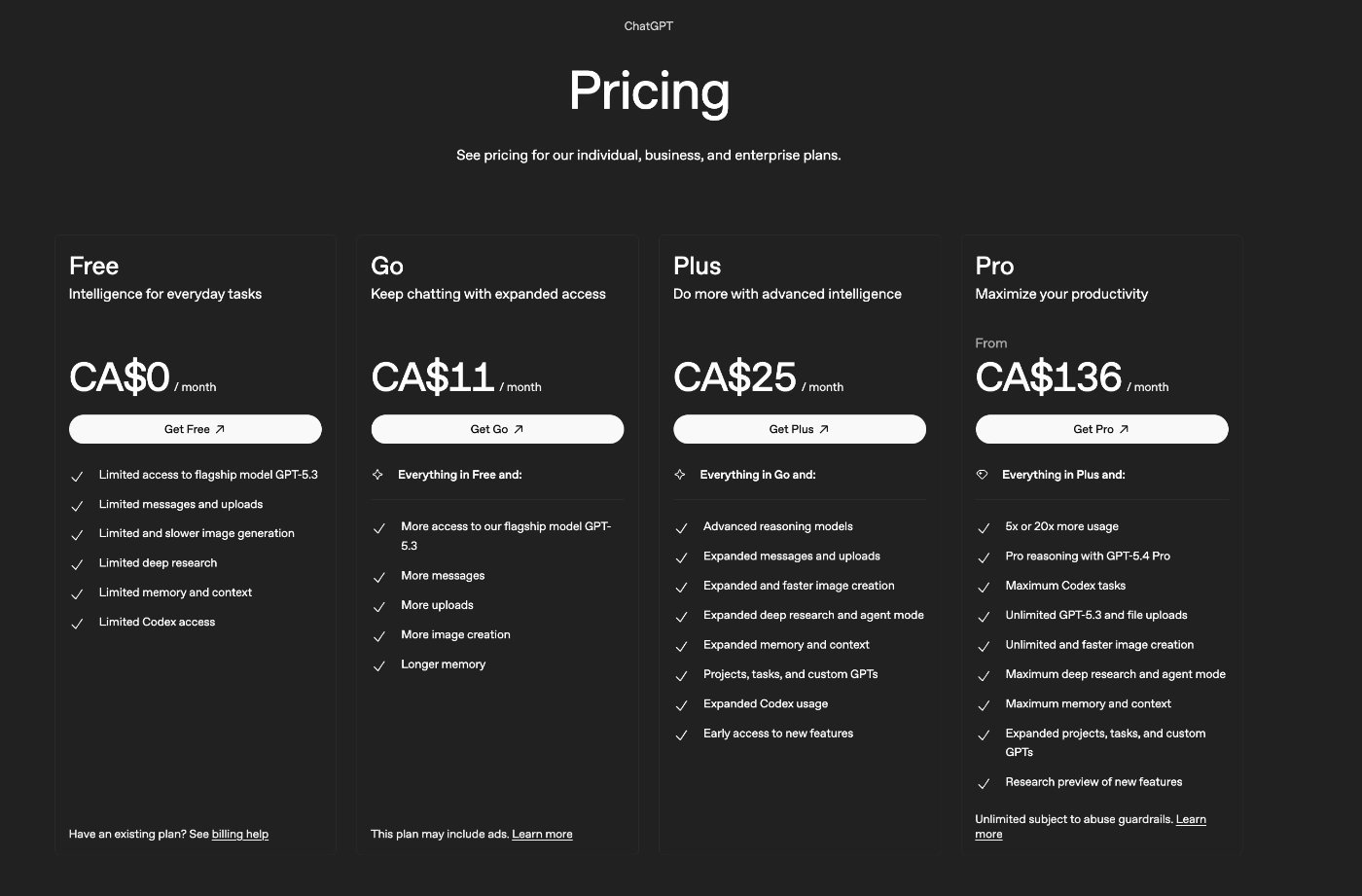
Free plan available. Paid plan: starts at $11/month.
ChatGPT is where most people start and there’s a good reason for that. It’s widely known, easy to use, was one of the first main players, and the free tier is genuinely useful. We used it for years before switching to Claude.
Chat is strong at brainstorming, quick drafts, and broad tasks. It handles a wide variety of requests well. The plugin ecosystem and GPT builder are also solid if you want to build custom workflows.
The main thing we noticed over time is that Chat’s output can feel slightly more generic unless you’ve done a lot of work to train it on your brand. It tends toward a certain writing style that, without heavy customization, sounds like a lot of other AI content out there.
It’s also yes man and will always agree with you.
That said, if you’re comfortable with Chat and you’ve set up your custom GPT or project instructions properly, it can do great work. A lot of what separates the two tools comes down to familiarity and setup, not raw capability.
- Strong for brainstorming and ideation
- GPT builder lets you create custom AI assistants trained on your brand
- Huge user base means a lot of community knowledge and tutorials
- Slightly more generic output by default compared to Claude in our experience
If you’re already on Chat and it’s working for you, you don’t need to switch (but we would recommend it). Just make sure you’ve done the setup work. If you’re starting fresh or you’re ready to try something new, we’d point you toward Claude first.
3. Jasper AI
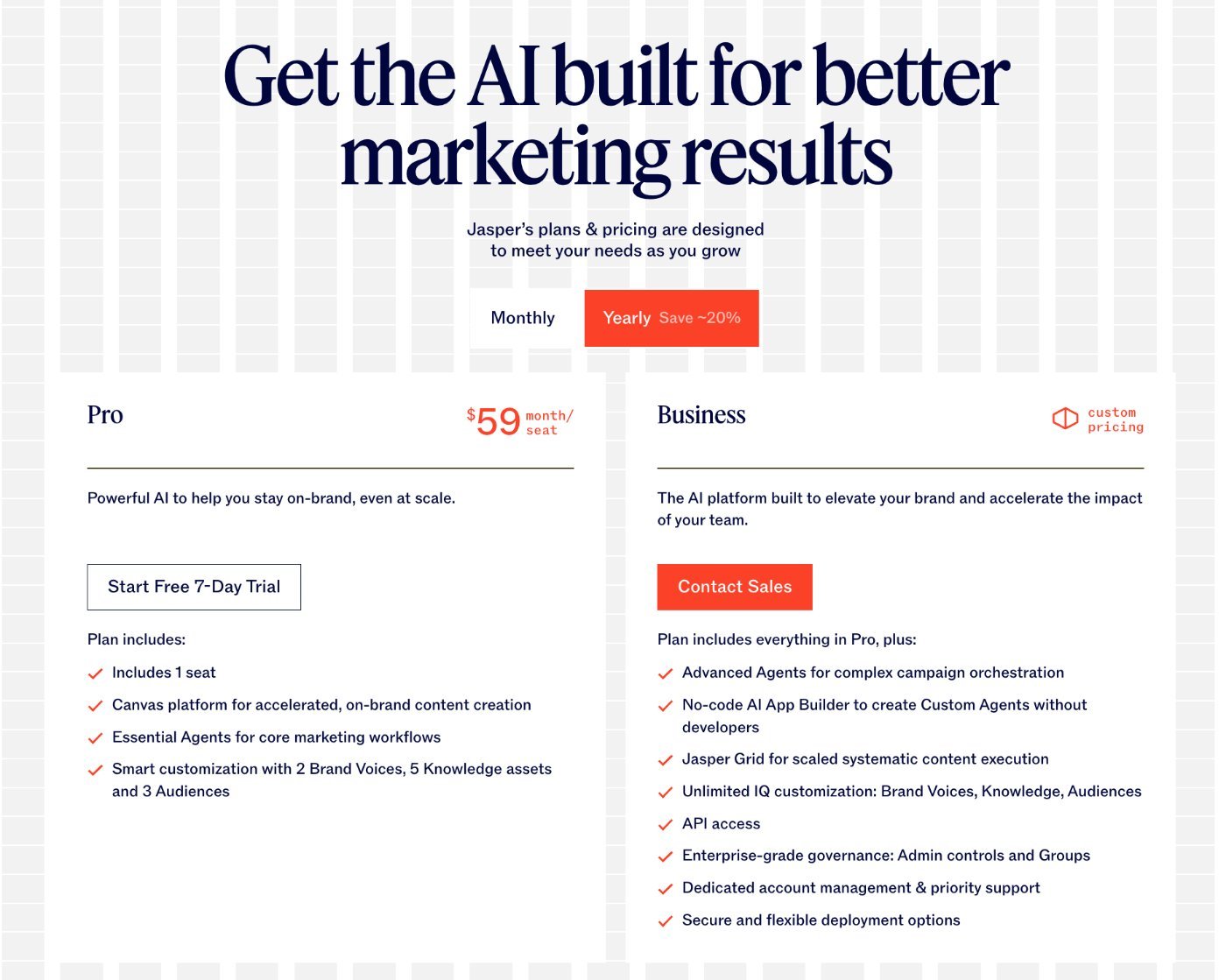
7-day free trial. Paid plan: starts at $59/month.
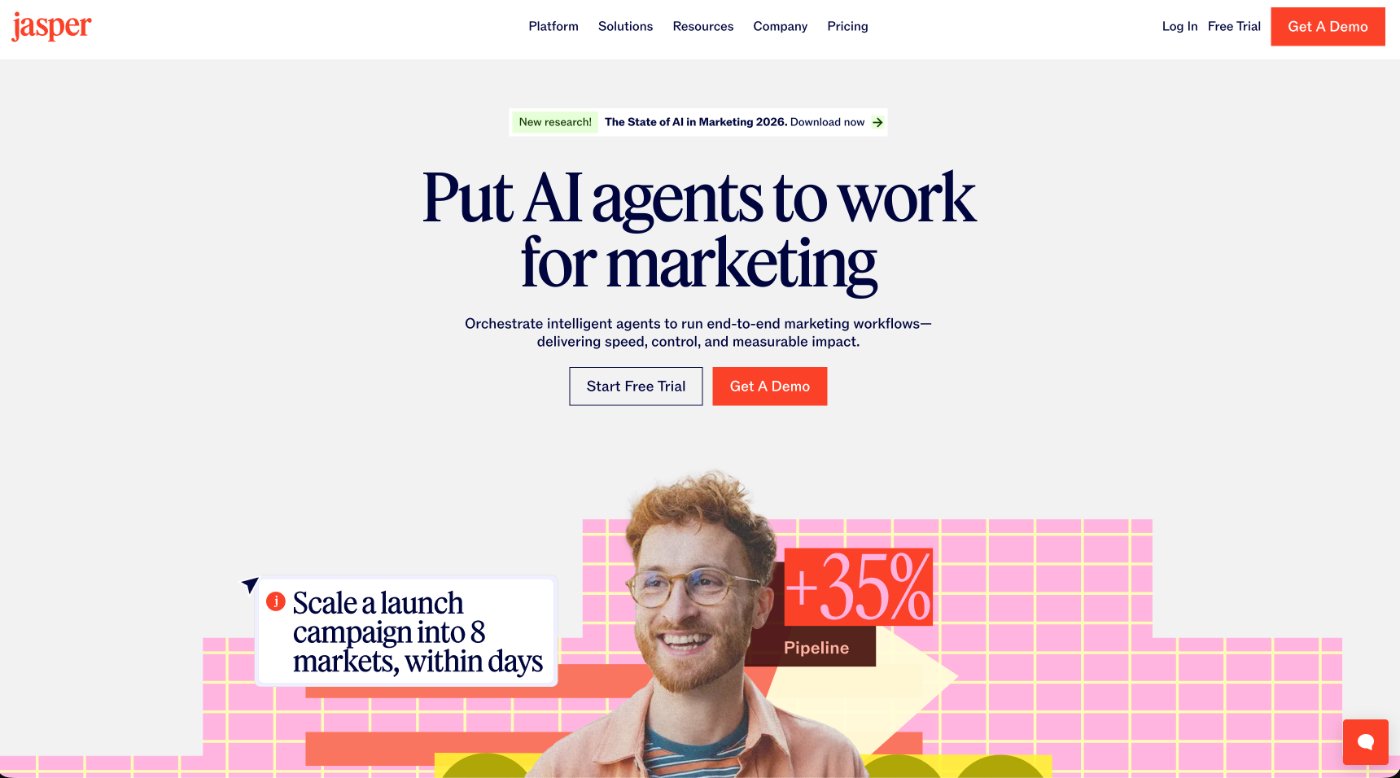
Jasper was one of the first purpose-built AI writing tools for marketers and it built a strong following early. Its main selling point is Brand Voice, a feature that lets teams train the AI on their specific tone and language so content stays consistent across multiple writers.
For solo clinic owners, Jasper is probably more tool than you need at that price point. Where it makes more sense is for clinics with marketing staff or a VA handling content, where brand consistency across multiple people becomes a problem.
- Brand Voice feature is genuinely strong for multi-person teams
- Content pipeline tools help manage larger volume production
- Templates cover a wide range of marketing formats
- At $59+ per month it’s harder to justify for a single clinic owner vs Chat or Claude at $20
Bottom line: if you’re running a solo clinic or just getting started with AI content, skip Jasper. If you have a team and brand consistency is a pain point, it’s worth a look.
4. Writesonic
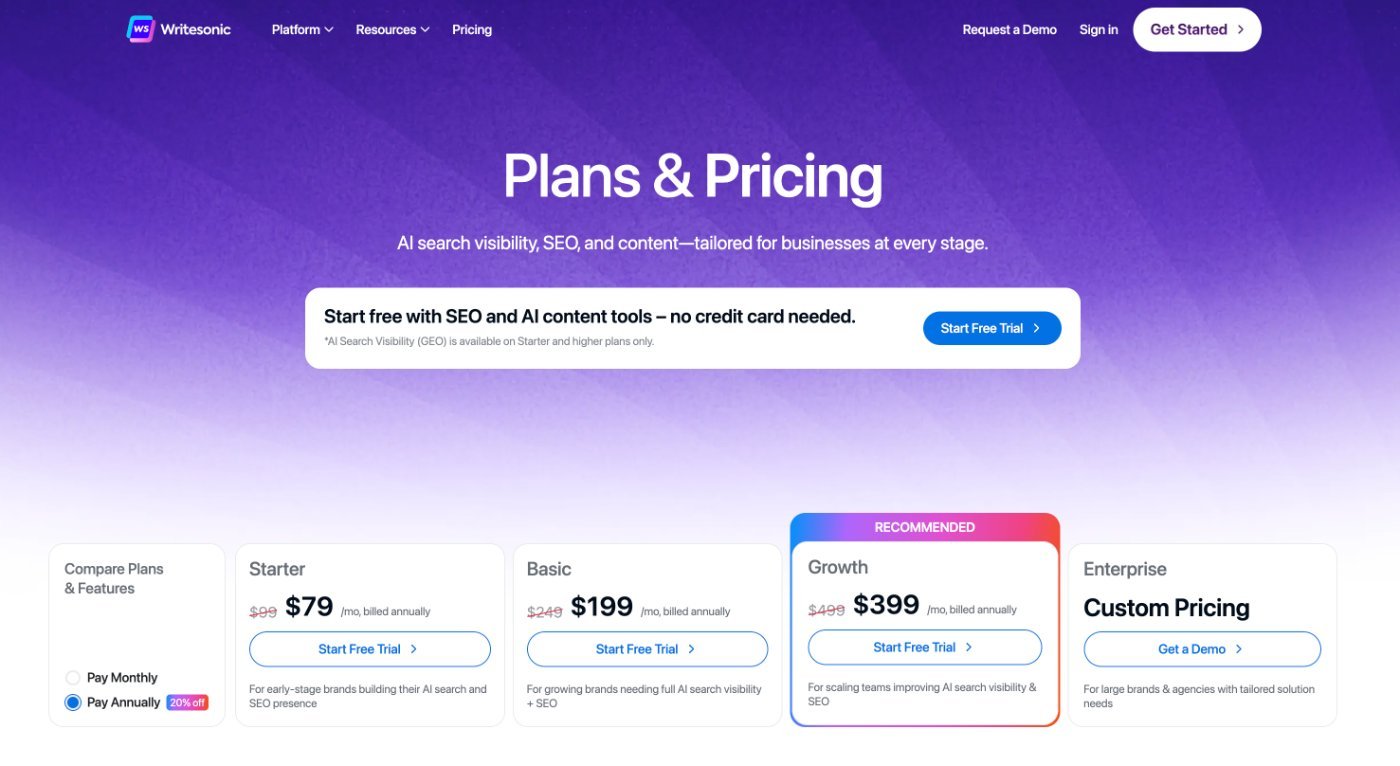
Free plan available. Paid plan: starts at $79/month.
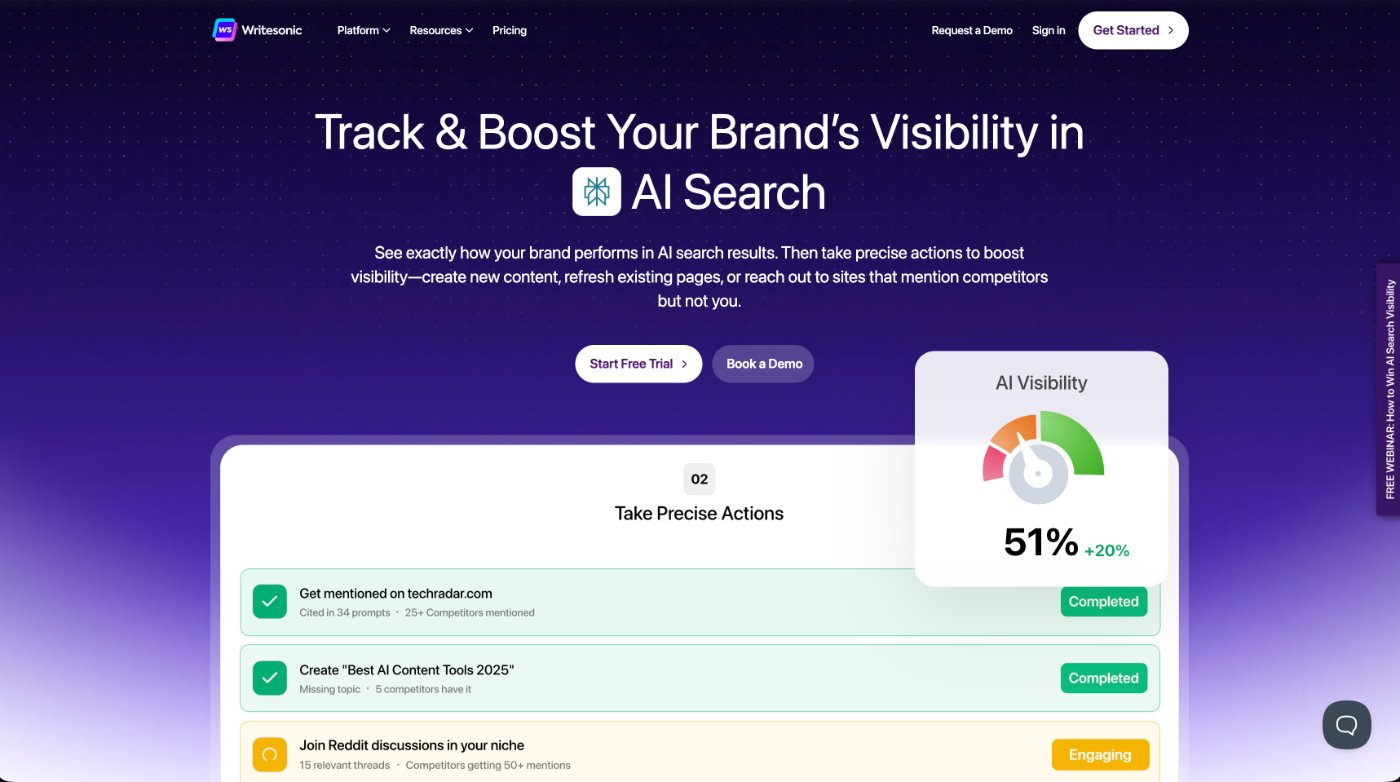
Writesonic has built its reputation around SEO-focused content and it earns that reputation. It integrates with tools like Surfer SEO and focuses on producing content that’s optimized for search engines, not just readable for humans.
If your primary goal is ranking blogs on Google and you want the AI to factor in keyword placement, search intent, and on-page structure as it writes, Writesonic is built for that workflow in a way that Chat and Claude require more manual effort to replicate.
- Built-in SEO tools and integrations with Surfer SEO
- Strong for producing search-optimized blog content at volume
- Chatsonic feature functions similarly to Chat for general tasks
- Writing quality for non-SEO content doesn’t match Claude in our view
For clinic owners who want to build out a blog strategy and rank for local search terms, Writesonic is worth testing. If you’re focused on ad copy, emails, and social content alongside blogging, Claude handles all of it without needing a separate SEO-specific tool.
5. Grammarly
Free plan available. Paid plan: starts at $12/month.
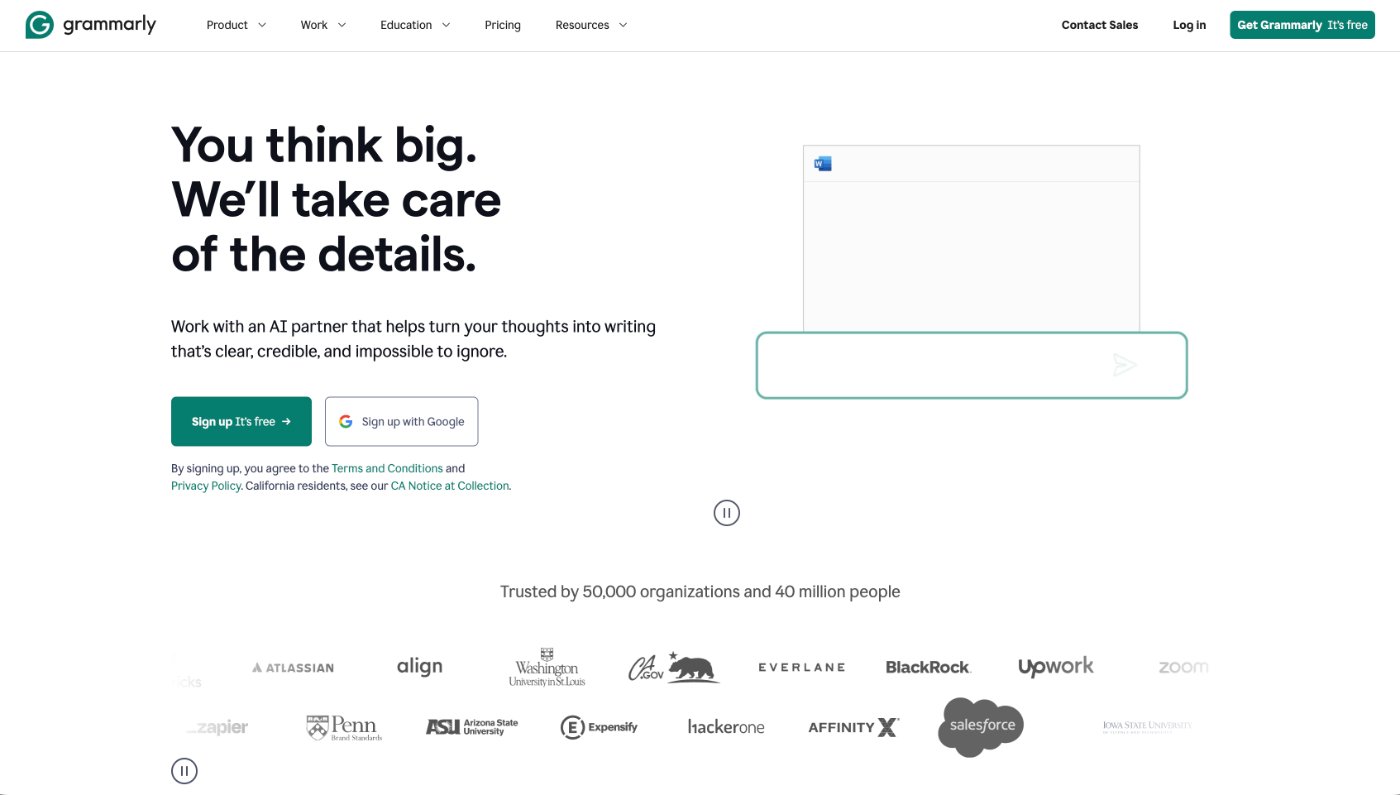
Grammarly is not a content writing tool in the same way as the others on this list. It doesn’t generate content from scratch. What it does is make your existing content better. Grammar, spelling, tone, clarity, and readability all get flagged and improved.
We include it here because it belongs in the workflow, just at the end of it. Write your blog in Claude. Run it through Grammarly before you publish. That combination catches things that even strong AI-generated content misses.
- Catches grammar errors, passive voice, and awkward phrasing
- Tone suggestions help match the writing to your intended audience
- Works directly in Google Docs, WordPress, and most browsers
- Not a replacement for the tools above. It’s a finishing layer
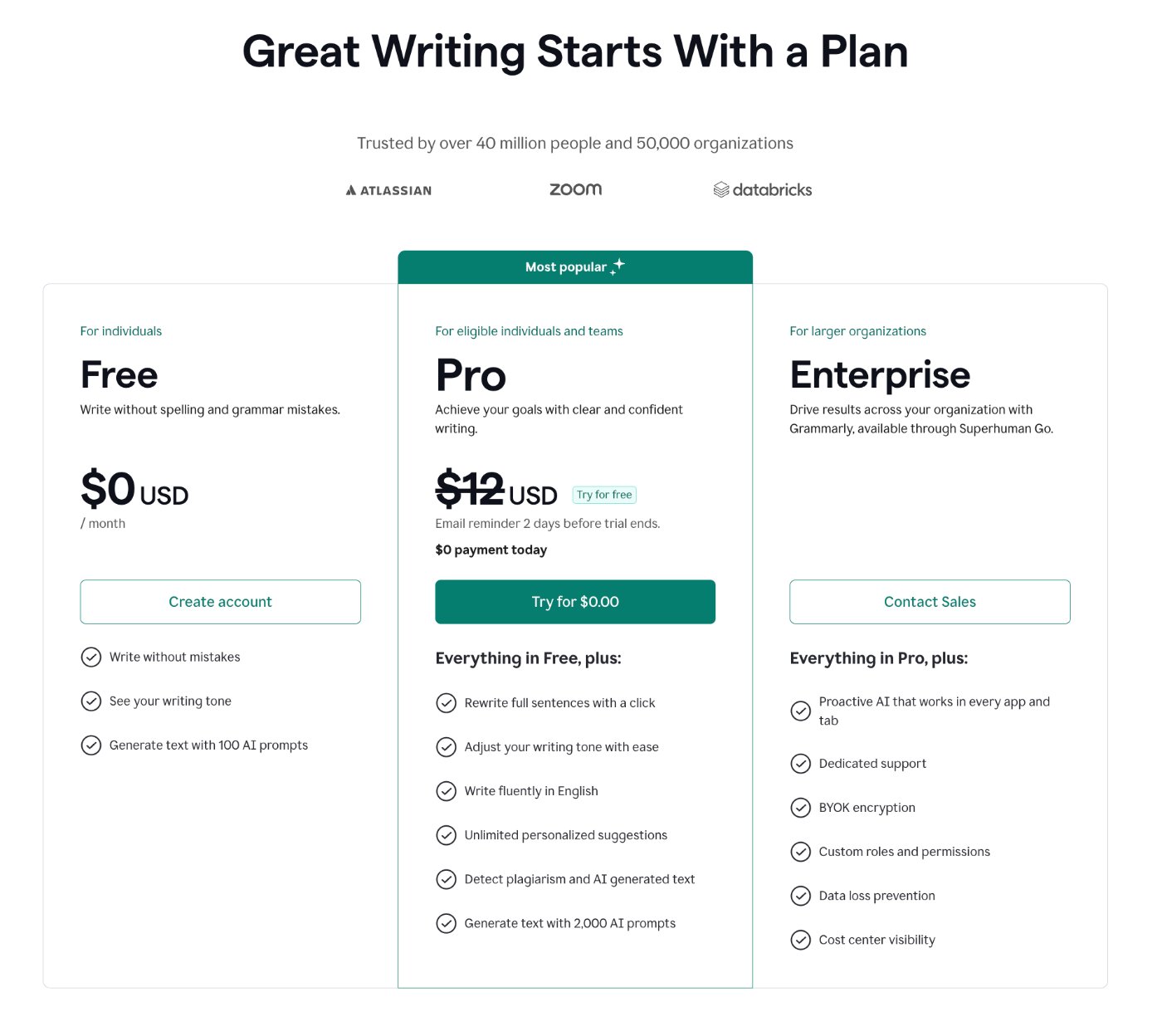
The free version handles the basics well. The paid plan adds tone suggestions and more detailed clarity feedback, which is worth it if you’re publishing content regularly.
The Best AI Writing Tool for Clinic Marketing
Every tool on this list is a general-purpose AI. They work across industries, for all kinds of businesses, writing all kinds of content.
That’s fine. But it also means you have to do a lot of setup work to get them writing like a physio, chiro, osteo, or RMT clinic owner. You’re training a general tool to understand compliance guidelines, profession-specific language, and the way patients in your world think and talk.
Also, for the most part, very surface level knowledge of marketing.
We built Cliniverse AI to skip all of that.
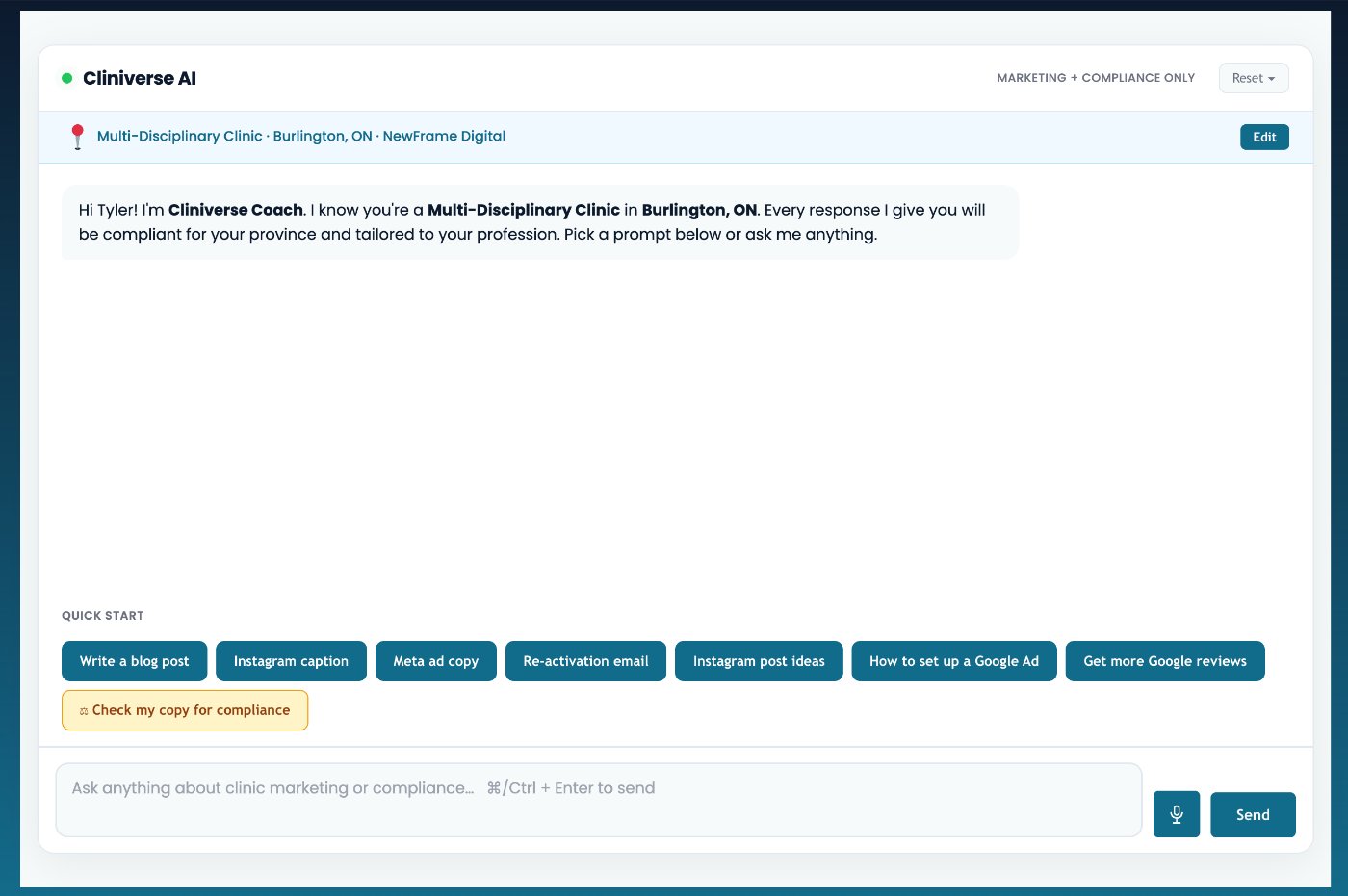
It’s trained specifically for clinic marketing. It understands the regulatory environment your content has to stay within. It knows the difference between writing a Meta ad for a physiotherapy clinic versus a chiropractic clinic. And it generates compliant, on-brand content without you having to explain any of that from scratch.
If you want an AI writing tool that’s ready to go for your clinic from day one, that’s what Cliniverse AI was built for.
Which AI Tool Should You Use For…
If you’re trying to figure out which tool fits a specific task, here’s how we’d break it down:
Writing blogs and long-form content
Claude. It handles long-form better than anything else we’ve tried. Strong structure, natural tone, and it holds context across a long piece without drifting off topic.
Writing social media captions
Claude or ChatGPT. Both do this well with the right prompt. Give the tool your topic, your audience, your platform, and the tone you want. Vague prompts give you vague captions.
Writing Meta ad copy and email sequences
Claude. It produces tighter, more direct copy that fits your voice. Chat works here too, especially if you’ve trained a custom GPT on your brand.
Writing SEO-optimized blog content at volume
Writesonic is built for this. If ranking on Google is your main goal and you want keyword optimization baked into the writing process, it’s worth testing. Although, with enough context given, Claude can still compete here.
Editing and polishing your content before publishing
Grammarly. Run everything through it before it goes live. They have a free plan and always runs in the background.
How To Switch From ChatGPT to Claude
This is the number one thing we hear when people consider switching tools. “I’ve already trained Chat on everything. I don’t want to lose that.”
Here’s the reality.
First, you can export your context and documents from Chat and upload them directly into Claude. It’s not starting from scratch.
Second, AI learns fast. We’re not talking about months of onboarding. If you use it heavily for a week, it will understand your brand. Claude can also crawl your website to build a profile of your clinic, your services, and your tone without you having to feed it anything manually.
The switching cost is much lower than most people assume. The bigger cost is staying on a tool that isn’t giving you your best output.
Frequently Asked Questions About AI Writing Tools
Which AI writing tool is the best in 2026?
For most clinic owners and marketers, Claude produces the highest quality writing with the most natural tone. ChatGPT is a strong alternative, especially for brainstorming and quick drafts. The right answer depends on your workflow and how well you set the tool up.
Which AI does the best writing for blog posts?
Writesonic was built and designed for blog posts and content. However, if you are not wanting to pay for it’s subscription, Claude handles long-form blog content better than any tool we’ve tested. It holds context over long pieces and produces clean, readable prose without the robotic patterns common in lower-quality AI output.
What AI is better than ChatGPT for writing?
Claude is our pick. The writing quality for blogs, emails, and ad copy is consistently stronger in our experience. That said, Chat with proper setup and a trained custom GPT is still a solid option.
Can I switch from ChatGPT to Claude without losing my data?
Yes. You can export documents and context from ChatGPT and upload them into Claude. Claude also learns quickly from consistent use and can crawl your website to build a brand profile fast. Most people feel comfortable within a few days of switching.
Do AI writing tools produce content that ranks on Google?
Yes, when the content is high quality and genuinely useful. Google has several ranking factors, but some of the main ranking factors are expertise, experience, authority, and trust, not on whether AI wrote it.
The Bottom Line For Which AI Tool You Should Write With
Every tool on this list can produce good content. None of them will produce good content without the right setup and context.
If you’re a clinic owner who wants the cleanest writing, the most natural tone, and a tool that learns your brand quickly, start with Claude. It’s what we use and it’s what we recommend.
If you’re already comfortable with Chat and you’ve set it up properly, you can keep going, but we would recommend testing out Claude. After months of using Claude, we are still being amazed at what it’s able to do and the outputs we get.
Use Writesonic if SEO content volume is your primary goal. Use Grammarly at the end of every workflow regardless of which tool you use to write.
And remember: the best AI writing tool is the one you’ll learn, set up properly, and use consistently. That’s how clinic owners build content that works.
If you want to see what AI-assisted marketing looks like when it’s built for your specific profession, that’s exactly what we built Cliniverse for. Pre-built templates, step-by-step courses, a trained AI assistant, and a community of clinic owners using all of it together.
Related Articles
 AI & Tools
Does Google Penalize AI Content? What Claude's New Watermark Means for Your Clinic
Anthropic now watermarks Claude's AI text, but Google does not penalize content for being made with AI. Here is what the change means for your clinic.
Tash · August 23, 2026
 AI & Tools
AI-Powered Marketing for Clinics: The Complete 2026 Guide for Physio, Chiro, Osteo and RMT
Learn how AI marketing for clinics works and see the best free AI tools physio, chiro, osteo and RMT clinics can use to save time and stay consistent.
Tash · November 13, 2025
 AI & Tools
Top 5 Ways Clinic Owners Can Use ChatGPT-5 (With Prompts Every Practitioner Should Try Today)
Discover how clinic owners can use ChatGPT-5 to save time, create compliant marketing, and attract more patients with ready-to-use prompts.
Tash · August 10, 2025
Run Your Own Clinic Marketing
Cliniverse gives you the ads, posts, courses, and AI to grow your clinic, with experts on call. You own everything you build.