
What Should Your Website Footer Include? (And Why It Matters for AI)
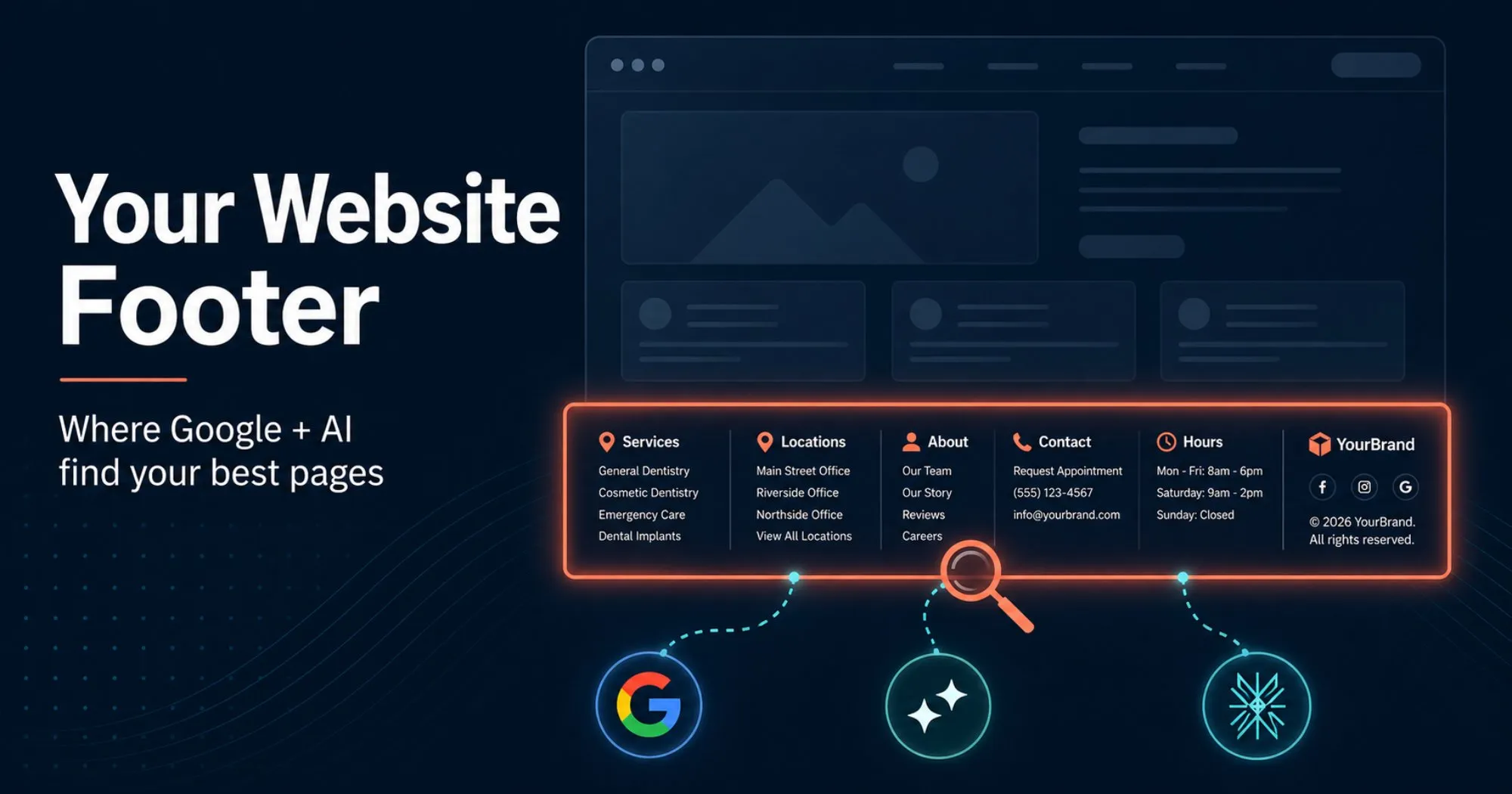
Your website footer is one of the most powerful pieces of real estate on your site. It appears on every page, and it’s where Google and AI search engines look first to figure out what you do and which pages on your site matter. A weak footer with nothing in it but a privacy policy and a copyright line is a missed opportunity. What should your website footer include? At minimum: contact info, your physical address linked to your Google Business Profile listing, your business hours, links to your top service or product pages, social profiles, and your legal pages. The goal isn’t decoration. It’s discovery.
Search engines like Google use small programs called crawlers (think of them as robots that read web pages for a living). AI tools like ChatGPT, Claude, Perplexity, and Gemini use the same kind of robots. They visit your footer every single time they read a page on your site. That means every link you put down there gets seen over and over again. If you’re hiding your best pages in a dropdown menu that only loads when someone hovers, you’re making them harder to find.
Why Your Footer Is a Discovery Tool, Not a Design Element
Your footer appears on every page of your website. When Google or an AI tool reads your homepage, a service page, a blog post, or a contact form, the footer is right there. Every link in it gets reinforced as part of your main navigation. These tools treat that as a signal: if every page links to it, the page must matter.
Google’s own search documentation explains that these tools use the way pages link to each other to figure out which pages on your site matter most. AI tools like ChatGPT and Perplexity work the same way, with one twist: most of them can’t fully execute JavaScript (the code that powers fancy menus, dropdowns, and pop-ups on websites). So if your top menu only shows up after JavaScript runs, AI tools might never see it. Your footer is plain HTML. It loads instantly with the page. Always there. Always readable by Google and AI.
The Bar Is Low
We spent 15+ minutes clicking through local business and clinic websites looking for a footer worth using as an example. The pattern we kept hitting: a logo, a privacy policy link, a terms of service link, a copyright line, and that’s it.
That’s not a footer. That’s compliance.
The other pattern we kept hitting: footers that are visually cluttered but link-poor. Big social icons, a giant newsletter signup form, and a brand statement. All design, no navigation. That looks fine to a person browsing your site, but Google and AI tools scan it and find nothing useful.
What Your Footer Should Include
Here’s the working list for any local business or service-based website. Not all of these apply to every business, but most do.
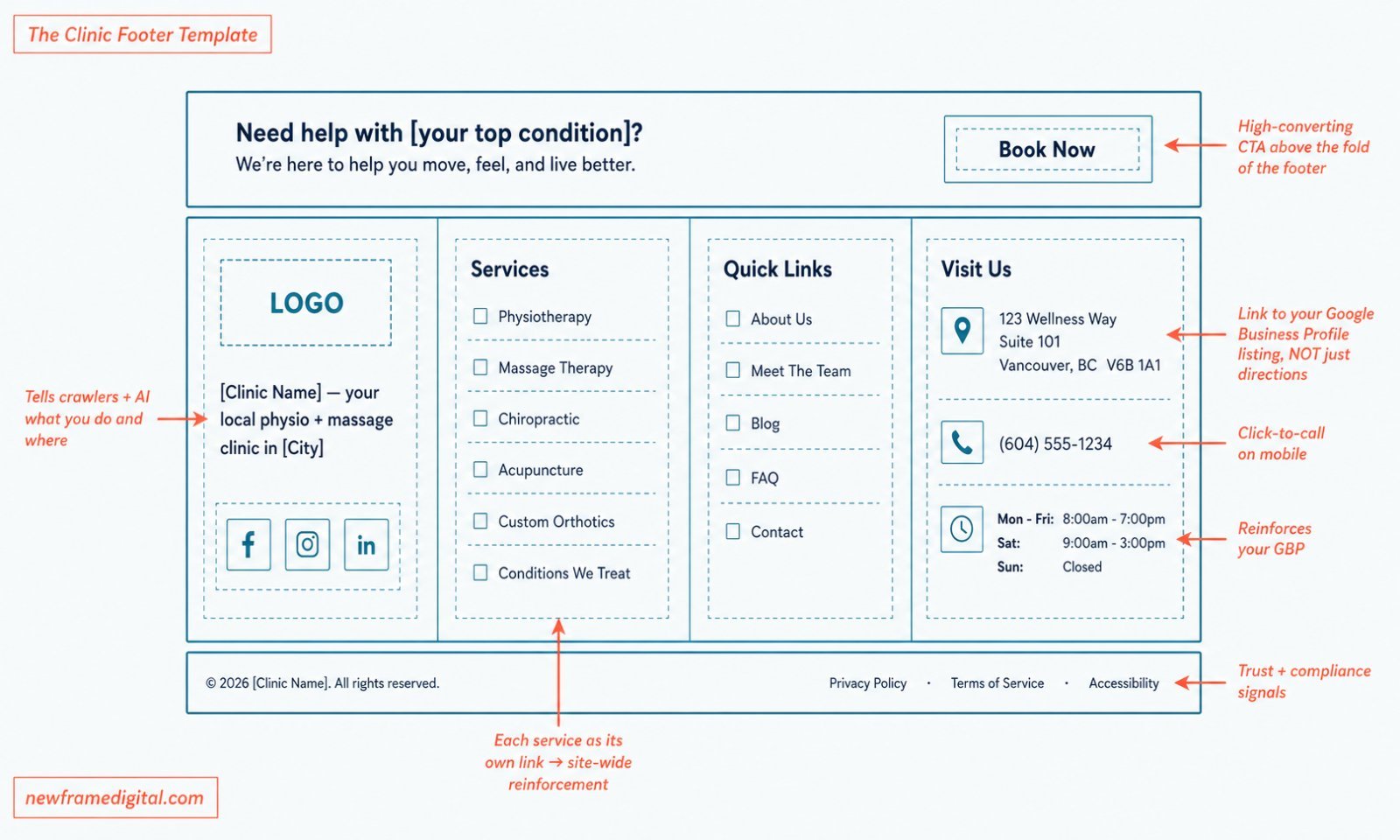
1. A short tagline or business description. One or two sentences that explain what you do and where. This gives Google and AI tools context about your business, and helps with local SEO.
2. Your physical address. If you serve customers from a location, include the full address. Even better, link it to your Google Business Profile listing rather than a bare directions link. A link to your verified Google Business Profile listing helps Google connect your website to the official record of your business. That connection helps you show up in local search results and get mentioned by AI search tools. A link that only opens directions is useful for visitors, but it doesn’t tell Google anything about who your business is.
3. Your phone number. Use click-to-call on mobile (a phone number that opens the dial pad when someone taps it). On desktop, write it out as text (not just an image) so Google and AI tools can read it. Don’t bury it behind a contact form.
4. Business hours. Especially important for clinics, retail, and service businesses. Hours in the footer reinforce what’s already on your Google Business Profile and help search engines verify you’re a real, operating business.
5. Links to your top service or product pages. This is the discovery part. Pick the three to six pages you most want indexed and linked. For a clinic, that might be the services you offer, condition pages, and a booking page. For an agency, that might be your main offers and case studies.
6. Links to your most important utility pages. About, contact, blog, careers if relevant. Crawlers use these to understand your site’s structure.
7. Social profile links. Real accounts only, with current handles. These help Google and AI search tools confirm you’re a real, active business across the web, which makes you more likely to be mentioned in AI answers.
A Website Footer Example: Cambridge Physiotherapy
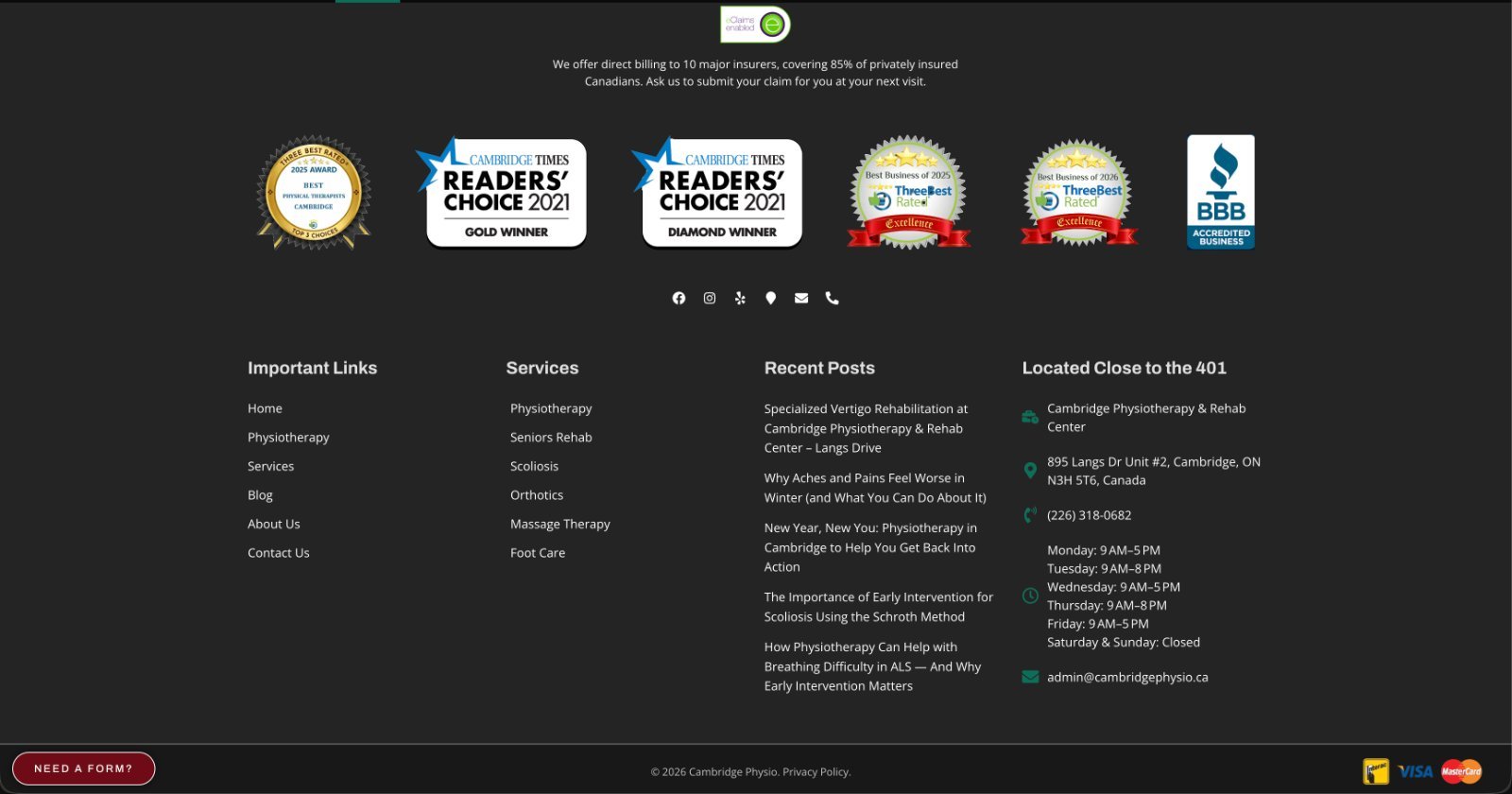
A single-location physio clinic in Cambridge ON. Here’s what’s working in their footer:
- Six services as direct links. Physiotherapy, Seniors Rehab, Scoliosis, Orthotics, Massage Therapy, Foot Care. A patient searching for “scoliosis treatment Cambridge” or “orthotics Cambridge” hits a deep service page, not the homepage.
- A Recent Posts column. Linking your newest blog posts in the footer tells Google and AI search tools what’s fresh on your site, helps your new content get found faster, and gives every new post a link from every other page the moment it goes live.
- Hours and address with location-anchored heading. “Located Close to the 401” is a small geo-cue that helps with local intent. Hours are listed in detail, day by day.
- Direct billing trust copy. “We offer direct billing to 10 major insurers, covering 85% of privately insured Canadians.” That’s a specific, conversion-grade trust block on every page.
- Multiple contact methods, all clickable. Phone, email, social profiles, location pin. A patient can pick the channel they prefer without leaving the footer.
- Trust badges and accreditation. BBB Accredited, College of Physiotherapists of Ontario, Ontario Physiotherapy Association, CAMPT Certified. These badges help AI tools confirm the clinic is a real, certified business, which makes them more likely to mention it in answers.
The “Recent Posts in the footer” pattern alone is worth copying. It costs nothing, takes five minutes to set up in any WordPress theme, and gives every new blog post a link from every other page of your site the moment it’s published.
A Note for Clinic Owners Specifically
If you run a physio, chiro, osteo, RMT, or multi-disciplinary clinic, three things to add to the list above:
- Your booking page (linked to Jane App or whatever scheduler you use, and if you’re still deciding, our honest overview of Jane and how it lines up against Juvonno for a multi-disciplinary clinic are both worth a read)
- A Conditions We Treat page if you have one
- WSIB or insurance-specific pages if you serve those patients
Everything else from the main list applies. We’ve seen so many clinic footers with nothing but a copyright line and two legal links. That’s a wide-open opportunity.
Frequently Asked Questions About Website Footers
Does adding links to my footer hurt SEO?
No. Footer links are a normal part of any well-structured site. The risk only appears when the footer is stuffed with hundreds of low-quality links or links to unrelated sites for manipulation. A well-organized footer with relevant links is a positive signal.
How many links should be in a website footer?
A typical footer has 10 to 20 links, organized into clusters. The exact number depends on your site size, along with business type, but the goal is clarity, not volume.
Should every page on my site be linked from the footer?
No. The footer is for the most important pages. Detailed sub-pages should be reachable through their parent service or category pages, not crammed into the footer.
What’s the difference between a footer and a sitemap?
A footer is visible on every page and shows your most important pages. A sitemap is a complete list of every page on your site, usually written in a format made for search engines or one made for visitors. Both have value. They’re not interchangeable.
Should I include a newsletter signup in my website footer?
Only if you have an active newsletter and the signup form is small. A newsletter form that takes up the entire footer pushes navigation links down or off the screen, which hurts both UX and discovery. If you do include one, keep it to a single column, not the full width.
Treat Your Footer Like a Discovery Tool, Not a Disclaimer
Your footer isn’t an afterthought. It’s a signal on every page of your site about which pages matter most. The change isn’t hard. Audit yours, fix what’s missing, and move on.
If you want help making your website work harder for search and AI discovery, we run done-with-you marketing for clinic owners, or you can skip the manual footer audit entirely with Cliniverse Sites, a done-for-you clinic website that stays crawlable and found on Google and AI search. The platform handles the technical pieces so you can focus on running your business.
Related Articles
 Get Found Online
What's Image Alt Text For in 2026?
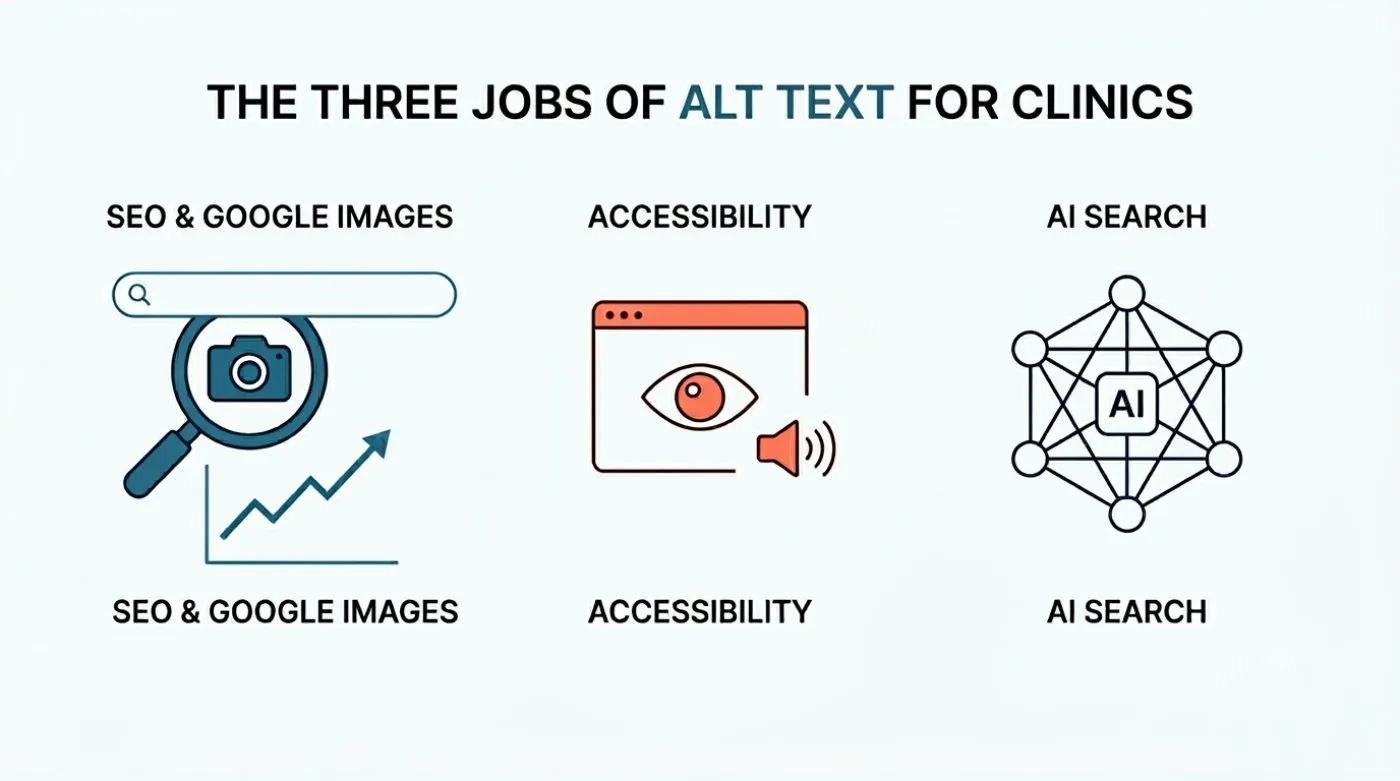
Image alt text does three things in 2026: SEO, accessibility, and AI search. Here's what each job looks like for local business websites, with proof.
Tyler · May 30, 2026
 Get Found Online
Are Embedded Testimonial Sliders Good for SEO?
Embedded review widgets are great for visitors, but a weak signal for Google and AI search. Here's what they do and the easy fix.
Tyler · May 7, 2026
 Get Found Online
Simplifying SEO: Best Practices for Your Website to Rank on Google
Unlock SEO success with easy best practices to boost your website's ranking on Google. Learn about all the basics and how you can rank higher.
Tyler · March 17, 2024
Run Your Own Clinic Marketing
Cliniverse gives you the ads, posts, courses, and AI to grow your clinic, with experts on call. You own everything you build.