
Apple Business Launched: What It Means for Local Businesses
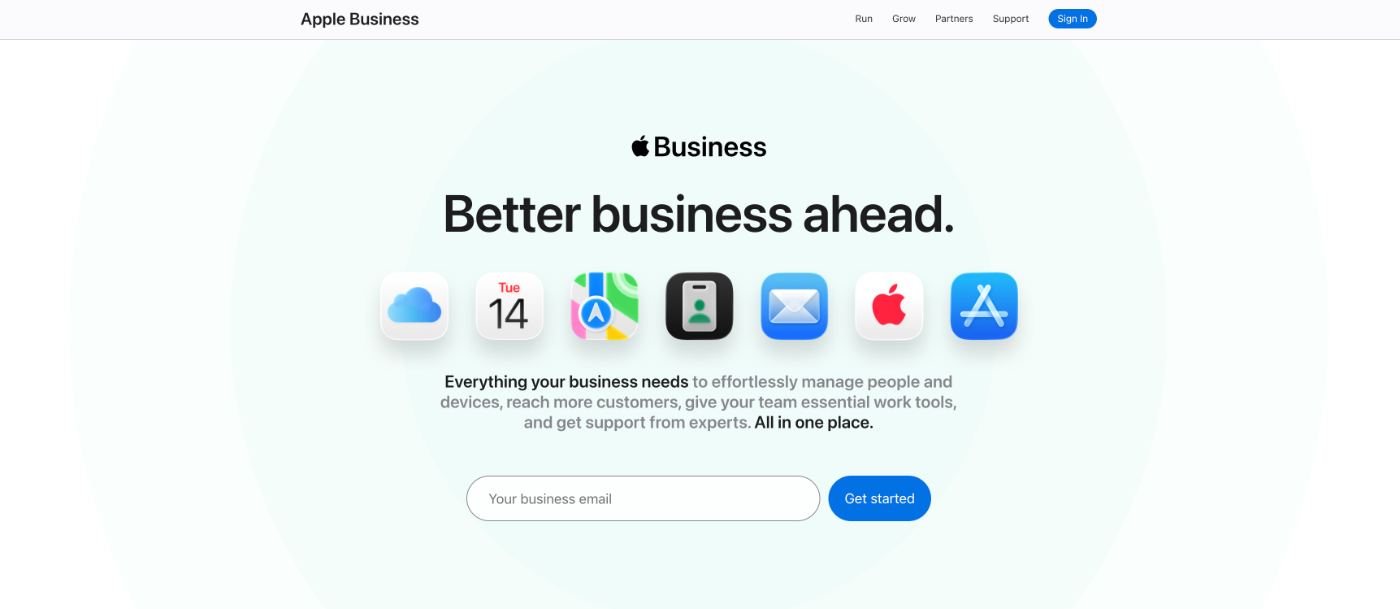
On April 14, Apple rolled Business Connect, Business Manager, and Business Essentials into a single free platform called Apple Business (MacRumors broke down the full launch if you want that). Same web portal, bigger scope. You now manage your listing, your devices, and (soon) your Apple Maps ads from one place at business.apple.com.
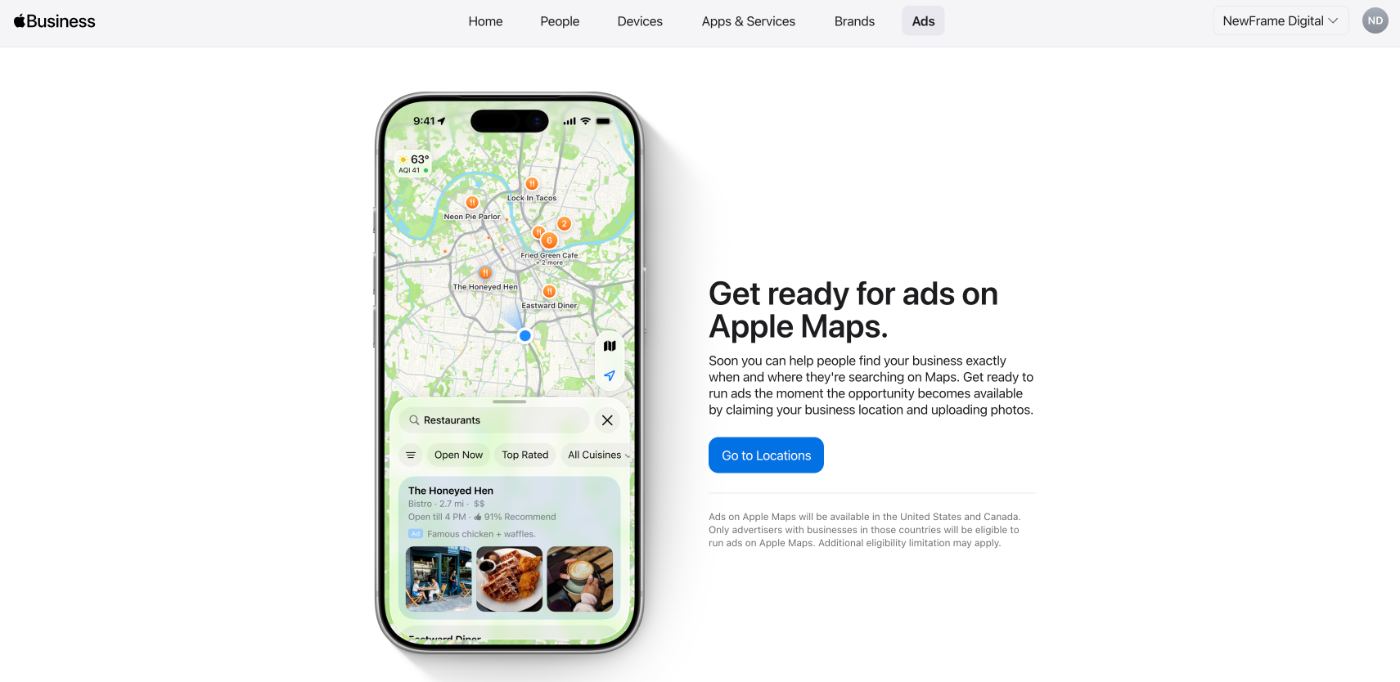
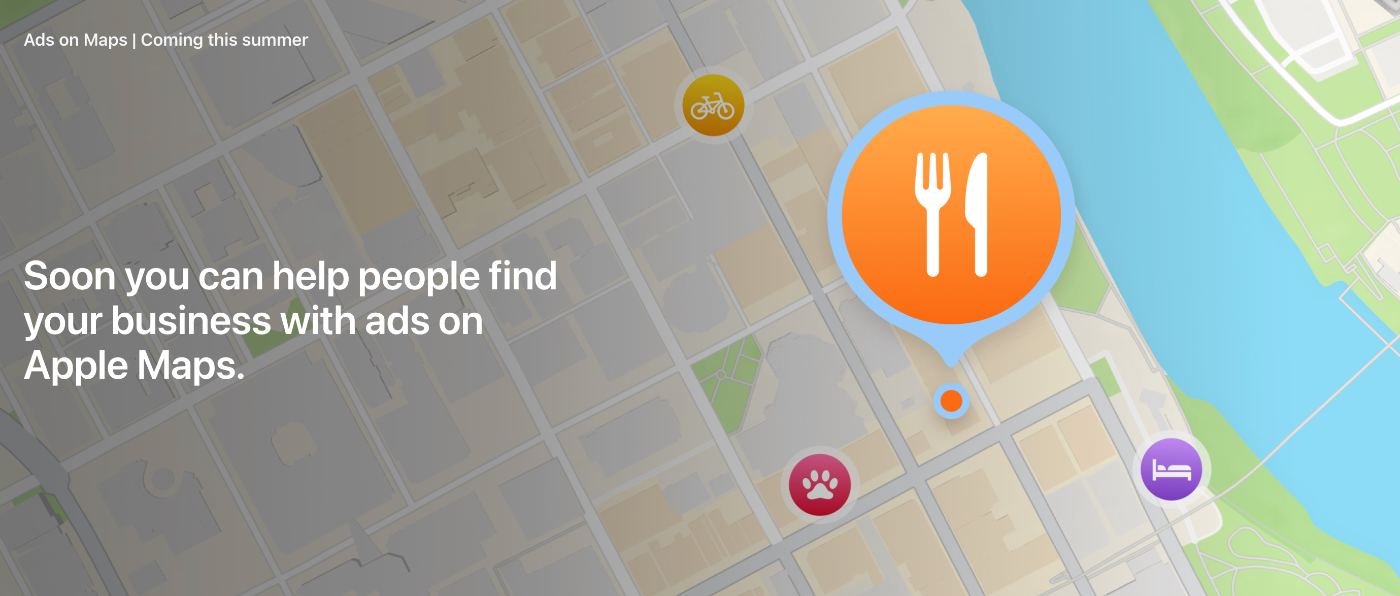
The part most local businesses should care about: paid ads are coming to Apple Maps this summer in the US and Canada, and you need a claimed, verified listing to be eligible to run them. Organic pins are about to get more competitive too.
If your listing isn’t claimed yet, that’s the move this week. Everything below is context on how to claim, why you need to do this, and what to do after you claim it.
What Apple Did
Three separate products, now one:
- Apple Business Connect – The free listing tool for Maps, Siri, Spotlight, Wallet.
- Apple Business Manager – The IT admin tool for managing Apple devices across an organization.
- Apple Business Essentials – The paid device-management subscription (US only).
All three are gone as separate products. Everything lives under Apple Business now, and the old Essentials subscription fee is dropped. Device management is free going forward.
For a physio clinic, an e-comm brand, a restaurant, or a law firm, the impact is that the listing side (what used to be Business Connect) just got a lot more attention from Apple. And Apple is clearly using this to make a bigger run at the SMB and enterprise space that Microsoft and Google have owned for a decade.
One quote from the reddit apple thread sums up the reaction pretty well: IT admins are excited because they might be able to drop JAMF or Intune. The general public is annoyed because ads are coming to Maps.
Why This Matters For Anyone With A Physical Location
When someone on an iPhone searches Apple Maps, asks Siri for the closest pizza place, looks up a business in Spotlight, or gets a Wallet receipt from a store, Apple is pulling from one place. Your Apple Business profile.
If you haven’t claimed yours, a few things are true:
- Your listing still exists, but the info is whatever Apple scraped from other sources. Hours, phone, website, category, etc. This could often be wrong or missing.
- You can’t respond to customers, add photos, set offers, or use the new brand profile features.
- When Maps ads launch, you won’t be eligible to run them because you aren’t a verified owner.
For most local businesses we work with, their Google Business Profile is dialled in. Apple Business is often one that never gets touched. Partly because Apple barely pushed it, partly because Google Maps has been the default conversation for a decades. That’s the gap worth closing right now.
The Maps Ads Rollout Is The News
Apple confirmed that starting summer 2026, businesses in the US and Canada will be able to buy local ads inside Apple Maps. Ads will appear at the top of search results, and in the new “Suggested Places” feature rolling out with iOS 26.5. You buy them through the same Apple Business platform.
Two things this changes:
- Organic pins get more competitive – The same pattern played out on Google Maps years ago. Listings that were claimed, verified, and optimized early held their position. Listings that weren’t got pushed down when ads and paid results started taking up more of the screen. Apple Maps is about to go through the same compression.
- You need a claimed listing to run ads – If your market is in the US or Canada and you’re even thinking about testing Maps ads when they hit, the claim + verify step is the gate. Do it now while it’s quiet, not in July when every business in your category is scrambling or already running ads.
We don’t know yet how targeting will work, what the CPCs will look like, or how personalized vs. locally sponsored the ads will be. Apple has historically leaned less invasive than Google on ad targeting, so expect something closer to “sponsored local result” than retargeted behavioural. We’ll publish a follow-up once the Maps ads platform is live and we’ve run campaigns through it.
What’s Free Vs. What’s Paid
Apple Business core platform: free.
That includes the listing, device management (MDM), Blueprints for zero-touch device setup, brand profiles, Maps place cards, the companion app, and the web portal.
Optional paid add-ons:
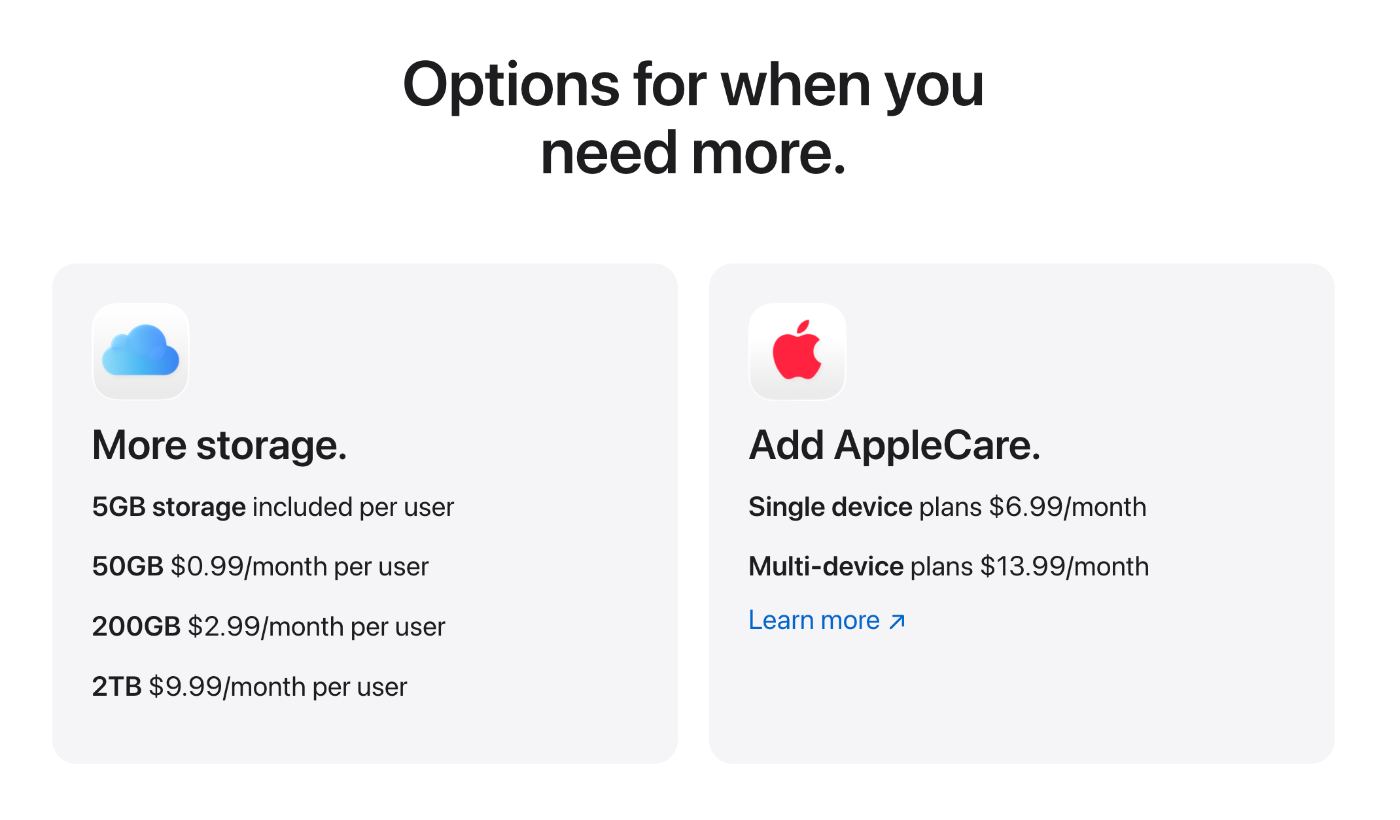
- iCloud storage– 5GB free per user, up to 2TB at $9.99/month. Paid tier availability may vary by region at launch.
- AppleCare+ for Business – $6.99/month single device, $13.99/month multi-device. US only at launch (confirmed by Apple).
- Apple Maps ads – Coming summer 2026, US + Canada, pricing TBD.
The listing side (the part that matters for most local businesses) is genuinely free and will stay free.
What’s Available Where
Apple Business is live in 200+ countries and regions for the core listing and device management features.
Some add-on features may be limited by region at launch. Apple has confirmed that AppleCare+ for Business is US-only for now, and early reporting suggests iCloud storage purchase and the integrated Mail, Calendar, and Directory services may also be US-only at launch. Check Apple’s support documentation for the current availability list in your region.
Maps ads rollout: US + Canada this summer. Other regions not confirmed.
If you’re Canadian reading this, the listing, Maps profile, and Maps ads eligibility all apply to you. The paid add-on side may not yet.
For Clinic Owners Specifically
Most of this applies to any local business with a physical location. But the clinics we work with tend to have a specific pattern worth naming.
You’ve spent years building out a strong Google Business Profile. Reviews, posts, photo updates, and more. Apple Business has been the profile sitting there unclaimed, feeding bad info to every iPhone user who searches “physio near me” or asks Siri for a chiro in their neighbourhood.
The claim itself is a 10-minute job at business.apple.com. Name, address, hours, category, and verification (phone call or document upload, typically a few business days). Same NAP consistency rules as your GBP. Match it exactly.
A few things clinics miss once the listing is claimed:
- Photos – Clinic photos are doing a lot more work than most owners realize. Apple Maps shows them prominently on the place card. Three or four real interior/exterior shots beats a stock hero image.
- Categories – Be specific. “Physical therapist” reads differently than “health clinic.” Apple’s category taxonomy isn’t identical to Google’s, so don’t just mirror your GBP.
- Brand profile setup – This is the new piece. Apple Business now supports branded profiles that surface in Safari, Siri, and Spotlight with your logo and colours. If you have a strong visual brand, use it.
- Custom Actions – Reservations, appointments, “book now” links. If you’re on Jane or Noterro or any booking system, wire the direct URL in here. Don’t send people to your homepage to find it.
- Insights – Apple Business now surfaces discovery data. How people are finding you, what they tap on. Worth adding to your monthly marketing review alongside your GBP insights and Google Search Console data. It’s thinner than Google’s equivalent but still useful signal.
The clinics that did this early on Google Business Profile dominated “physio + city” and “chiro + city” for years. The same window is open on Apple Maps right now, and it closes the moment ads launch and every agency starts pitching “Apple Maps optimization.”
What We’d Do If We Were A Local Business
Short list:
- Claim your listing at business.apple.com.
- Verify ownership. Phone or document upload, typically a few business days.
- Match your NAP exactly to your Google Business Profile. Same name, address, phone, URL.
- Add 4–6 photos.
- Set accurate hours, including holiday closures.
- Pick the most specific primary category.
- Add your booking link or main CTA as a Custom Action.
- Set up your brand profile if you have a logo and brand colours ready.
- Check your insights in 30 days and again in 60.
Skip the agency that wants to charge you $500+ to do it. This is firmly in DIY territory. If you’ve got the time, it’s a one-evening job. If you’d rather have your listings, website, and ongoing marketing handled all in one place, that’s a different route worth weighing. If you want a second set of eyes on whether your broader local marketing is set up to capitalize on this, run it through our free clinic audit first.
The ads piece is one we’d suggest waiting on until the platform is live and there’s real performance data. We’ll write that up when it lands.
Frequently Asked Questions About Apple Business
How long does Apple Business verification take?
Apple hasn’t published an official timeline, but based on past Business Connect verifications, most resolve within a few business days. Phone verification is typically the fastest; document upload takes longer.
Why isn’t my business showing up on Apple Maps?
Most common reasons: the listing exists but isn’t claimed (so the data is stale or wrong), the category is too broad, the address format doesn’t match Apple’s geocoding, or the business was flagged during verification. Claiming and verifying usually fixes it.
What happened to Apple Business Connect?
It’s been folded into Apple Business as of April 14, 2026. If you had a Business Connect account, it carries over automatically. Same login, same listings, more features. Apple’s support documentation has the full breakdown of what migrated where.
Do I need a physical location to use Apple Business?
For the listing and Maps side, yes. Service-area businesses without a storefront aren’t eligible to appear on Maps the same way. The device management side works regardless.
Is Apple Business Essentials still paid?
No. Essentials was discontinued on April 14, and device management is now included free as part of Apple Business. Optional add-ons like iCloud storage and AppleCare+ for Business are still paid.

Always Stay Ahead With Your Marketing
We spend a lot of time watching things like this before the rest of the industry catches on. Apple Business, GBP changes, AI search shifts, the ad platforms updating targeting overnight. It’s the kind of stuff that’s easier to act on when you hear about it early.
That’s the whole point of done-with-you clinic marketing, and it’s what Cliniverse is built around. The place clinic owners go to stay ahead of exactly this kind of thing. Community, templates, the AI tool, a course library that reflects what’s working this month instead of two years ago. If you want to be the first to know when the Apple Maps ads platform opens up (or the next thing after that), Cliniverse is where we publish first.
Related Articles
 Get Found Online
The 5 Review Practices Google Just Made Illegal in 2026
Google quietly updated its review policy in April 2026 and made 5 common practices illegal. Here's what changed and what to do instead.
Tash · May 5, 2026
 Case Studies & News
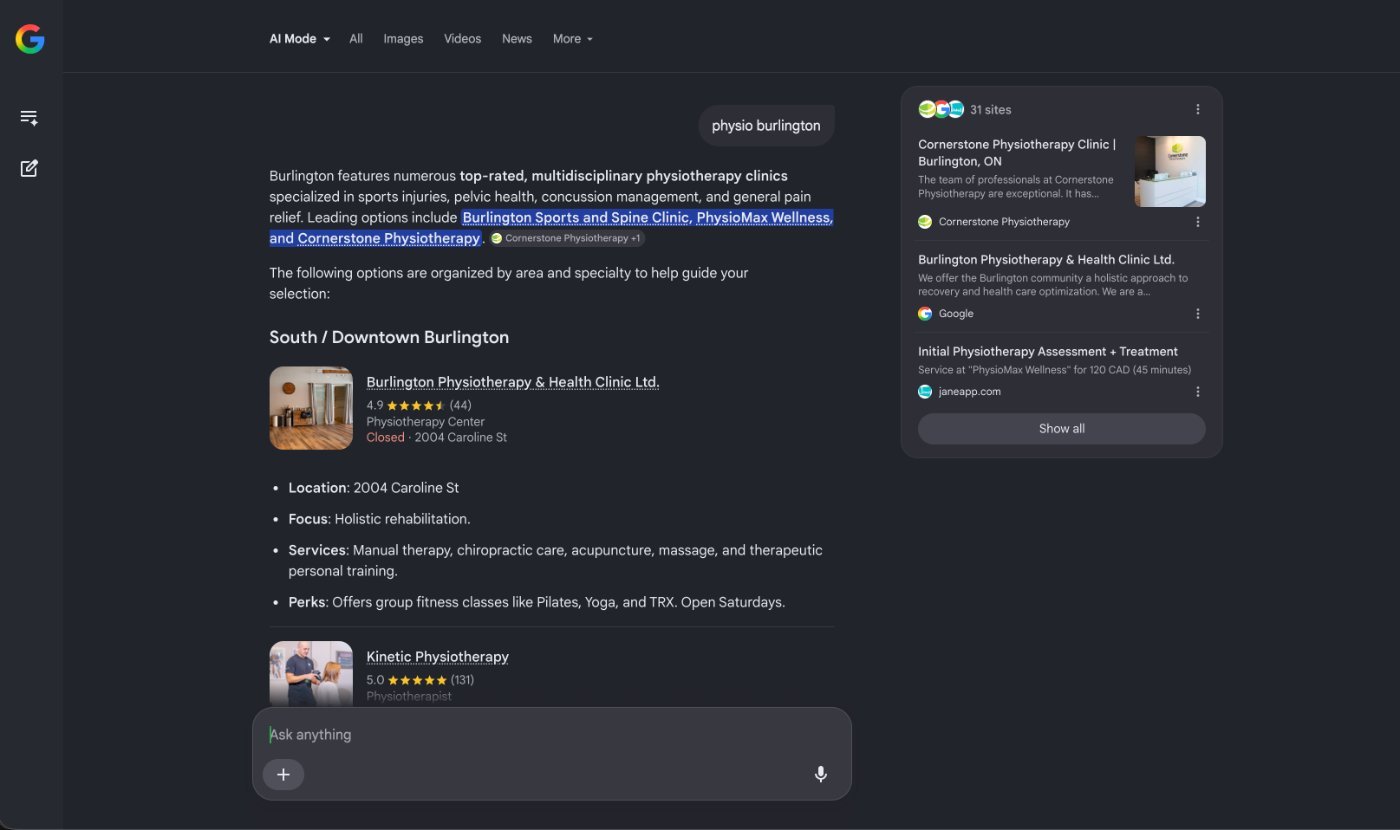
What Google’s New AI Search Bar Changes for Your Local Business
Google's new AI Mode is a tab today, but the rollout could widen. Here's what it looks like for local businesses and the 3-part check to get ahead.
Tash · May 25, 2026
 Get Found Online
An Easy Weekly Marketing Checklist for Local Businesses
A weekly marketing checklist for small business owners who want to increase local visibility. Focused, repeatable actions that drive real results.
Tyler · February 10, 2026
Run Your Own Clinic Marketing
Cliniverse gives you the ads, posts, courses, and AI to grow your clinic, with experts on call. You own everything you build.