
How to Help Your Clinic Rank Higher With Google Business Profile in 2026
This guide shows you how to strengthen your Google Business Profile so your clinic can show up higher and attract more patients in 2026.

Why your Google Business Profile matters in 2026
If you run a clinic today, your Google Business Profile is one of the strongest tools you have for bringing in new patients. Every day people search for help with pain, injuries or mobility problems, and Google wants to recommend clinics that look trustworthy and active. When your profile is set up properly and kept up to date, you show up more often and you get in front of people at the exact moment they’re ready to book. Your profile is the fastest win, but it’s one part of how to market a physiotherapy clinic overall.
Most clinics barely touch their profile. They set it up once, add a few details and forget about it. Google then assumes the clinic isn’t active, and over time visibility drops. The clinics that take a few minutes each week to keep things updated are the ones that rise to the top.
Below is how to set it up, what to fix when patients can’t find you, and the handful of habits that keep you visible.
If you’d rather see it on screen, Tyler walks through every step on YouTube.
Why your clinic isn’t showing up on Google Maps
Before you optimize anything, it’s worth ruling out the reasons a clinic disappears from Google Maps entirely. When patients tell you they cannot find you, it’s usually one of these, not a ranking problem.
Your profile is unverified or suspended: an unverified profile can sit invisible for weeks. Check the Google Business Profile Manager for a verification prompt or a suspension notice. Suspensions often come from a detail that looks off to Google, such as a virtual office address or a keyword stuffed into the business name.
You have a duplicate listing: if your clinic moved, rebranded or changed owners, an old listing may still exist and split your signals. Search your clinic name and your previous address on Maps. Report duplicates through the Manager so Google merges them.
There’s also a version of this that’s not a fault at all. Proximity is one of the strongest factors in the map pack, so when you search from your own front desk your clinic looks like it’s ranking beautifully. Ask a patient across town what they see before you conclude anything.
Two more worth checking. A clinic filed under a generic category ends up competing in the wrong set of searches, which is the most common hidden cause of weak map visibility. And because Google shows only three businesses in the map pack, ranking fourth leaves you invisible to anyone who doesn’t expand the results, which is what the habits further down this guide are for.
If none of these apply and your profile is verified and accurate, you’re dealing with ranking rather than visibility, and the rest of this guide is where to focus.
How to set up your Google Business Profile correctly
Before you can improve your ranking, your profile needs a solid foundation. Google gives more visibility to clinics that look real, legitimate and complete. When everything is accurate and fully filled in, Google understands who you are, what you offer and whether you should appear for local searches. These steps set you up for long-term visibility.
1. Create or claim your profile
Start by checking if your clinic already exists on Google. Many clinics appear automatically because Google pulls information from public records and map data. Search your clinic name on Google Maps. If you see your clinic listed, claim it through the Google Business Profile Manager. If it doesn’t exist, create a new profile with your clinic name, address and phone number.
Claiming your profile matters because it gives you full control. It prevents duplicate listings and lets you update your information anytime something changes.
2. Choose the right category
Your primary category tells Google what your clinic does. This influences which searches you show up for. Choose the most accurate category for your profession. For example, physiotherapist, chiropractor, osteopath or massage therapist. If your main service is physiotherapy, make that the primary category even if you offer other services.
You can add extra categories, but keep them relevant to avoid confusing Google about what your clinic focuses on.
3. Add accurate business information
Fill in every detail. Your clinic name, address, phone number, website link and booking link should match what is on your website and anywhere else your clinic appears online. Consistency builds trust. Inaccurate information makes Google unsure whether your clinic is reliable, which can affect your visibility.
Add your service area if you treat patients beyond your immediate location. Complete profiles perform better than partial ones.
4. Set your hours
Add your regular hours and any days you close early or stay open later. Update holiday hours whenever needed. Google wants clinics to keep their hours accurate because it prevents patients from showing up when the clinic is closed. When your hours stay accurate, it supports your profile strength and helps people trust your listing.
5. Verify your clinic
Google will ask you to verify your clinic, and video is now the default method in most regions. That means recording one continuous take that shows your signage, the inside of the clinic and you doing something only a manager could do, such as unlocking a door or opening the booking system. Phone, email and postcard are still offered to some accounts, but don’t count on them. Complete this step right away. Verification confirms your clinic is real and operating, which improves how often Google shows your profile in local results.
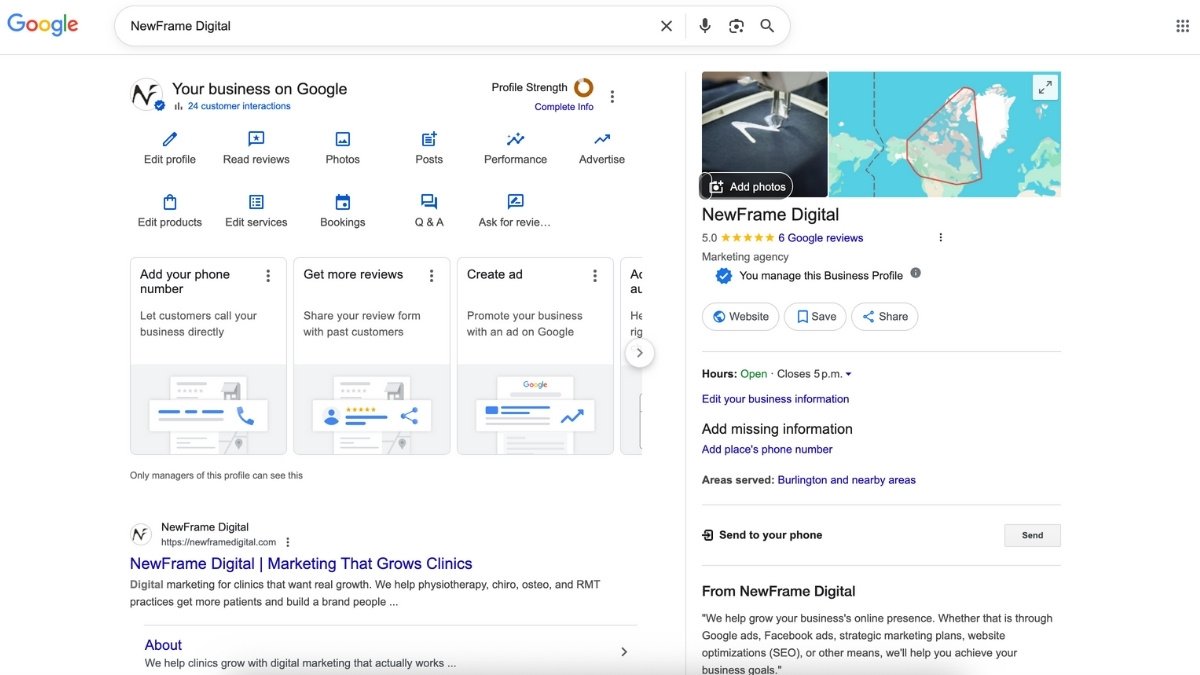
How to optimize your Google Business Profile
Once your profile is set up, the next step is making it strong enough for Google to trust and show more often. Clinics that stay active and accurate tend to show up higher because their information helps people make decisions quickly. These are the areas that matter most for improving visibility.
1. Write a helpful clinic description
Your clinic description should be clear and easy to understand. Explain the conditions you treat, the people you help and the type of care you provide. Keep it simple and patient focused. Use natural wording that reflects how people talk about your services, such as physiotherapy for injuries, chiropractic care for back pain or massage therapy for tension. A good description helps people know they’re in the right place.
2. Add your full list of services
List every service you offer and keep each description short. This helps people understand what your clinic can help with and makes it easier for Google to recommend your clinic when someone searches for specific care. Separate entries for things like manual therapy, sports rehab, shockwave therapy or acupuncture help your clinic show up for a wider range of searches.
3. Add high quality photos and update them regularly
Photos show potential patients what your clinic looks like and help them feel more comfortable booking. Include clear photos of your exterior, reception, treatment rooms, equipment and team. Update your photos quarterly or monthly so your profile stays current. Clinics that add fresh photos tend to look more active and trustworthy.
4. Use posts to stay active
Posting once a week keeps your profile active and gives people helpful information. Share simple tips, quick explanations of services, seasonal reminders or clinic updates. These posts help people understand what you do and keep your clinic top of mind.
5. Build a steady flow of reviews
Reviews play a major role in how people choose a clinic, and how recent they’re now carries more weight than how many you’ve. A clinic with a handful of reviews from this month tends to look more current than one sitting on a large total from three years ago. Ask after a positive appointment or when a patient is happy with their progress. Keep the request simple and make it easy to leave a review by sharing a direct link or using a QR code at the front desk.
One caution: review rules differ by profession and province. Massage therapists in Ontario cannot solicit reviews at all, and several other colleges restrict testimonials, so check your own college's advertising standards before you set up any review request system.
6. Reply to all reviews
Responding to reviews shows that your clinic pays attention to patient feedback. Keep your replies short, kind and sincere. Thank the patient and acknowledge their experience. This helps build trust with new patients reading your profile.
7. Add your booking link
Make booking easy. Connecting your online booking system directly to your profile allows people to schedule as soon as they decide they need help. Not every clinic platform supports direct integration, so how Jane compares to Noterro on the booking flow is worth a look. This reduces friction and increases the chances that someone books right away.
8. Make sure your website supports your profile
Your website should match what your profile says about your clinic. Clear service pages, simple navigation and a fast loading speed help patients feel confident in booking with you. A strong website supports your profile and gives people the information they need to take the next step, and if yours is dated or slow, a clinic website that keeps itself found on Google and AI search removes that as a bottleneck.
9. Consistent NAP across all platforms
Your clinic’s name, address, phone number and website should match everywhere online, including the map you embed on your own site. This helps patients find the right information and helps Google trust your clinic. When your details are consistent, Google is more confident showing your profile in search results.
A quick way to check your listings is to use Moz’s free listing scanner. It shows you the major directories your clinic appears on and highlights anything that looks inconsistent or outdated.
It’s important to know that this tool isn’t perfect. Sometimes it shows incorrect issues or flags listings that aren’t wrong. It’s also a sales tool for their paid service, so the results can look more alarming than they’re.
Instead of worrying about the overall score, focus on the listings it shows you. Open each one and make sure your:
- clinic name
- address
- phone number
- website
are exactly the same everywhere.
If something is wrong, update it directly on that platform. These small fixes help strengthen your overall online presence and support your Google Business Profile visibility.

What else feeds your profile's ranking
Your profile doesn’t get judged on its own. Google cross-checks it against everything else it can find about your clinic, and the signals below are the ones clinic owners most often leave sitting there. Reviews carry the most weight of the four, and recent industry surveys put review signals at roughly a fifth of what decides local rankings, second only to the profile itself.
What your reviews say, not only how many
Star rating and count are the obvious part. The part most clinics miss is that Google reads the text of a review, and reviews that name a condition or a service help you surface for those searches. A profile whose reviews repeatedly mention "shockwave for plantar fasciitis" or "vestibular rehab after a concussion" is telling Google what the clinic treats in patients' own words, and that's more convincing than your own service list saying the same thing.
You cannot script this, and you should not try. What you can do is ask in a way that invites detail rather than a bare star: asking someone what they came in for and how it went tends to produce a review that mentions the condition. If your college restricts review requests, this is off the table, and the caution further up applies.
Two other things matter more than volume. Answer them: replying to reviews is a signal in itself, and a clinic replying to nearly everything reads as more active than one replying occasionally. And spread matters, because a burst of fifteen reviews in one week after a year of silence looks engineered, while two or three a month looks like a working clinic.
For the benchmark data on how many reviews your profession needs to compete, we broke that down separately in do Google reviews help SEO.
Reviews you’ve collected somewhere else
Reviews on other platforms don’t move your Google ranking directly. Google ranks your profile on your Google reviews. They matter for two other reasons that are worth the effort anyway.
The first is what a patient sees when they check you out, and most people look at more than one source before booking healthcare. A clinic with 80 Google reviews and nothing anywhere else looks thinner than one with a visible presence across a few places patients check.
The second is AI search. Assistants answering "who should I see for knee pain in Burlington" pull from across the web rather than from Google's local pack alone, so reviews sitting on your booking platform, your association directory or a health directory do get read. Your Google reviews stay the priority, and everything else supports it.
Your other listings and directories
This is the part clinic owners either ignore or badly overdo. Other listings help mainly by corroboration: when your name, address and phone match across the places Google can find them, Google has more confidence the clinic is real and located where you say. That’s a foundation, not a lever, and it’s why the consistency check above matters more than the number of listings.
Where clinic owners waste money is buying a package that blasts the clinic into 300 directories. Fifty accurate listings on places patients and Google both recognise beat 300 on sites nobody visits, and inconsistent bulk listings actively work against you by putting conflicting information into circulation.
For a clinic, the ones worth having are your provincial college or association directory, your professional association, your booking platform's own directory, the local Chamber of Commerce, and Bing, which the section below covers. Those double as backlinks, which is a separate benefit covered in local business SEO ranking factors.
Awards, accreditations and trust signals
Health content is held to a higher bar than most, because Google treats anything affecting health or money as a category where a wrong answer causes real harm. That means verifiable signals about who you are count for more than they would for a restaurant.
Your profile itself has limited room for this, and the honest answer is that most of the work happens on your website. Google cross-references the two, so credentials that appear on your site strengthen the profile pointing at it. What is worth doing:
- Name the governing college each practitioner is registered with, and use registration numbers where your college permits it. This is the single strongest credential signal a clinic has, and it’s verifiable.
- Give each practitioner a real page with their qualifications, training and what they treat, rather than a name under a photo.
- List genuine accreditations and association memberships, and link to the directory listing that confirms each one.
- Use the attributes inside your profile that apply to you, such as wheelchair accessibility, languages spoken and whether you accept new patients. These are small, but they answer questions patients are filtering on.
Be careful with awards. A "top clinic" badge from a site that sells the badge is worth nothing and can read as promotional to Google and to patients. A local business award, a university affiliation or a genuine hospital partnership is worth naming. And check your college's advertising standards before publishing any award or superlative, because several restrict these claims outright.
Strengthen your profile with consistent improvements
Once your profile is set up and optimized, your visibility improves when you stay active and keep your information accurate. These ongoing habits help Google see your clinic as reliable, current and helpful to people searching for care in your area.
Keep your profile consistent over time
Small updates make a difference. Make sure your hours, phone number, booking link and address stay accurate. If anything changes, update it right away. Consistency builds trust and prevents confusion for people trying to contact or visit your clinic.
Update photos and posts regularly
Fresh photos and weekly posts show that your clinic is active. This helps people understand who you are and what your clinic looks like. Simple updates, such as a new room setup, equipment, team photo or a quick educational tip, make your profile feel current.
Use your Google insights
Your Google Business Profile gives you useful information about how people interact with your clinic. You can see how many people called you, asked for directions, visited your website or viewed your photos. Reviewing this data helps you understand what’s working and what people are interested in. Over time you’ll see patterns that show you which updates are helping your visibility.
Give people clear information at every step
Clarity helps both patients and Google. Make sure your services are described in a way that makes sense to someone who has never visited before, keep the description plain, and make booking and review replies easy to find. These actions make your clinic more helpful to real people, which is what Google rewards with better visibility.
Be patient and consistent
Profile improvements show up over weeks and months, not days. The clinics that end up at the top aren’t the ones that did a big overhaul once, they’re the ones still posting, adding photos and replying to reviews six months later.

Bonus Tip: Connect to Bing
Most clinics only focus on Google. This is where you can take your clinic to the next level and only some marketing agencies know about this.
Bing still powers search results for Microsoft Edge, Windows search, Cortana, and many desktop users. It also feeds location data into other platforms that patients use without realizing it.
What Is Bing Places?
Bing Places for Business is Microsoft’s version of Google Business Profile. It shows your clinic in Bing search results and Bing Maps.
If your clinic isn’t claimed, Microsoft is either pulling outdated data or nothing at all.
Why This Matters
This isn’t about replacing Google. It’s about stacking distribution.
- It takes under 10 minutes to set up
- There’s zero ongoing work (automatically syncs)
- It gives you another place to show up for local searches
- It reinforces your clinic’s legitimacy across the web
More verified listings equals more trust signals. More trust signals help rankings everywhere, including Google.
The Fastest Way to Set It Up Bing Places for Business
You can import your existing Google Business Profile directly into Bing Places. No need to start from scratch.
Steps:
- Go to Bing Places for Business
- Sign in with your Google account attached to your Google Business Profile
- Choose the option to import from Google
- Review your details and submit
That’s it.
What to Double Check After Import
Don’t assume it’s perfect. Verify these:
- Clinic name, address, phone number
- Primary service category
- Business hours
- Website link
Consistency matters. Mismatched info creates friction and confusion.
Google Business Profile improvement checklist
Improving your Google Business Profile isn’t complicated. It comes down to setting it up properly, keeping it accurate and staying active in small ways that show your clinic is engaged and trustworthy. When people search for help, they want clinics that look reliable, real and easy to work with. This checklist helps you stay on track.
Profile setup checklist
- Profile created or claimed
- Correct primary category chosen
- All business information added
- Hours updated and accurate
- Clinic verified
Profile optimization checklist
- Clear clinic description
- Complete list of services
- High quality photos added
- Weekly posts shared
- Steady flow of reviews
- Replies to all reviews
- Booking link connected
- Website updated and easy to use
Trust and consistency checklist
- Name, address and phone identical across every listing
- College or association directory listing claimed and linked
- Practitioner credentials and registrations on your website
- Accreditations and memberships linked to a source that confirms them
- Profile attributes set, including accessibility and languages
Ongoing improvement checklist
- Information kept accurate
- New photos added regularly
- Posts shared consistently
- Insights reviewed monthly
- Replies kept up with new reviews
- Profile kept active and helpful

Frequently Asked Questions
What happened to the Q&A section on my Google Business Profile?
Google retired the old Questions and Answers feature and replaced it with Ask Maps, which generates answers from your profile details, your reviews and your website rather than from questions you or your patients wrote. You cannot seed it with your own answers the way you could with Q&A, so the way to influence it’s to make sure the underlying information is complete and accurate. If your services list, description and hours are thin, Ask Maps has less to work with and may answer a patient's question about you incorrectly.
Does a Google Business Profile cost anything?
No. Creating, verifying and managing a profile is free, and so is every feature covered in this guide, including posts, photos, services and messaging. If a company contacts your clinic claiming you need to pay Google to stay listed or to keep your ranking, that’s not Google. Those calls are common in healthcare and the listing they’re selling is usually one you already control for nothing.
Do I need a separate profile for each clinic location?
Yes. Every physical location that patients can visit needs its own verified profile with its own address and phone number. Practitioners who consult at more than one clinic don’t each get a profile, the location does. If you run several sites, keep the categories and service lists consistent across them so Google reads them as one organisation rather than unrelated businesses.
Should my practitioners have their own Google Business Profiles?
Google allows individual practitioner profiles for licensed professionals who see patients under their own name, and some clinics use them. Be careful: a practitioner profile competes with your clinic profile in the same map pack, and it becomes stale the moment that person leaves. For most physiotherapy, chiropractic and massage clinics, one strong clinic profile is easier to maintain and performs better than several thin ones.
What should I do about a bad review?
Reply to it, and write the reply for the stranger reading it rather than for the person who left it. Thank them, acknowledge the issue in general terms, and move the conversation offline with a phone number or an email address. You cannot discuss anyone's care in public, even to correct something untrue, because confirming that a person was your patient is itself a privacy breach and colleges treat it as one.
You can ask Google to remove a review that breaks its policies: spam, abuse, or one that clearly belongs to a different business. A review that is merely unfair is not a policy breach and will not come down. One critical review among a run of good ones does less damage than most owners fear, and a calm reply underneath it often reads better to a prospective patient than an unbroken wall of five stars.
What happens to my ranking if the clinic moves?
Expect a dip, and plan for it. Update the address on your profile the day you move rather than in advance, because Google may start showing the new location to people searching before you’re open there. Proximity is a ranking factor, so moving even a few kilometres changes which searches you appear in, and the profile has to re-establish itself against a different set of nearby competitors.
The part owners forget is everything pointing at the old address. Your website footer, your association directory entry, your booking platform and every other listing need the new details, or Google keeps finding two addresses for one clinic and trusts neither. Ask Google to update the existing profile rather than creating a new one, because a new profile starts with no reviews and no history.
Do I still need a website if my Google Business Profile is strong?
Yes. Your profile is where patients find you and your website is where they decide. Google also cross-checks the two, so a profile pointing at a slow or half-finished site undercuts the trust the profile is building. The profile brings the visibility, the website converts it.
Why a strong profile brings in more patients
None of this is complicated, which is why it’s worth doing. A verified profile with the right category, current photos, recent reviews you’ve replied to and a working booking link puts you ahead of most clinics in your area, because most of them stopped at setup.
If you want to watch it done rather than read it, Tyler’s walkthrough covers the same ground on screen.
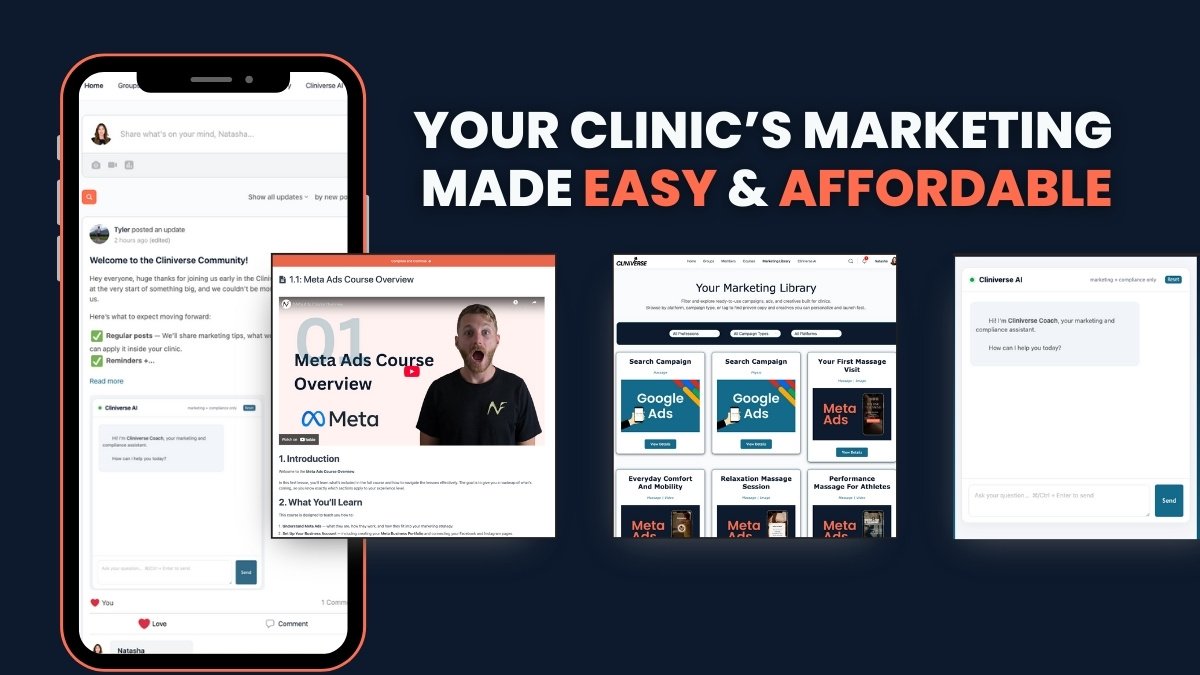
If you want to learn more, you can follow the full step-by-step Google Business Profile course, along with other Cliniverse Courses and get unlimited access to other tools that save you time and money with your clinic marketing.
Related Articles
 Get Found Online
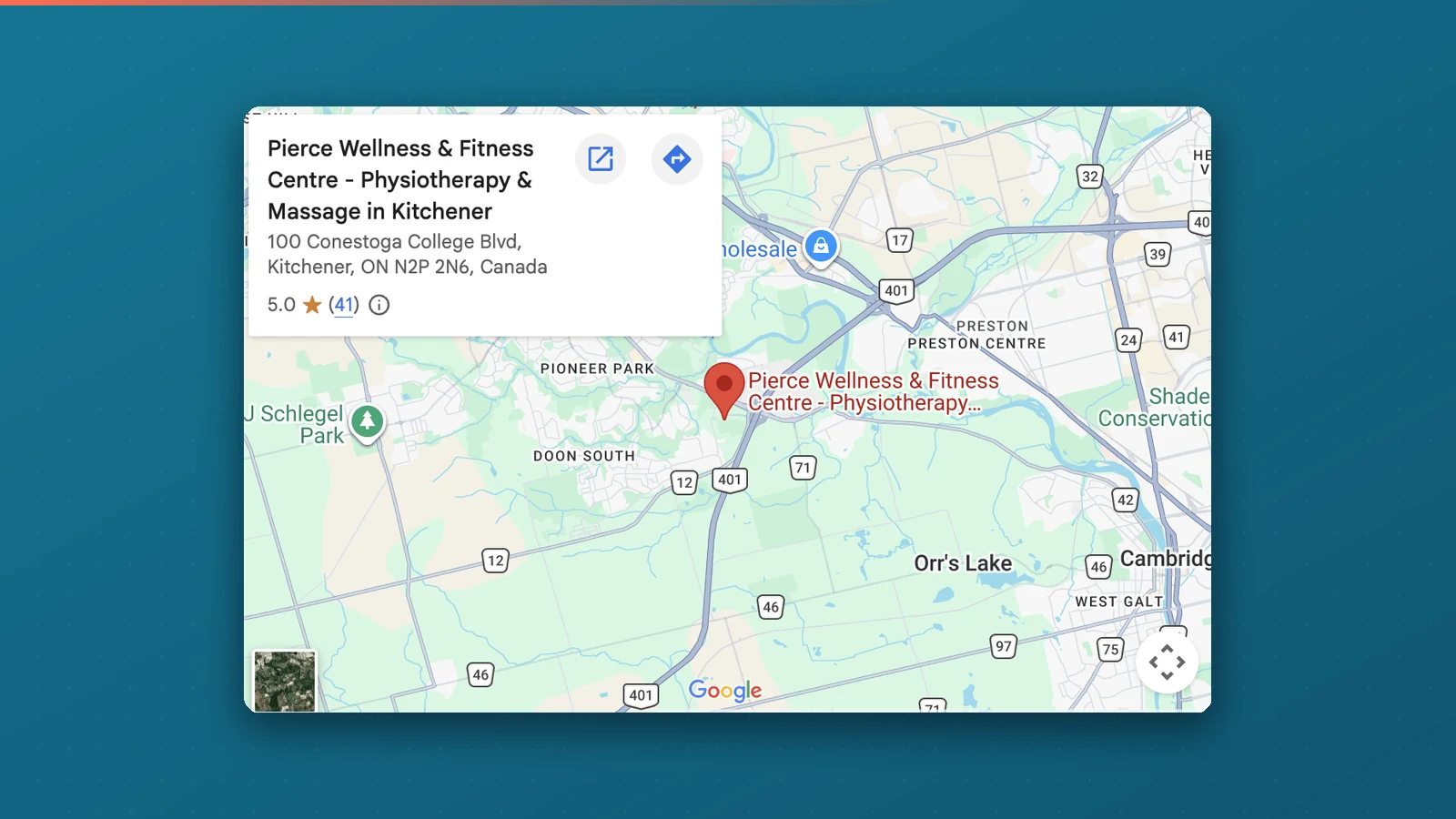
Should You Embed a Google Map on Your Website?
Should you embed a Google map on your clinic website? Yes, on your contact page, and pull it from your Google Business Profile. Here's why and how to do it right.
Tyler · June 21, 2026
 Get Found Online
Local Business SEO: What Moves the Needle in 2026
Most clinics lose patients to competitors with worse care. Learn the local business SEO ranking factors that determine who Google recommends.
Tyler · March 8, 2026
 Clinic Marketing
How to Market a Physiotherapy Clinic (What to Prioritize First)
A practical guide to marketing a physiotherapy clinic: what to prioritize first, from Google Business Profile and reviews to your website, content, social, and ads.
Tyler · October 9, 2026
Run Your Own Clinic Marketing
Cliniverse gives you the ads, posts, courses, and AI to grow your clinic, with experts on call. You own everything you build.