
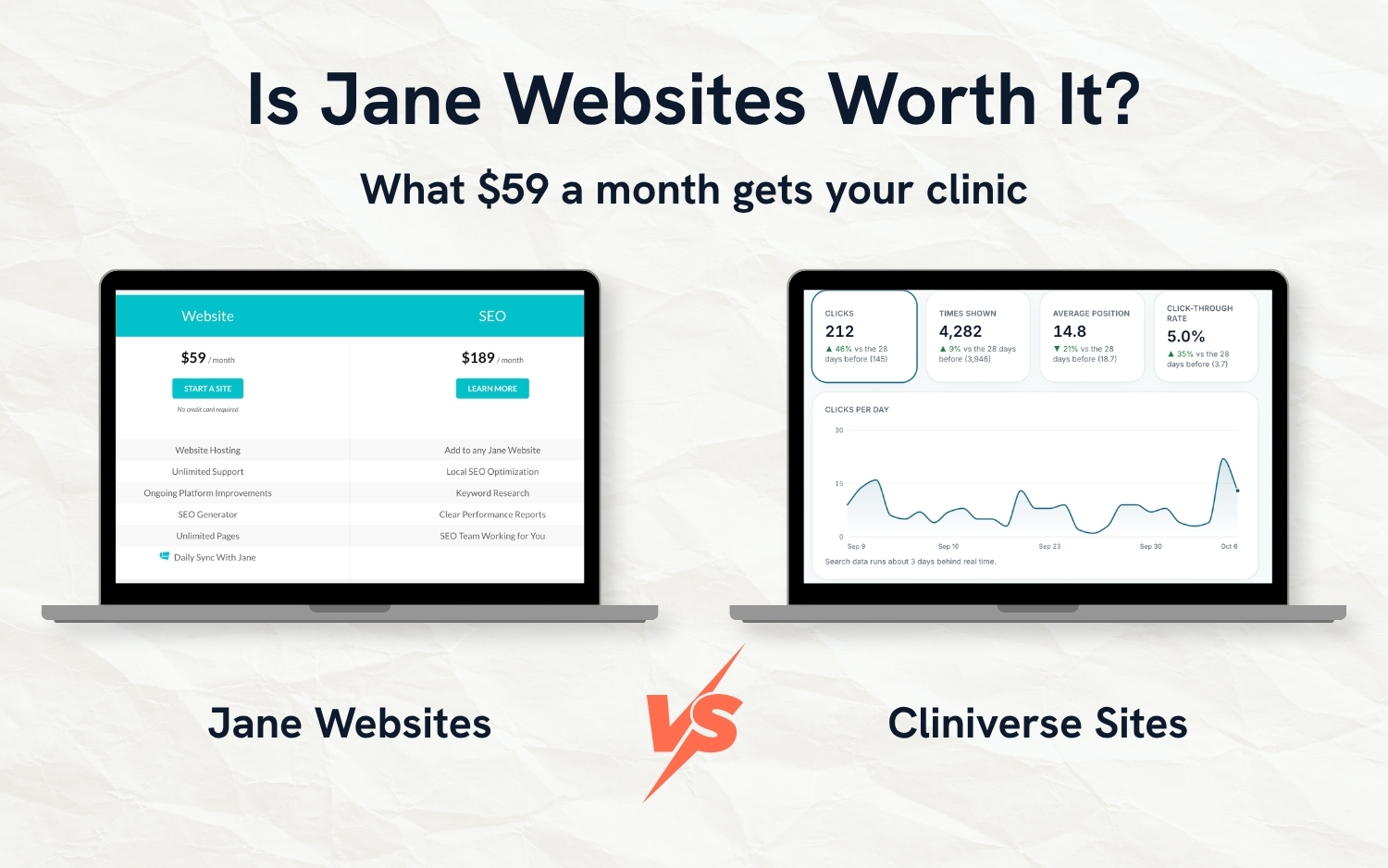
Is Jane Websites Worth $59 a Month? An Honest 2026 Review
If your clinic already uses Jane, its website add-on is the obvious place to start: same company, same login, $59 a month. We've spent time inside it, including a chiropractic clinic we work with that has its site on Jane Websites. One thing worth knowing up front: we have a website builder made specifically for clinics too, so we're a competitor, and we're also a Jane affiliate.
Is Jane Websites worth it? Only if keeping everything inside Jane matters most to you. It's quick to set up, but the $59 plan leaves out reports, Google Business Profile work and the code that helps Google understand your clinic, adding them costs $189 a month more, and the site is gone if you cancel. For easy drag-and-drop, Squarespace starts for less; for full control, WordPress; and for a site with the reports, Google profile checks and tracking built in, our own Cliniverse Sites at $99 a month.
Below: what you get for $59, where it falls short, and what the alternative looks like.
What Jane Websites Is and What It Costs
Jane Websites is a website builder made for health clinics. It started life as Clinic Sites, which Jane bought and renamed, and you'll still see the old name in a few corners of the admin.
The price is $59 a month plus tax. There's no setup fee, billing starts when your site goes live, and it's month to month. You don't need a Jane account to use it, though the features that pull in your staff, services and booking link only work if you're on Jane.
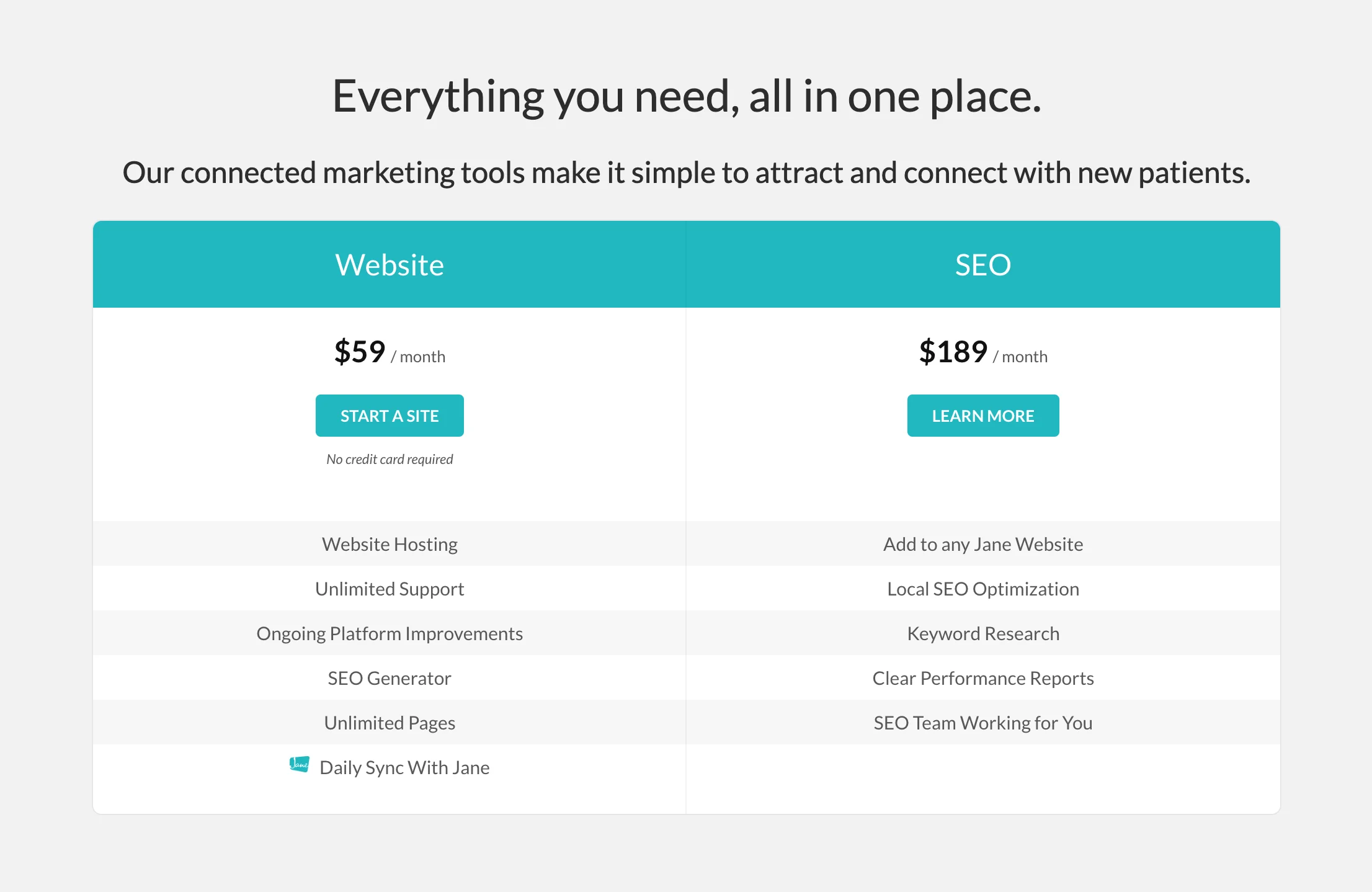
There's one add-on worth knowing about before you sign up. Jane SEO is $189 a month on top of the website. Jane's pricing page lists it as local SEO, keyword research, performance reports and an SEO team working for you. Their guide describes it as an initial website audit, Google Business Profile setup and a strategy call, then "a monthly deliverable like a new service page, local SEO work, or web updates." Put together, a Jane Website with its marketing help costs $248 a month.
What Jane Websites Does Well
It's quick to get started. Jane pulls your logo, location, services and practitioners from your Jane account, and an AI builds a starting site from them. From there you edit with a block editor: pick from 16 block types (text with a photo, a gallery, an FAQ, a contact form, a staff grid and so on) and arrange them on the page.
The Jane sync is the standout. Once a day it updates your site with changes from Jane: your theme colours, logo, phone and email, services and staff. Hire a new physio, add them in Jane, and they appear on the website without anyone touching it.
The basics are covered too. You can set the title and description Google shows for each page (there's an AI button that writes them for you), your sitemap is generated automatically, there's a redirect tool for old page addresses, and there's room to paste in Google Analytics and other tracking code.
People who use it tend to like it. A chiropractor on Reddit said: "I switched to Jane websites this year. Mostly because integrates with my schedule through Jane and is super easy to build out and maintain. And it's cheap. Great customer support as well." (source)
Where Jane Websites Falls Short
The gaps are mostly in the work that happens after the site is live.
What Google can read about your clinic: we checked 5 pages on the clinic's Jane Website and none had structured data. That's the behind-the-scenes code that tells Google "this is a chiropractic clinic, these are its hours, this person is a chiropractor," and it's what helps your hours, address and rating show up neatly in search results and AI answers. Jane's help docs don't mention it. One of the clinic's blog posts also had no meta description (the short summary Google shows under your page title), and Jane's guide to publishing a post doesn't mention adding one.
There are no reports in the $59 plan. The admin has places to add your Google Analytics code and set up redirects, but no screen that tells you how many people found you on Google, what they searched, or how many contacted you. Performance reports are part of the $189 add-on.
Your Google Business Profile isn't part of the website either. You can add a Google reviews widget, but keeping your profile accurate and complete is the add-on's job.
Moving in takes work. Jane doesn't migrate an existing site. You copy and paste your old content across, and because Jane uses its own page address format (yoursite.com/pages/... and /services/...), you'll need to set up redirects so your old Google rankings point at the new pages.
Those redirects matter more than they sound. A redirect tells Google, and anyone clicking an old link, that a page has moved and where it went. Miss one and the old address shows an error page, Google eventually drops it from search, and whatever ranking that page had built up doesn't pass to the new one. Miss a lot of them and you can end up close to starting over on Google, with a brand new site that has none of your old site's history behind it. If your blog or service pages bring in patients today, list every old page address before you switch and match each one to its new page. One quirk in Jane's redirect tool: the addresses can't end with a slash.
There are smaller things worth knowing:
- No email hosting, so your clinic email stays wherever it is now.
- When the site pulls your team from Jane, you can't change the order they appear in, and bios and photos can only be edited in Jane.
- If you cancel, you lose access to the site and its content at the end of your billing cycle.
A Note on Booking
Jane's online booking can't be embedded inside a website, Jane's own included. On a Jane Website, the Book button opens your Jane booking page, usually in a new tab. That's the same experience you'd get with any other website, so booking shouldn't be the deciding factor either way.
The Alternative: Cliniverse Sites
We've been marketing businesses and building their websites for close to 10 years. Cliniverse Sites is what we've learned in that time, built into a website builder for physiotherapy, chiropractic, massage therapy, osteopathy, naturopathy and multidisciplinary clinics. It does automatically the work a good web design and marketing agency would otherwise do for you, and you don't need any design or marketing experience to use it.
It's $99 a month CAD plus tax, with no contract and a 30-day satisfaction guarantee. That's $40 more than Jane Websites, and the extra $40 covers the reporting, Google profile upkeep, tracking and search setup that Jane either charges more for or leaves to you.
Written for You, Inside Your College's Rules
You answer a set of onboarding questions about your clinic, your team, your services and the conditions you treat, or book an onboarding call and go through them with us. Within minutes of finishing, the AI has written your whole site: home and about pages, a page for every service and every condition you listed, booking and contact pages, and a blog. Each page comes with its Google title and description, optimized photos and links to your other pages already in place. Your province's and profession's advertising rules are loaded in from the first draft, so the copy is written with them in mind.
Your privacy policy, terms and accessibility statement are written from the tracking your site uses, and a cookie consent banner appears when it's needed.
Built on Templates, on Purpose
Yes, Cliniverse Sites is built on templates, and that's deliberate. Every layout is built by us to work on phones and desktops, load fast and carry the code Google and AI tools read, so all of that is in place on every page without you touching it. You choose from 11 looks and make it yours with your logo, colours, fonts and photos. What you're spared is a page that looks fine on your laptop and falls apart on a patient's phone, or a redesign that wipes out the details Google was reading.

Change Anything by Typing
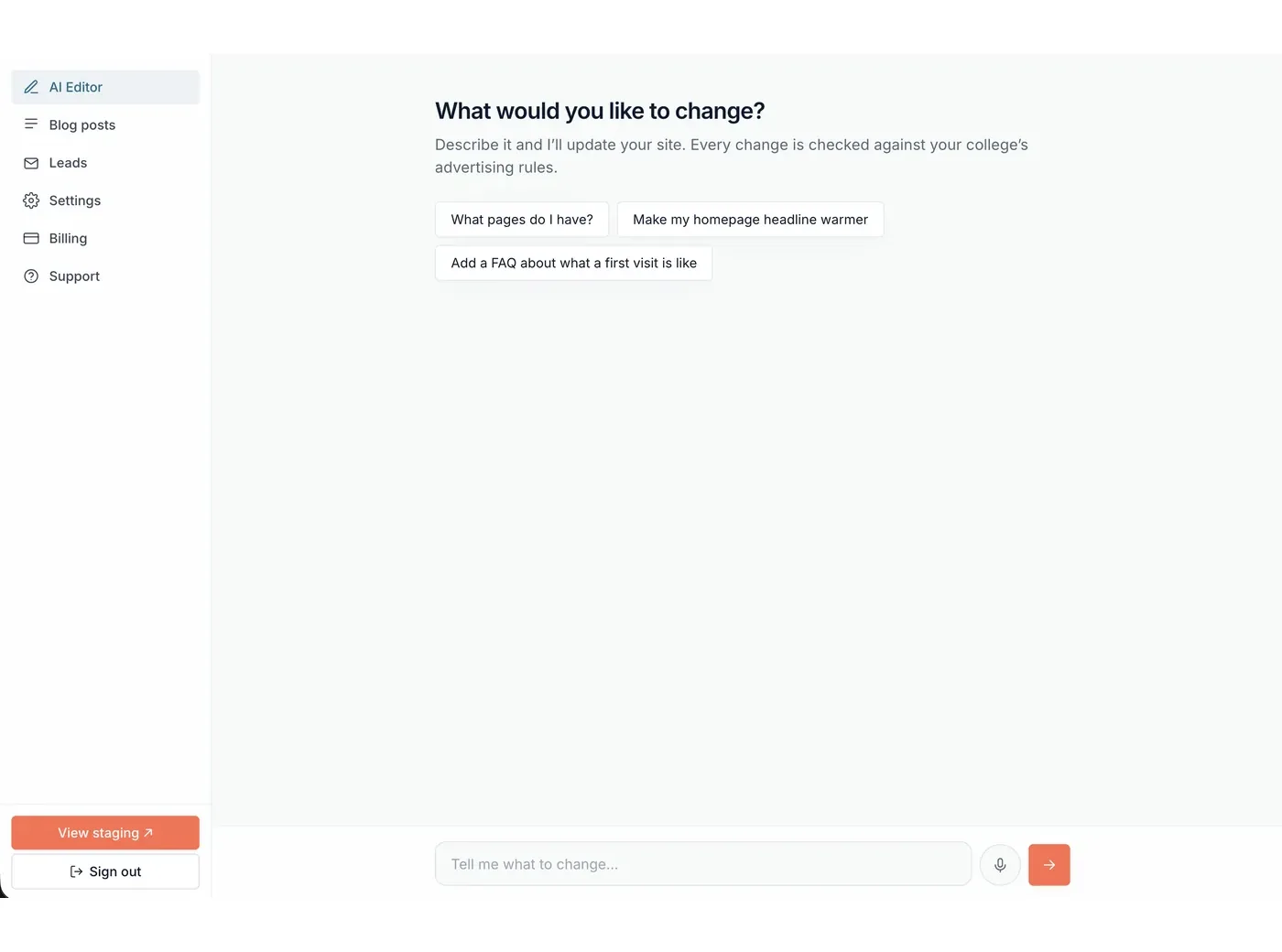
Tell it "add a page for TMJ" or "change our Saturday hours to 9 to 1," and it does it. Or click any text on your site and edit it in place. As you change wording, it's checked against your college's rules and you'll be told if something might be a problem.
Work Out How to Rank Higher, Together
This is the part we'd point a Jane SEO customer to. Ask the AI "we're on page 2 for back pain, how do we move up?" and it reads your live Google Search Console data (the free Google tool that shows which searches your site appears for and where it ranks). It sees each search you show up for and your average position, checks what's already on your site, and suggests what to change: a page title written the way people search, a better description, a section that answers what they're asking, or links from your other pages. Say yes and it makes the changes in the same conversation.
It improves the page you have before suggesting a new one, and it works from the searches your site already appears in. Research on phrases you don't rank for yet is part of a Premium plan that's coming.
Your Numbers in One Place
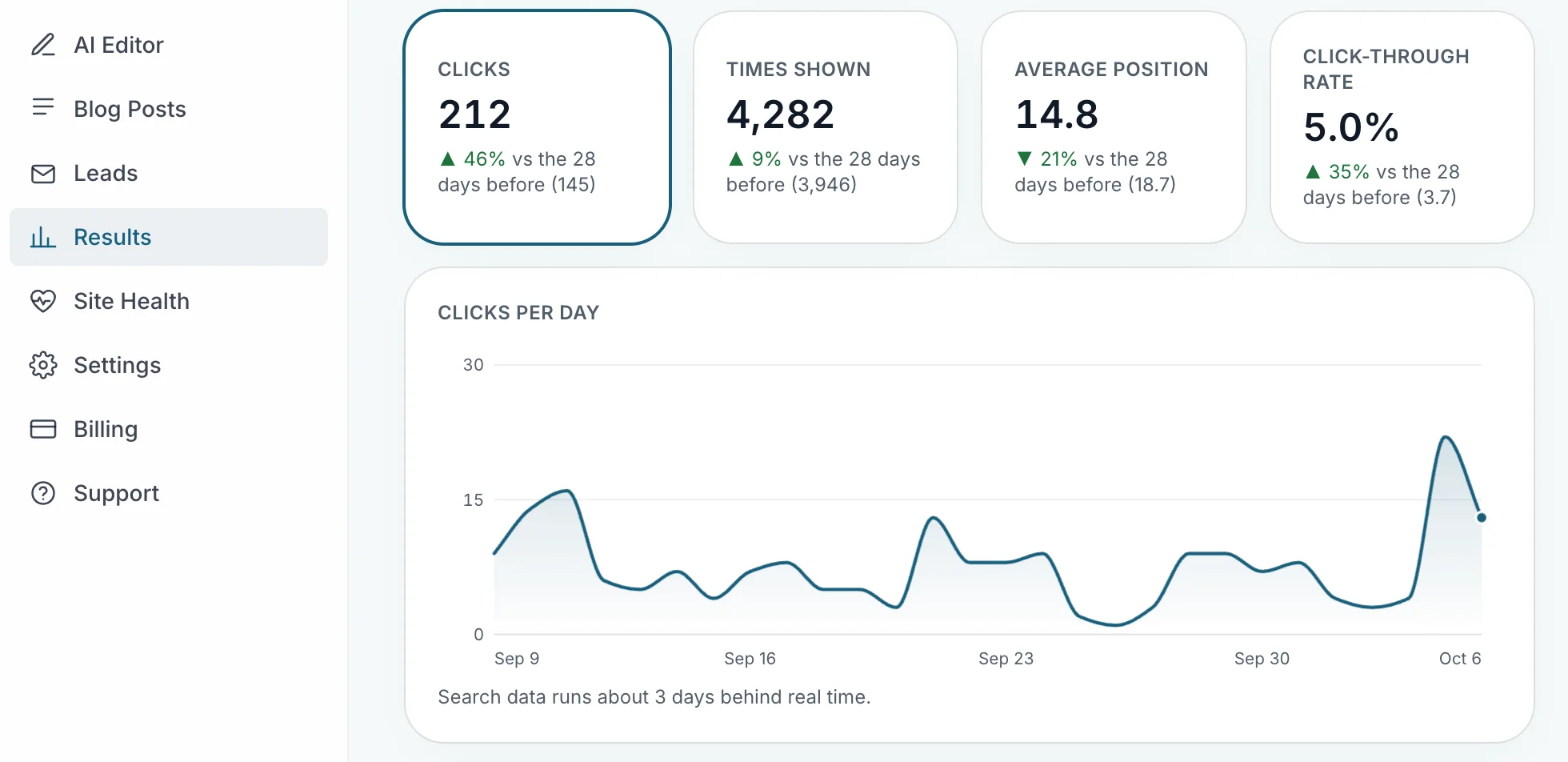
The Results page puts every lead at the top, then shows:
- Google Search: what people searched, how often you appeared, clicks and your position
- Google Profile: calls, direction requests, website clicks and the searches that found your listing
- Site Traffic: visitors, where they came from, which pages they landed on, and visits from AI assistants like ChatGPT
- Bookings: including your Jane bookings
On Jane, performance reports are in the $189 add-on. Here they're in the $99 plan.
Tracking Built In
When your site goes live, it's added to Google Search Console, verified and your sitemap submitted, without you touching it. Connect Google Analytics and leads and phone-number taps are set up as events for you. Every lead and booking keeps a record of where it came from: the Google or Meta ad click, the campaign, and the first and last page they visited. Add your Meta Pixel or Google Ads conversion ID and those platforms are told when someone becomes a lead or books, which is what helps your ads find more people like them.
Your Google Profile and Website Kept in Step
Every day, your Google Business Profile is checked against your website: name, address, phone and hours. If they don't match, you're told and you pick which one is right. Turn on one setting and changes to your hours and phone number on the site go to Google too.
It also looks for gaps:
- Services on your website that are missing from your Google profile, drafted for you, checked against your college's rules and added when you confirm
- Your booking link suggested as your profile's appointment link
- A reminder when a statutory holiday is coming and your holiday hours aren't set
- For clinics with more than one location, a warning when an office is linked to the wrong profile
Your Google star rating and review count can show on your site, refreshed every day, and they're hidden automatically in provinces and professions where your college restricts them. (We covered why that matters for RMTs in our Jane and ClinicSense comparison.)
Built to Be Found on Google and in AI Answers
Your pages carry structured data for your clinic, each practitioner, your services, the conditions you treat and your FAQs. The site publishes an llms.txt file (a plain summary of your clinic written for AI tools) and welcomes the crawlers that tools like ChatGPT use to read websites. When you publish a blog post, links to it are added from your older posts where they fit, and links from it point to your service pages. Ask for a post on a topic and the AI drafts it, writes the description Google shows, and schedules it.
Photos, Phones and Speed
Every photo you upload is resized, compressed, given a descriptive file name and written alt text (the description screen readers and Google use), then served in a lighter image format. On phones, a tap-to-call button stays on screen and every phone number on the site opens the dialler. Pages are built ahead of time so they load fast, and tracking scripts wait until the page has loaded.
Checked Every Night
Every night, Site Health looks for broken links, missing pages (including ones Google still sends people to), a domain that's about to expire, a Google profile that's drifted out of step, and more. When the fix is clear, it's applied for you with an Undo button.
Made to Bring in Patients
- Landing pages for your Google or Meta ads, with every lead tagged by campaign
- A "where should I start?" quiz built from your own services, so visitors who aren't sure what they need get pointed to the right one
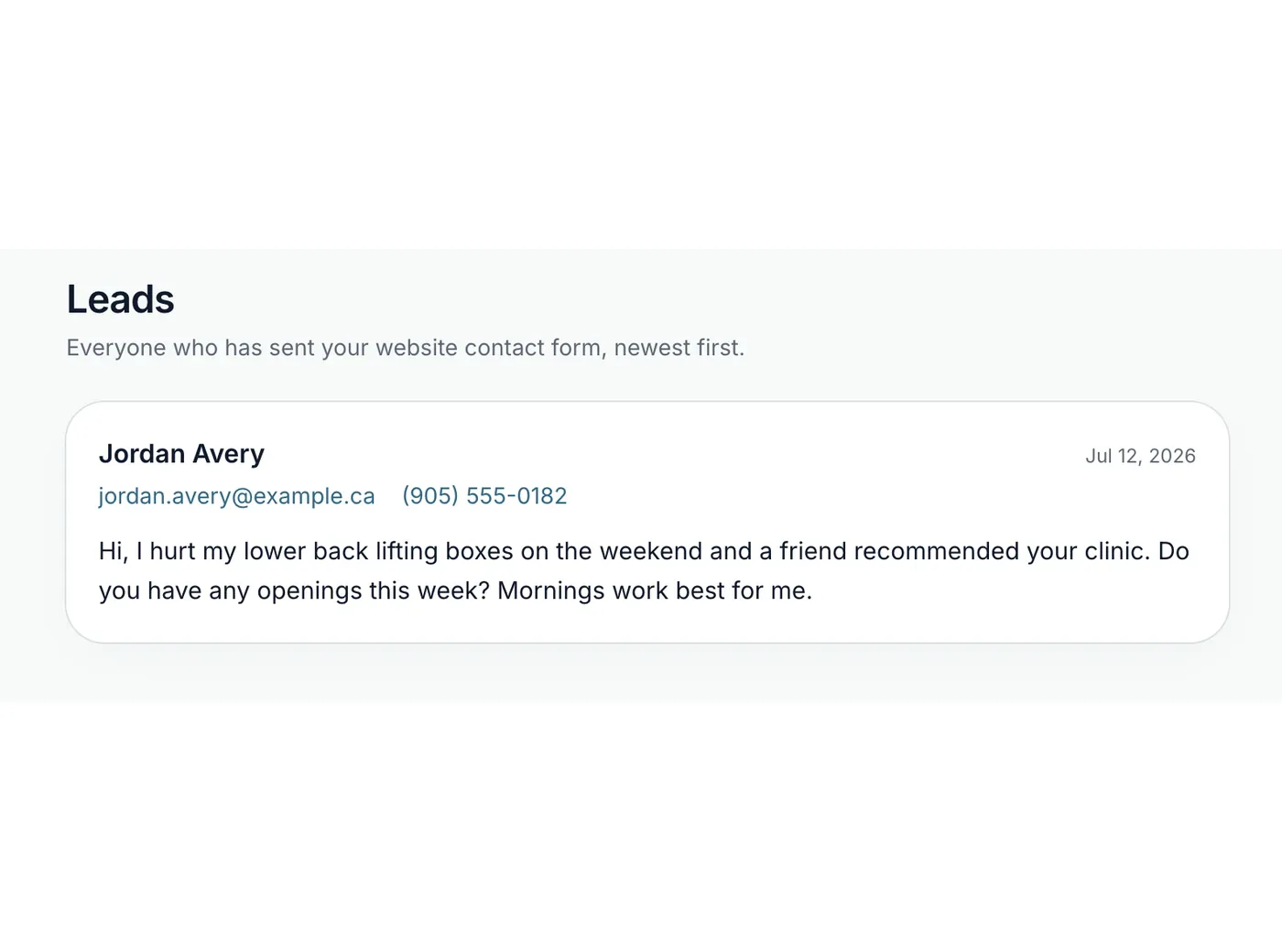
- A lead inbox with sales pitches filtered out
- Separate pages, hours, booking links and ratings for each location if you have more than one
Moving In, Moving Out
Enter your current website's address during setup and your blog posts come across with the same page addresses and publish dates. Redirects are built from your old pages and the ones Google is still sending visitors to, so old links and search results land on the right new page. If you ever leave, you get a full export of your content.
Booking With Jane
The Book button opens your Jane booking page, same as on a Jane Website. Each practitioner gets their own "Book With" button that goes straight to their schedule, and once you add us to your Jane Google Analytics, Jane bookings are counted on your Results page. (Here's how tracking Jane bookings works.) If you're on Juvonno instead, patients book on your own site and the appointment goes straight into Juvonno.
Jane Websites vs Cliniverse Sites Side by Side
| Jane Websites | Jane Websites + Jane SEO | Cliniverse Sites | |
|---|---|---|---|
| Monthly price | $59 | $248 | $99 CAD |
| AI-written first draft | Yes | Yes | Yes, with your college's rules loaded in |
| Staff and services synced from Jane daily | Yes | Yes | No, entered once and edited any time |
| Performance reports | No | Yes | Yes |
| Help ranking higher from your own search data | No | From the SEO team | Yes, in conversation with the AI |
| Keyword research | No | Yes | Coming with Premium |
| Google profile checked against your site | No | Set up, then monthly work | Every day |
| Structured data | Not documented | Not documented | Clinic, practitioners, services, conditions, FAQs |
| Lead source on every enquiry | Not documented | Not documented | Yes |
| Nightly site checks | Not documented | Not documented | Yes |
| Blog moved from your old site | Copy and paste | Copy and paste | Brought across with redirects |
| Campaign-tagged ad landing pages and a quiz | Not documented | Not documented | Yes |
| Who does the work | You, in the editor | Jane's team, 1 task a month | You and the AI, as often as you want |
When Jane Websites Still Makes Sense
There are 2 good reasons to pick it:
- Everything in one place: one company, one login and one bill for your booking, charting and website.
- Your team stays current on its own: hire a practitioner, add them in Jane, and their profile and booking link appear on the site the next day. At a clinic with a lot of staff turnover, that's a chore you never have to think about.
Outside of those two, we'd point you somewhere else.
Jane Websites: Frequently Asked Questions
Do I need Jane to use Jane Websites?
No. Jane says clinics on other practice software use it too. You lose the features that sync your team, services and booking link from Jane.
Does Jane Websites include SEO?
The $59 plan covers the basics: page titles and descriptions, a sitemap, redirects and room for tracking code. Keyword research, performance reports and Google Business Profile work are in Jane SEO, a separate $189 a month add-on.
Can Cliniverse Sites work with Jane?
Yes. Your Book buttons go to your Jane booking page, each practitioner can have their own booking button, and Jane bookings can be counted on your Results page.
Can I put Jane's booking calendar on my website?
No. Jane doesn't allow its booking page to be embedded on any website, its own included, so every option links out to it.
Are Squarespace or WordPress better than Jane Websites?
For a clinic owner building their own site, we think so. Squarespace's entry plans cost less than $59 a month and its drag-and-drop editor gives you more say over how each page looks. WordPress takes more setup, but you own the site, you choose your host, and you can add structured data, reporting and almost anything else through plugins. With Jane Websites you're limited to the blocks Jane offers, and the site stays with Jane if you leave.
Can I move from Jane Websites to Cliniverse Sites?
Yes. Your blog posts come across with their page addresses and dates, and redirects are set up for your old Jane page addresses so old links and search results land on the new pages.
Our Take on Jane Websites
Jane Websites is easy to set up, its users like it, and the daily Jane sync is a feature we don't offer. Unless keeping everything inside Jane is what matters most, we wouldn't recommend it. The $59 plan leaves out most of what helps patients find you, getting it from Jane costs $248 a month in total, and if you cancel, the site and its content go with the subscription.
If you want to build and look after your site yourself, there are better options. Squarespace starts for less and is easier to design with. Or build it on WordPress: you own it outright, you can move it to any host, and there's a plugin for almost anything your clinic needs, structured data included.
If you want the marketing side looked after without hiring someone, Cliniverse Sites includes the reports, the Google profile checks, the tracking, the nightly site checks and an AI you can work through your rankings with, for $99. Jane's add-on gets you one piece of work a month from their team. With Sites, you ask the AI for as many changes as you want, whenever you want them, and the price stays at $99. And if you'd like experts on hand while you handle your own marketing, the rest of Cliniverse is built for that.
Related Articles
 AI & Tools
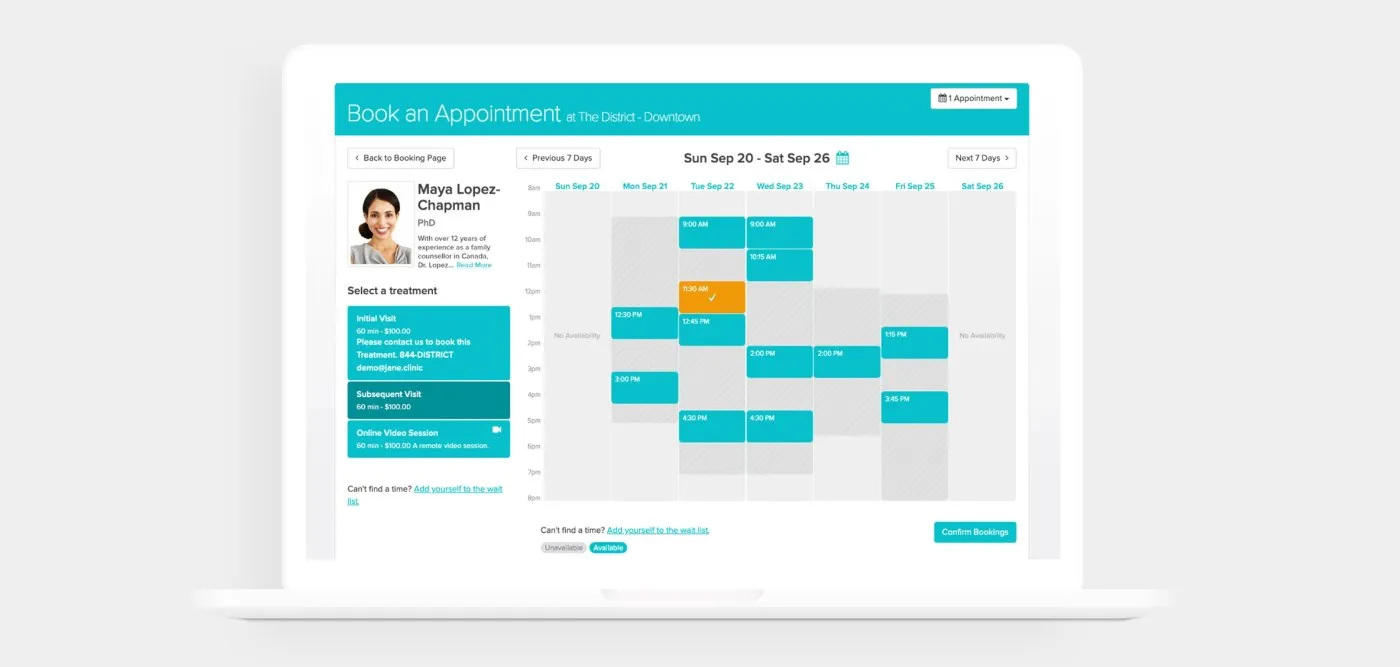
What Is Jane App? An Honest 2026 Overview for Clinic Owners
Jane App is a Canadian-built practice management platform for clinics. Here's an honest 2026 overview from a team that works with clinics on Jane every day.
Tyler · October 9, 2026
 AI & Tools
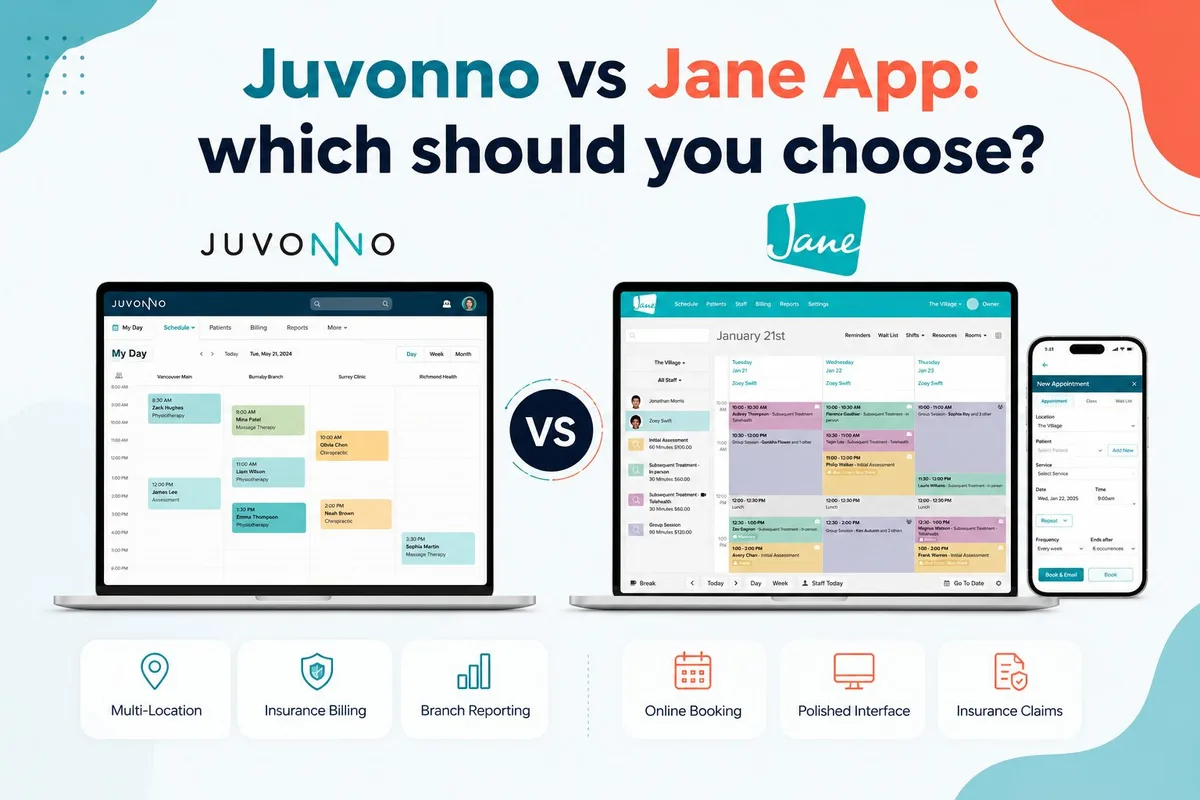
Juvonno vs Jane App: Which Clinic Software Fits You?
An honest Juvonno vs Jane App comparison for Canadian clinics. Pricing, billing, multi-location, interface, and who each one fits best.
Tyler · October 1, 2026
 AI & Tools
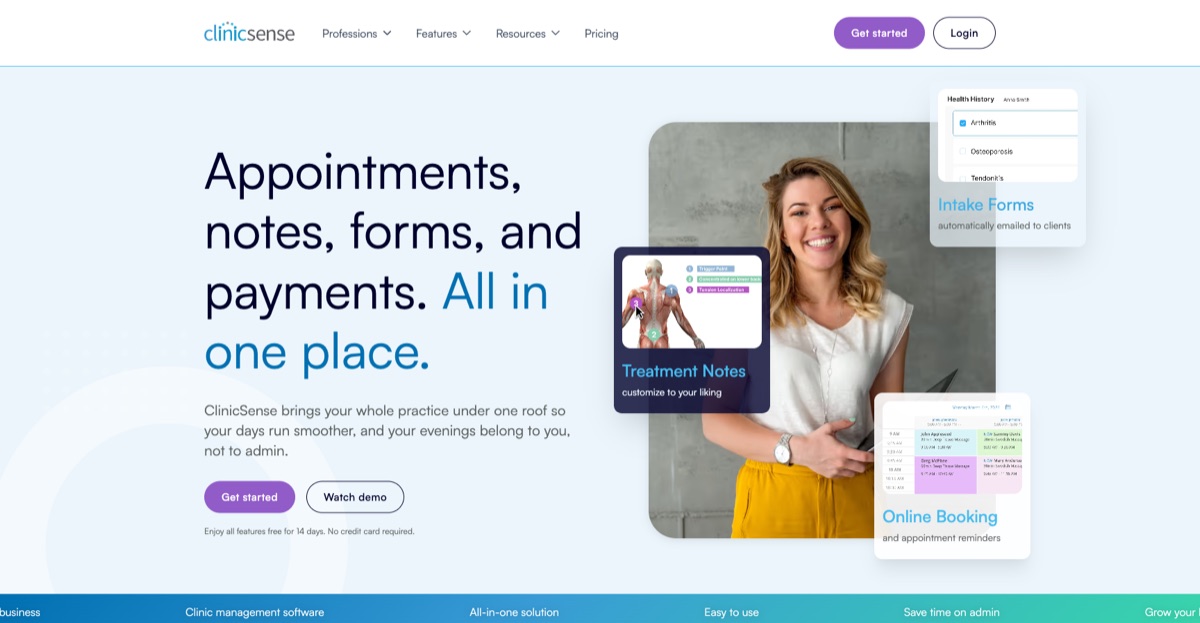
Everything Clinic Owners Should Know About ClinicSense
ClinicSense is a Canadian booking, charting, and review tool for RMTs and small clinics. Here's what it does, what it costs, and who it fits.
Tyler · June 28, 2026
Run Your Own Clinic Marketing
Cliniverse gives you the ads, posts, courses, and AI to grow your clinic, with experts on call. You own everything you build.